165mm+-2
122mm+-2
30
31
Advanced Functionality Setting
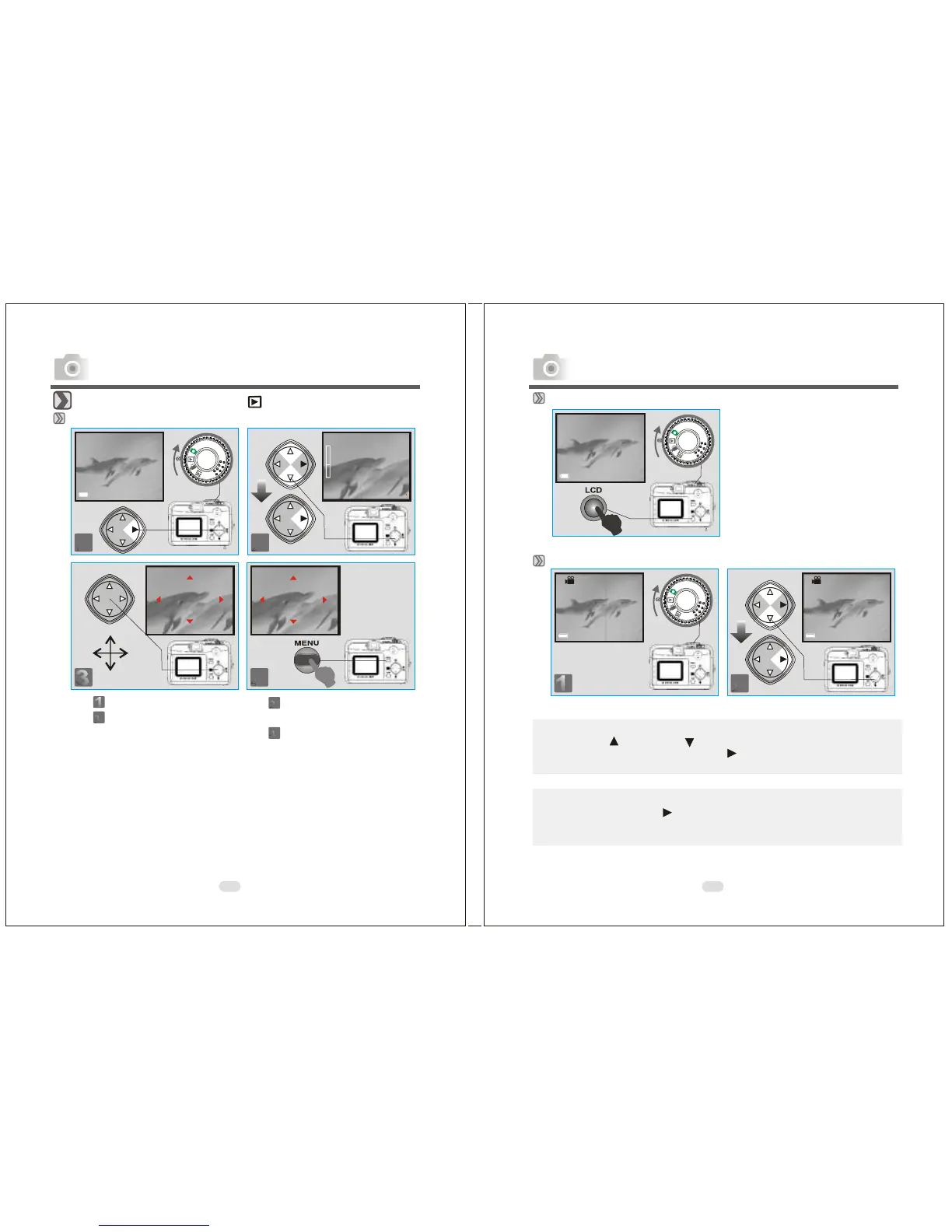
Under Playback Mode( )
Exploring an Image
Step :To enter the setting mode
Step :To explore the image
Step :To zoom in/out and enter the
option
Step :To exit from the setting
100-0002 100-0002
x4
x1
EXIT:MENU SET:
100-0002
EXIT:MENU
100-0002
EXIT:MENU
Advanced Functionality Settings
Displaying Information about an Image
Note
Press the Up ( ) and Down ( ) Direction Button to search for the movie
clip you recorded and press the Right ( ) Direction Button to view the
movie clip.
( )
press
Playback of a Movie Clip
Note
You can press the Right Direction Button to pause the playback and
it again to cancel it.
100-0002
100-0002 100-0002
SIZE: 2048x1536
DATE: 2003/01/27
TIME: 17:16:56
FLASH: FIRED
Advanced Functionality Settings



 To Next Page
 Loading...








