165mm+-2
122mm+-2
32
33
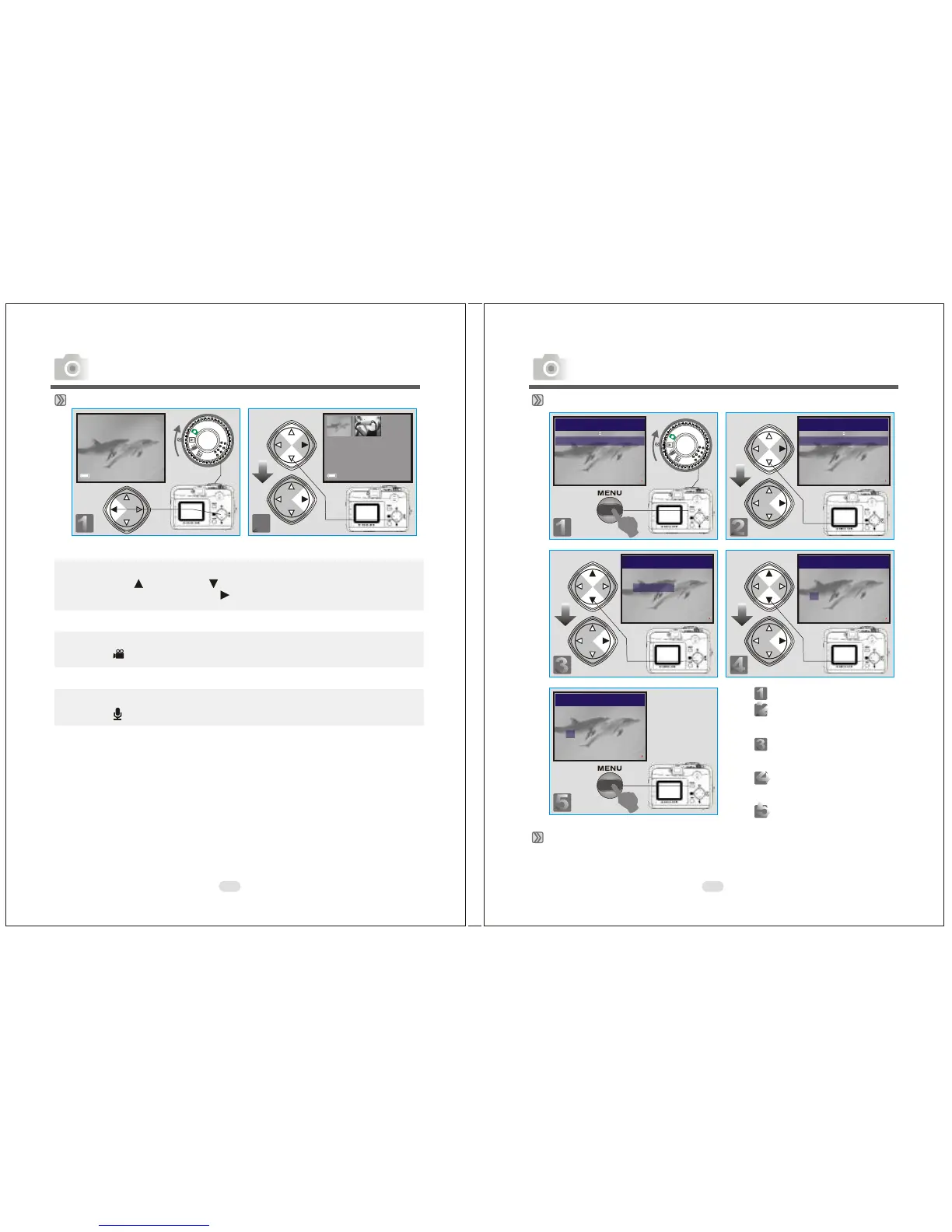
Thumbnail Images (Small Images) Display
Note
Press the Up ( ) and Down ( ) Direction Buttons to search for images
or movie clips and press Right ( ) Direction Button to view a movie clip.
Note
The icon ( ) indicates a movie clip, not a still image.
Note
The icon ( ) indicates a still image with voice memo.
100-0002 100-0002
Advanced Functionality Settings
Deleting Image(s)
Formatting an SD Card
Insert an SD Card before beginning.
Follow the above steps, selecting "FORMAT" in step 3, "YES" in step 4.
EXIT:MENU CHANGE:
DELETE
SLIDE SHOW 1 SEC
PROTECT LOCK
PRINT XO
PLAY
EXIT:MENU CHANGE:
DELETE
SLIDE SHOW 1 SEC
PROTECT LOCK
PRINT XO
PLAY
PLAY
DELETE
DELETE ALL
FORMAT
DELETE IMAGE
EXIT:MENU SET:
Step :To enter the setting mode
Step :To select and enter the
option
Step :To select and enter the
option
Step :To select and confirm the
option
Step :To exit from the setting
PLAY
DELETE
DELETE IMAGE
YES
NO
EXIT:MENU SET:
PLAY
DELETE
DELETE IMAGE
YES
NO
EXIT:MENU SET:
Advanced Functionality Settings



 To Next Page
 Loading...








