13
INSERTING BATTERIES
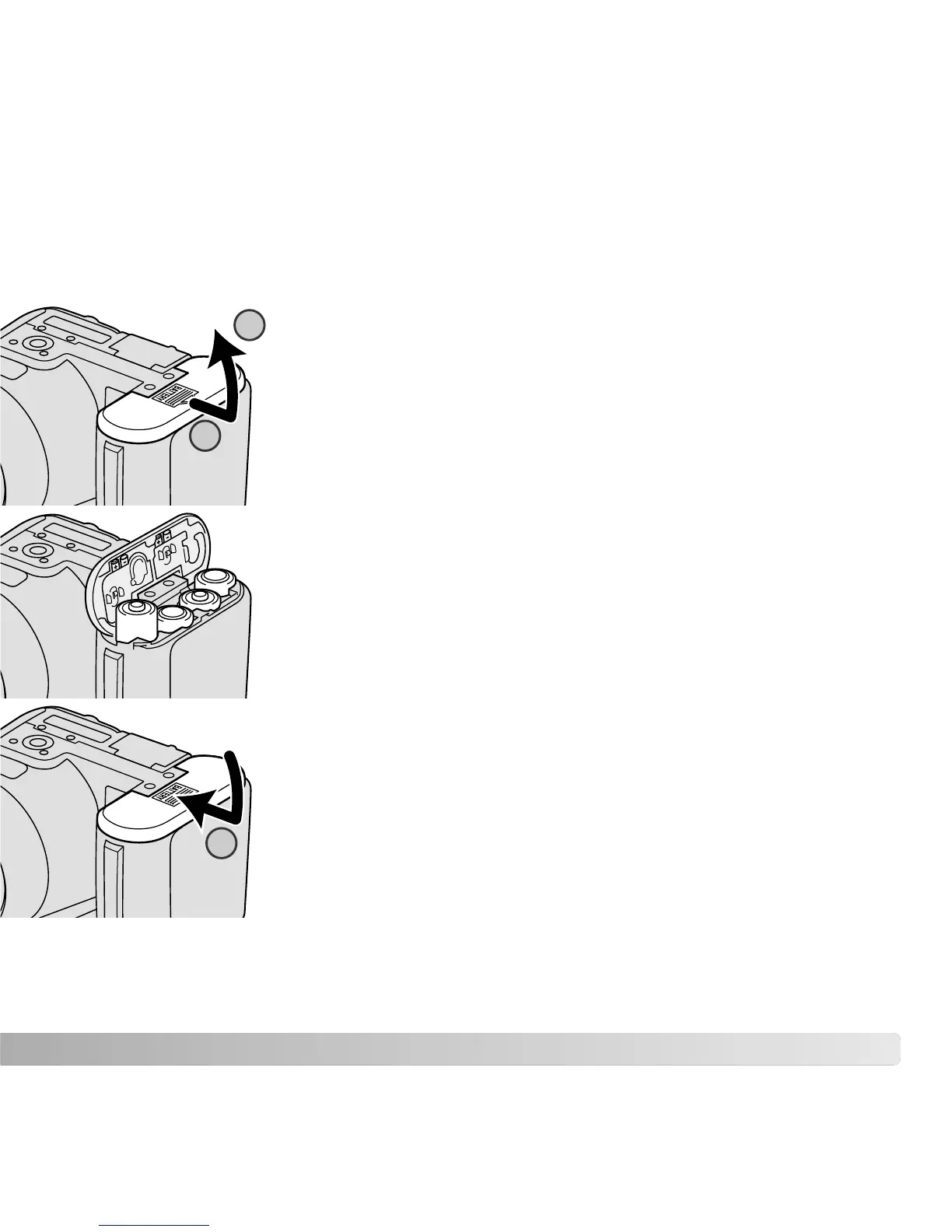
Insert the batteries as indicated on the diagram on the inside of
the battery-chamber door. Confirm the positive and negative
battery terminals are oriented correctly.
To open the battery-chamber door, slide the door toward the side
of the camera (1) to release the safety catch. Lift the door to open
(2).
This digital camera uses four AA-size alkaline or Ni-MH batteries. Do not use other types
of AA batteries. The camera should be off when replacing batteries.
Close the battery-chamber door and slide it toward the body (3) to
engage the safety catch.
After installing the batteries, the set-time/date message may
appear on the monitor. The clock and calendar are set in section
2 of the setup menu (p. 18).
1
2
3



 To Next Page
 Loading...











