- 4 -
Staple Finisher mc5550/5570
2.2. Finisher installation:
1
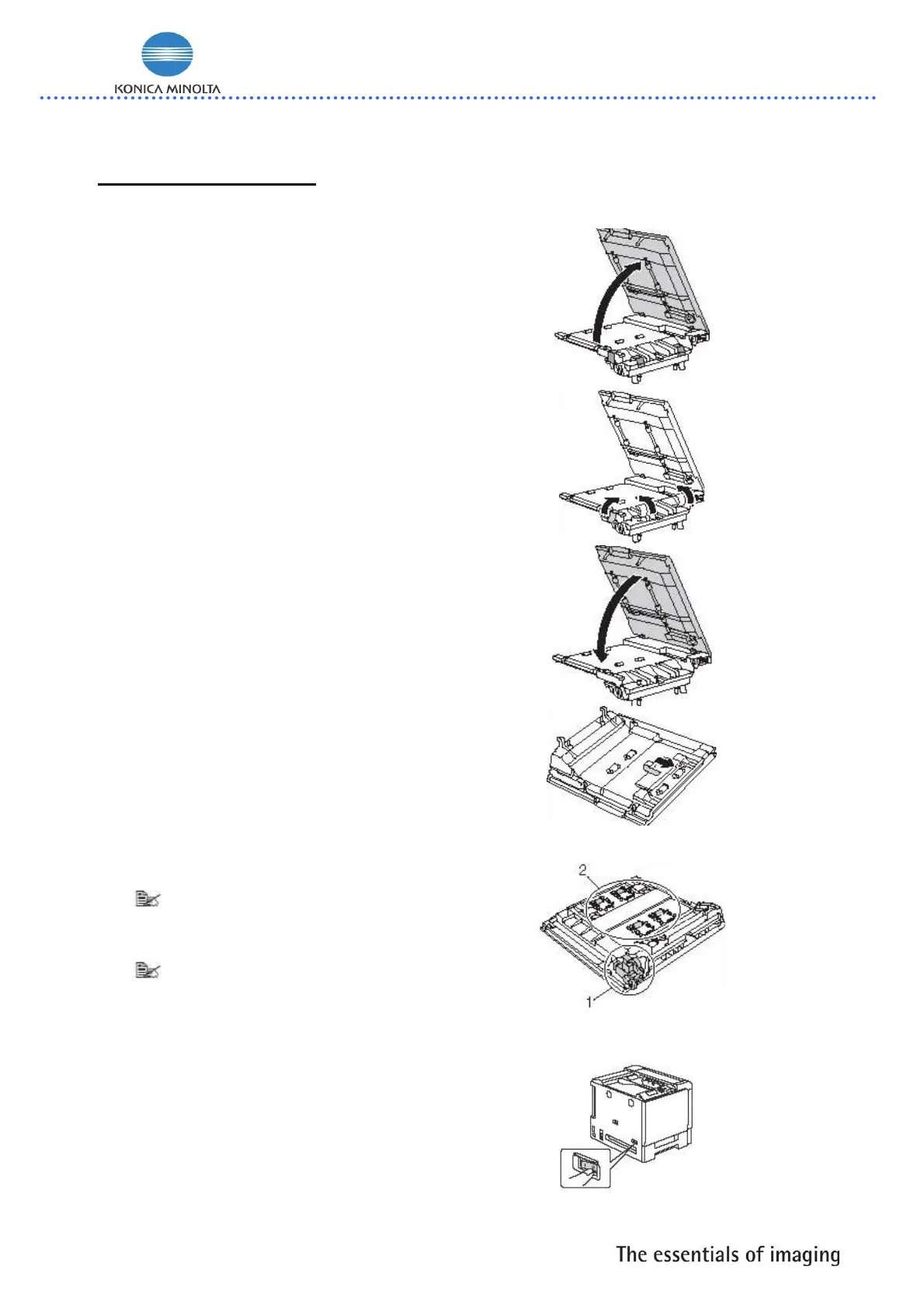
Open the box for the optional
Finisher
2
Unpack the relay unit, and then
open the relay unit cover.
3
Remove all packing tapes.
4
Close the relay unit cover.
5
Remove the two mounting hooks
on backside of the relay unit.
Since the gears (1) are
exposed, be careful not
to grab them or to hit
them
Since the performance of
the transport roller and
springs (2) may be
greatly reduced if they
are firmly grabbed, treat
them with speical care
6
Turn off the machine and
disconnect the power cord and
interface cable.














 To Next Page