- 8 -
Staple Finisher mc5550/5570
28
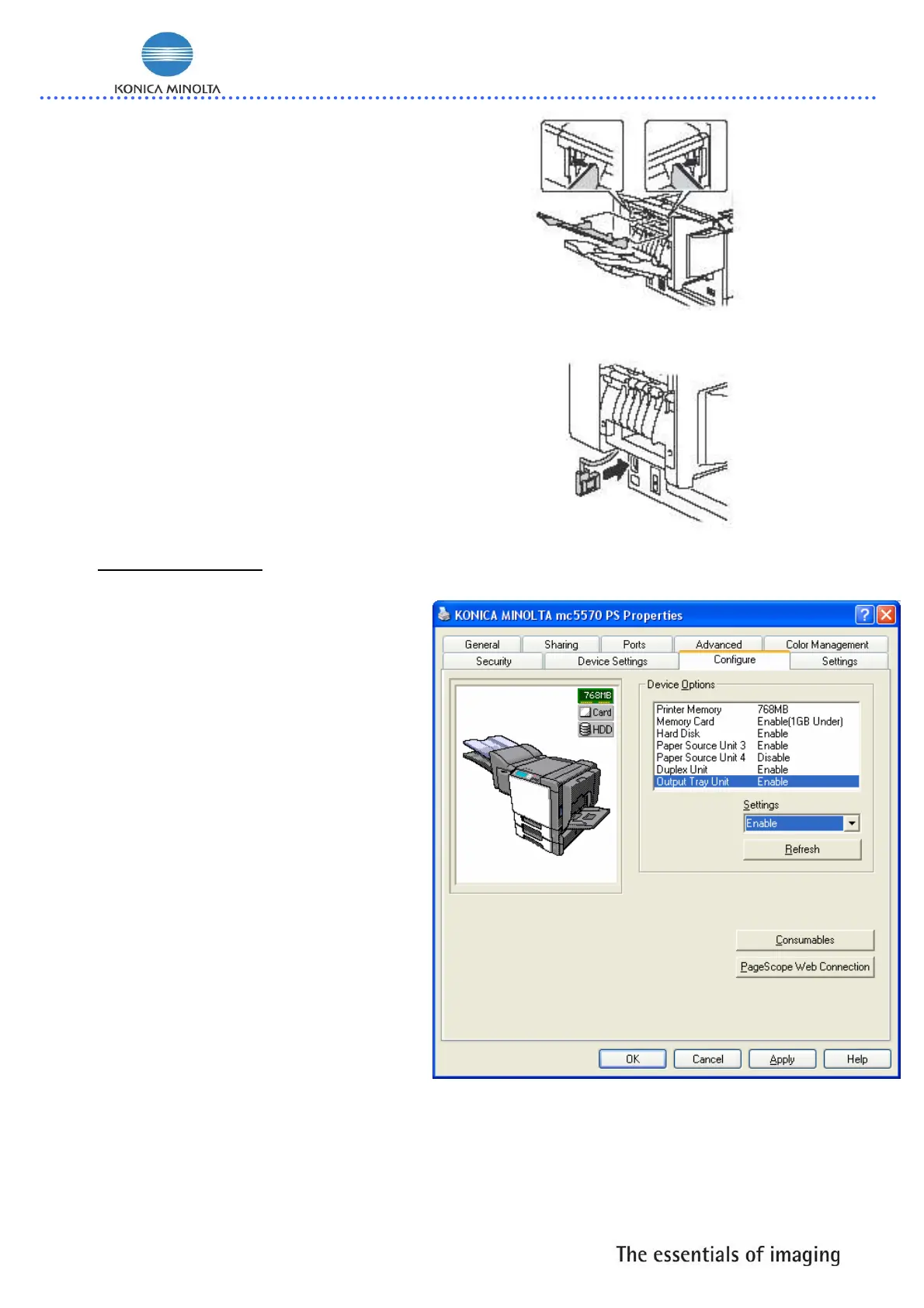
Install the sub output tray.
29
Insert the connectors of the staple
finisher into the connector of the
machine.
30
Reconnect the power cord, and
turn on the machine.
2.3. Configuration:
1
Declare the Staple
Finisher/Output Tray Unit within
the Windows printer driver
(Properties/Configure tab).
A. If printer connected with
TCP/IP interface, activate
REFRESH button.
B. If not connected with TCP/IP
select Output Tray Unit under
“Device Options “and choose
enable under “Settings”
Select the APPLY button.
B
B
A
B














 To Next Page