OPERATION MANUAL 15
OPERATING PROCEDURES
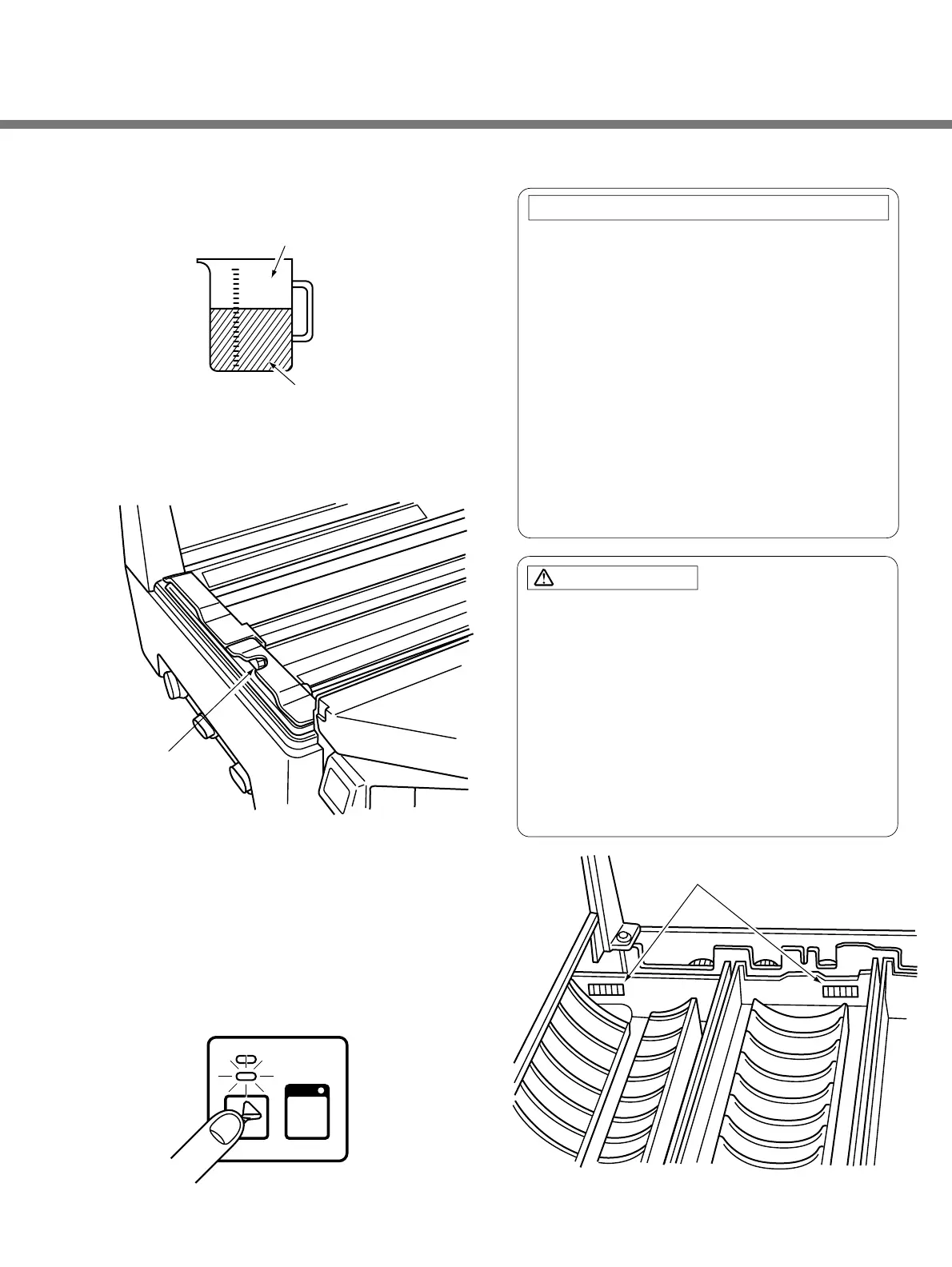
y Measure out 78P of the starter solution.
u Pour the starter solution into the starter solution
inlet in the developing tank.
i Close the top cover.
3) Manual Replenishing
q Make sure that the RUN button lamp is on.
(The READY lamp can be either ON or OFF.)
w Press the replenishment button (beaker).
Chemical solutions will be supplied to the tanks at
a rate or 3P per second.
1. You have to set the racks in the tank before
supplying new chemical solution.
2. Whenever you have to set a rack in a tank
where the chemical solution is already in, insert
the rack slowly while checking to see that the
rising chemical solution level stays within the
marker on the drive shaft side of the tank.
3. If the chemical solution level does rise above
the marker, open the drainage valve until the
chemical solution level falls within the marker.
4. Dropping a rack forcefully into a filled tank can
cause sudden overflow and contamination of
the chemical solution.
1. The chemical solution and starter solution are
dangerous to eyes, can cause skin irritation and
damage clothing. Handle them with care. If you
accidentally splash chemical solution on your skin
or clothing, immediately wash the stained areas
with water. If you splash any of these chemical
solution in your eyes, immediately wash with
water and get professional medical treatment.
2. To avoid accidents, strictly follow the directions for
handling and mixing of chemical solution.
AVOID CHEMICAL SOLUTIONS OVERFLOW:
CAUTION:


 To Next Page