OPERATION MANUAL 11
OPERATING PROCEDURES
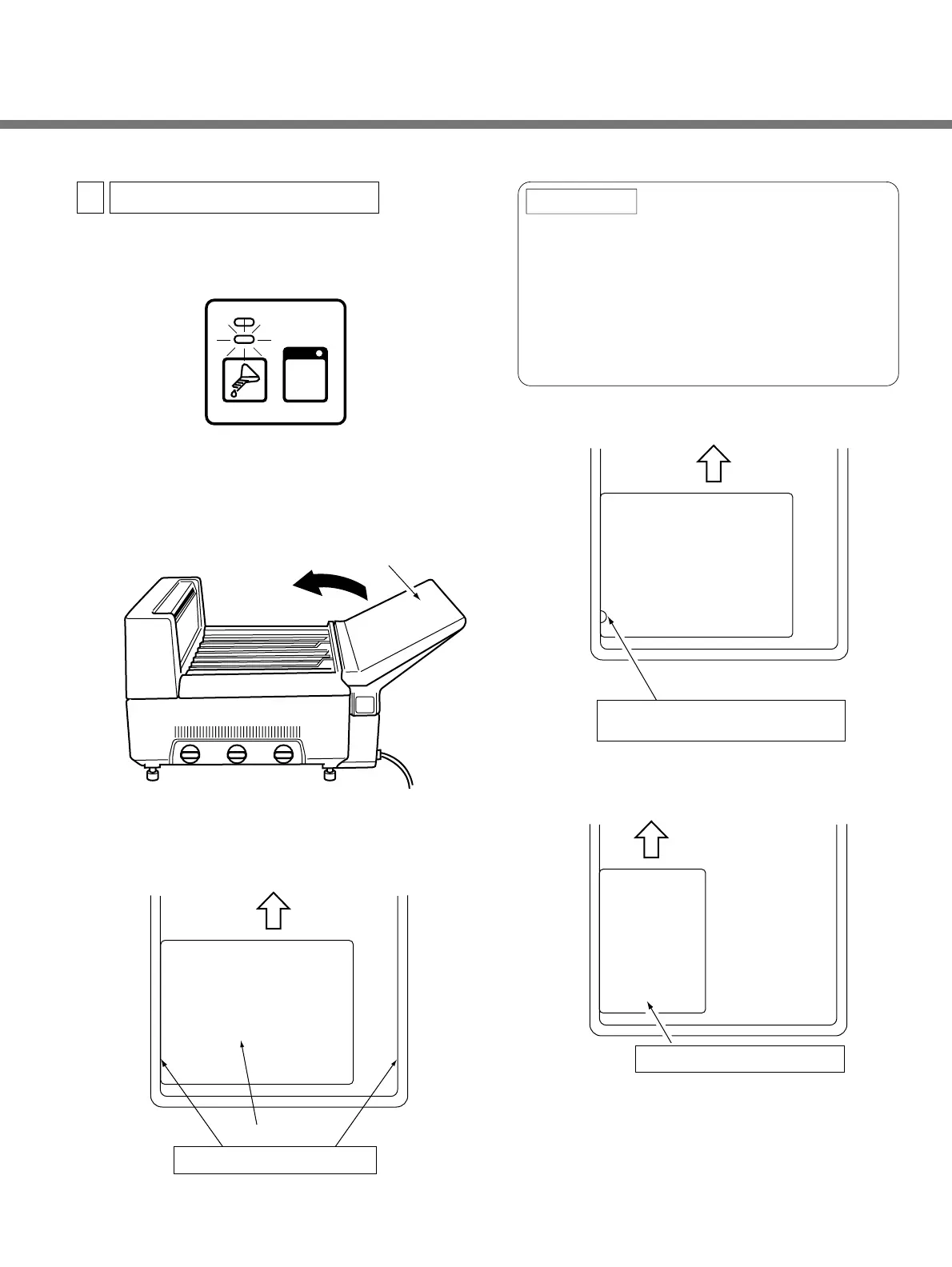
q Make sure that the READY lamp is ON.
w Change to safelight conditions
e Open the feed tray cover.
r Insert the exposed film one sheet at a time, always
lining up the film edge to either right or left guide
located on the feed tray.
To get the best images possible, always insert
single-emulsion film with the emulsion facing
down. This means that the notch will be in the
lower left hand corner (See first diagram below).
Insert film 8"x10" or smaller with the longer edge
lined up with the guide (See second diagram
below).
● After the leading edge of the film is grabbed by
the roller, the film will be automatically fed
into the SRX-101A.
Inserting Exposed Film
3
REMINDER:
™Feed Tray Cover
™Exposed Film
Line the film edge to this guide
Insertion of 8"x10" or smaller film
The notch is in the lower left hand corner,
so the emulsion side is facing down.
Single emulsion film


 To Next Page