13
System setup
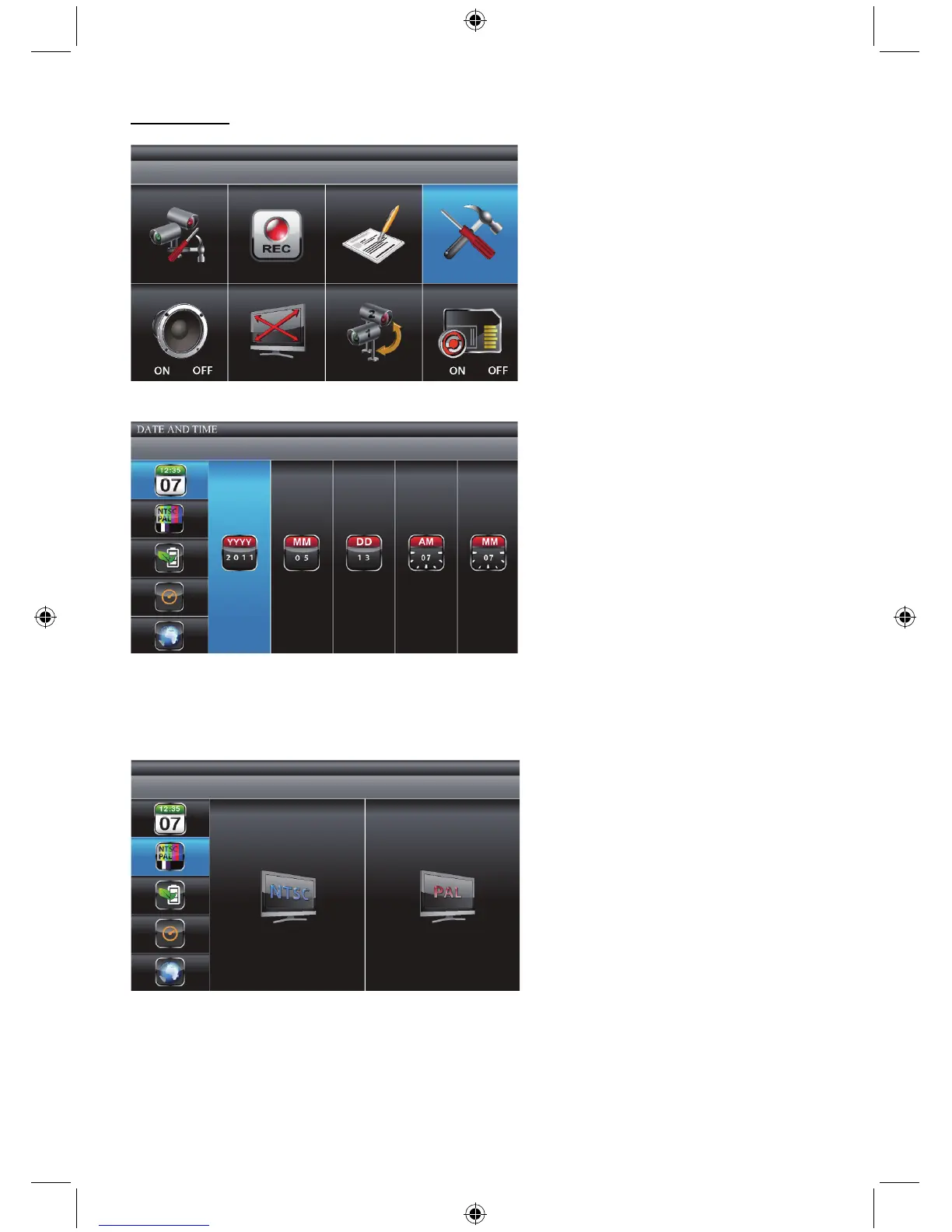
Select SYSTEM SETUP, press MENU key once to enter the sub-menu.
Date and time:
Use ▲▼ to highlight DATE AND TIME, press MENU to enter.
Use ◄► to highlight adjust: YEAR / MONTH / DATE / HOUR / MINUTE.
Use ▲▼ to adjust each section and press MENU to confirm the adjustment.
Press ESC to exit.
TV output:
Use ▲▼ to select TV OUTPUT. Press MENU to enter.
Use ◄► to highlight NTSC or PAL (for Europe), press MENU to confirm the selection.
Press ESC to exit.
Note: changing the TV system output may affect the image scale displayed.


 To Next Page