7
System menu
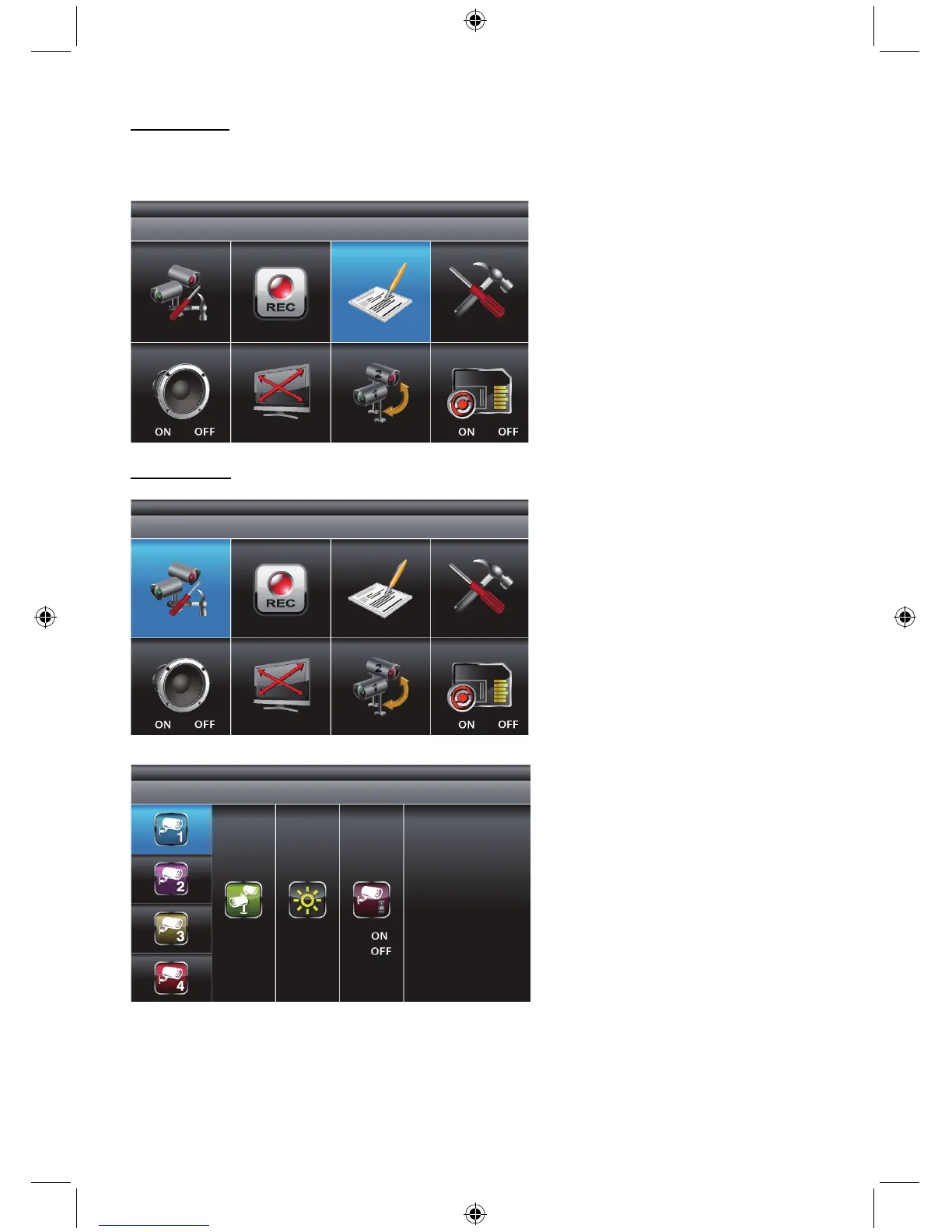
Press MENU to enter the main menu. After entering the [MAIN MENU] system, EVENT LIST will be
highlighted by default. The system will idle in [MAIN MENU] for 2 minutes before exiting [MAIN MENU].
Use ▲▼◄► to select, Press MENU to confirm selection and to enter the sub-menu.
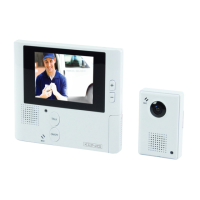
Camera setup
Select CAMERA SETUP, press MENU key once to enter the sub-menu.
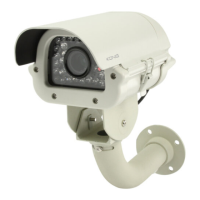
Use ▼▲ to select the camera to set up (1-4).
Use ◄► to select [PAIRING] [BRIGHTNESS] [CAMERA ON/OFF].


 To Next Page