2
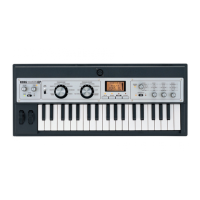
microX: Use the PROGRAM [A]–[GM] buttons to select
the bank. The microX provides rewritable banks A, B, C, D,
and E, each containing 128 programs (total 640). As for non-
rewritable program areas, it provides banks G (capital pro-
grams for GM), and bank g(d) (drums). If you press a PRO-
GRAM [A]–[GM] button, you will automatically enter
Program mode even if you had been in a different mode.
microX Bank List
Bank G will toggle between the GM and g(d) banks each
time you press the PROGRAM [GM] button.
G→g(d)→G→g(d)→G…
Program Select
X50:
[(A…D)0…127: name, (G, g(d))1…128: name]
microX:
[(A…E)0…127: name, (G, g(d))1…128: name]
Here you can select a program.
Choose this parameter, and use one of the following meth-
ods to select a program.
X50:
• Turn the [VALUE] dial.
• Use the [INC][DEC] buttons.
• Use the numeric buttons [0]–[9] to enter a program
number, and press the [ENTER] button to finalize the
number.
• Press the center of the ClickPoint to highlight the field,
then use [π][†] to select a program, and press the
center to finalize your selection.
• 10’s HOLD (☞p.2)
• Use PROG BANK [A]–[GM] to select a bank (☞p.1)
• Use “Select by Category” to select by category (☞p.2)
• Use the foot switch (☞p.80, 164)
• Receive a MIDI program change (☞p.171)
microX:
• Turn the [VALUE] dial.
• Press the center of the ClickPoint to highlight the field,
then use [π][†] to select a program, and press the
center to finalize your selection.
• Use “Select by Category” to select by category (☞p.2)
• Use the [CATEGORY] button and PROGRAM/
COMBINATION buttons to select by category (☞p.2)
• Use the foot switch (☞p.80, 164)
• Receive a MIDI program change (☞p.171)
You can receive MIDI program changes from a con-
nected external MIDI device, or use a foot switch to
select programs. (☞p.80 “Foot SW Assign” (GLOBAL
0–3a), p.164 “Foot Switch Assign List”)
Category [00...15: name]
Selects the program category.
All programs are classified into one of sixteen categories.
You can select the desired category, and then choose pro-
grams from that category.
To select a program by category, use the procedure
described below.
To assign a category to each program, use the “Write
Program” (0–1) dialog box. To change the name of a cat-
egory, use “Category Name Prog. 00–07, 08–15”
(☞GLOBAL 3–1/2).
X50: Cat. HOLD (Category Hold)
1 Press the [./HOLD] button to display . The
category will be held (fixed).
2 Use the ClickPoint [√][®][π][†] to choose “Category,”
and use the [INC][DEC] buttons or the [VALUE] dial to
select a category.
3 Use the ClickPoint [√][®][π][†] to choose “Program
Select,” and use the [INC][DEC] buttons or the [VALUE]
dial to successively select programs in that category.
4 To cancel, press the [./HOLD] button twice to turn off the
display.
If you press the [./HOLD] button in PROG 0: Play, the
selection will cycle in the order of →
→ Cancel.
Select by Category
1 Press the [CATEGORY] button to access the category
menu (Prog/Category).
X50
microX
Alternatively, you can access the category menu by
pressing the [UTILITY] button and choosing “Select by
Category” from the utility menu.
2 Use ClickPoint [√] to select “Prog/Category,” and use
the [VALUE] dial to select a category.
3 Use ClickPoint [π][†] to select a program. Alternatively,
use the ClickPoint [®] to choose “Sel (Select),” and use
the [VALUE] dial to select a program.
4 Press the [MENU/OK] button to execute, or press the
[EXIT/CANCEL] button if you decide not to execute.
microX: Category & Bank
1 Press the [CATEGORY] button to access the category
menu (Prog/Category).
2 Note the categories shown below the PROGRAM buttons
or COMBINATION buttons, and press the corresponding
button for the desired category. You can also use the
[PAGE+][PAGE–] buttons to step through the categories
one by one.
3 Use the [VALUE] dial to select a program.
4 Press the [MENU/OK] button to execute, or press the
[EXIT/CANCEL] button if you decide not to execute.
X50: 10’s HOLD
1 Press the [./HOLD] button to make the indi-
cation appear.
Bank A
for preloaded programs
(for user programs)
Bank B
Bank C
Bank D
Bank E
Bank G GM capital program
Bank g(d) GM drums program



 To Next Page