EasyManua.ls Logo

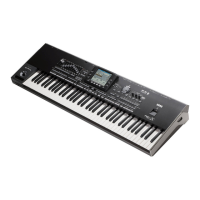
Korg Pa3XLe - User Manual

Korg Pa3XLe
472 pages
Print Icon
To Next Page IconTo Next Page
Loading...
Pa3XLe | Users Manual
ENGLISH | OS Version 1.0
2E

Table of Contents

Questions and Answers

  • S
    Samuel RoseAug 19, 2025
    What to do if my Korg Pa3XLe has no sound?
    • M
      Mary HarrisAug 19, 2025
      If your Korg Synthesizer isn't producing sound, consider the following: Ensure the MASTER VOLUME knob is not set to '0'. Check if the 'Speakers' parameter is turned off and turn it on. Verify the connections to your amplifier or mixer, and confirm that all components of the amplifying system are powered on. Also, check if the 'Local' parameter is off and turn it on. Finally, verify that the 'Attack' parameter value isn't too high and the 'Volume' parameter isn't too low; adjust them accordingly.
  • D
    David WilsonAug 21, 2025
    How to fix Korg Pa3XLe if power does not turn on?
    • J
      Jessica HicksAug 22, 2025
      If your Korg Synthesizer isn't powering on, ensure the power cable is securely plugged into both the outlet and the connector on the back of the instrument, and that the cable is not damaged. Also, verify that there are no issues with the mains.
  • J
    jjordanAug 25, 2025
    Why my Korg Pa3XLe does not respond to MIDI messages?
    • T
      Tara WilsonAug 25, 2025
      If your Korg Synthesizer isn't responding to MIDI messages, verify that all MIDI or USB cables are correctly connected. Ensure the external device is transmitting through MIDI channels enabled to receive in the Pa3XLe. Check that the MIDI IN Filters of the Pa3XLe do not prevent the reception of messages.
  • L
    Lee YoungAug 26, 2025
    What to do if my Korg Synthesizer produces wrong sounds?
    • R
      rwardAug 27, 2025
      If your Korg Synthesizer is producing the wrong sounds, consider these possible causes: The USER banks may contain modified data. In this case, load the correct data for the Song or Style you want to playback. Also, check if one of the USER Drum Kits has been modified and load the appropriate Drum Kits. Finally, if the Styles or Performances have been modified, load the appropriate data for them.
  • T
    Tammy MurrayAug 28, 2025
    Why can't I save data to a device with my Korg Synthesizer?
    • A
      Alyssa HarveyAug 28, 2025
      If you're unable to save data to a device using your Korg Synthesizer, check the following: Verify that the device is formatted. Ensure the device is correctly inserted. Check if the write protect tab of the disk or card is in the protect position; if so, unprotect it.
  • S
    Stacy GreeneAug 30, 2025
    How to troubleshoot Korg Pa3XLe when it cannot format a device?
    • E
      erobertsAug 30, 2025
      If your Korg Synthesizer is unable to format a device, check the following: Is the USB cable correctly connected? Is the USB device correctly powered? Is the device inserted correctly? Is the write protect tab of the disk or card in the protect position? If so, unprotect it.
  • A
    Alex MooreSep 1, 2025
    What to do if Korg Synthesizer cannot load data from a device?
    • R
      Rachel BeardSep 1, 2025
      If your Korg Synthesizer is unable to load data from a device, verify that the device is correctly inserted. Also, ensure that the device contains data compatible with the Pa3XLe.
  • D
    danielramirezSep 3, 2025
    What to do if the selected Style or Song cannot start on Korg Pa3XLe Synthesizer?
    • M
      Melody HaydenSep 3, 2025
      If the selected Style or Song cannot start on your Korg Synthesizer, make sure that the Clock parameter is set to Internal. If you are using the MIDI Clock of another device, you must set the MIDI Clock parameter to MIDI or USB (depending on the port the Pa3XLe is hooked to the other device through) and make sure that the external device transmits MIDI Clock data.
  • D
    David CampbellSep 6, 2025
    How to turn off Korg Synthesizer if power does not turn off?
    • K
      Kevin HughesSep 6, 2025
      To turn off your Korg Synthesizer, press the POWER button again and keep it pressed for a few seconds. At the end, the button’s LED will turn off, and the instrument will be set to standby.
  • V
    valerie62Sep 7, 2025
    Why the lowest notes are not played on my Korg Pa3XLe Synthesizer?
    • C
      Crystal WelchSep 7, 2025
      If the lowest notes are not playing on your Korg Synthesizer, and the SPLIT LED is on, the keyboard is divided into a Lower part (lower notes, below the split point) and an Upper part (higher notes, above the split point). Check if the Lower track is muted and unmute it.

Korg Pa3XLe Specifications

General IconGeneral
Sound EngineEDS (Enhanced Definition Synthesis)
MIDIIn, Out, Thru
TypeArranger Workstation
Keyboard61 keys (velocity and aftertouch sensitive)
Polyphony128 notes
Effectsreverb, chorus
StylesOver 400 preset styles
Sequencer16 tracks
Display7-inch color TFT
StorageSD card slot
USBUSB 2.0
Audio Inputs2 x 1/4" (L/Mono, R)
ConnectionsFootswitch, MIDI, USB

Related product manuals