EasyManua.ls Logo

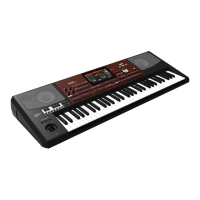
Korg PA600 - User Manual

Korg PA600
36 pages
Print Icon
To Next Page IconTo Next Page
Loading...
Operating
System 2.0
Système
Opérationnel
Version 2.0
Betriebs-
system
Version 2.0
Sistema
Operativo
Versione 2.0
操作系统操作系统
2.0
7M
MAN0010068

Table of Contents

Other manuals for Korg PA600

Questions and Answers

  • M
    mark25Aug 19, 2025
    How to fix no sound on my Korg Synthesizer?
    • R
      Ryan RuizAug 19, 2025
      If you're not getting any sound from your Korg Synthesizer, here are a few things to check: * Ensure the MASTER VOLUME knob of the Pa600 is not set to “0”. * Make sure the Speakers parameter is turned on. * Verify the connections to your amp or mixer. * Confirm that all components of your amplifying system are powered on. * Check that the Local parameter is turned on. * See if the Attack parameter value is too high; if so, lower it. Also, check if the Volume parameter is too low; if it is, increase it.
  • G
    Gary MannAug 21, 2025
    What to do if my Korg Synthesizer power does not turn on?
    • H
      halvarezAug 21, 2025
      If your Korg Synthesizer isn't powering on, check these potential issues: 1. Ensure the power cable is securely plugged into both the outlet and the connector on the back of the instrument. 2. Inspect the power cable for any damage. 3. Verify there are no issues with the mains.
  • M
    Mr. Adam PachecoAug 25, 2025
    Why my Korg Synthesizer does not respond to MIDI messages?
    • L
      Luis StewartAug 25, 2025
      If your Korg Synthesizer isn't responding to MIDI messages, verify that: * All MIDI or USB cables are correctly connected. * The external device is transmitting through MIDI channels enabled to receive in the Pa600. * The MIDI IN Filters of the Pa600 do not prevent the reception of messages.
  • S
    sanchezrobertAug 26, 2025
    What to do if my Korg Synthesizer produces wrong sounds?
    • M
      Melissa GarciaAug 27, 2025
      If your Korg Synthesizer is producing the wrong sounds, consider the following: * If the USER banks contain modified data, load the appropriate data for the Song or the Style you wish to playback. * If one of the USER Drum Kits has been modified, load the appropriate Drum Kits. * If the Styles or Performances have been modified, load the appropriate data (Styles or Performances).
  • R
    Rachel WilliamsAug 28, 2025
    How to fix cannot format a device on Korg Synthesizer?
    • J
      Jessica PearsonAug 28, 2025
      If you're unable to format a device with your Korg Synthesizer, check these possible causes: * Ensure the USB cable is correctly connected. * Verify the USB device is correctly powered. * Make sure the device is inserted correctly. * Check if the write protect tab of the disk or card is in the protect position; if so, unprotect it.
  • M
    Michael EricksonAug 30, 2025
    Why I cannot save data to a device with my Korg Synthesizer?
    • A
      Annette CortezAug 30, 2025
      If you cannot save data to a device using your Korg Synthesizer, please check if: * The device is formatted. * The device is inserted correctly. * The write protect tab of the disk or card is in the protect position. If it is, unprotect it.
  • K
    Kayla SmithSep 1, 2025
    What to do if the lowest notes are not played on Korg Synthesizer?
    • L
      Lindsey PrinceSep 1, 2025
      If the lowest notes aren't playing on your Korg Synthesizer, and the SPLIT LED is on, the keyboard is divided into a Lower part (lower notes, below the split point) and an Upper part (higher notes, above the split point). Ensure the Lower track is not muted; if it is, unmute it.
  • A
    Ashley ParksSep 4, 2025
    What to do if I cannot load data from a device with Korg Synthesizer?
    • C
      Cody VegaSep 4, 2025
      If you're having trouble loading data from a device with your Korg Synthesizer: * Ensure the device is inserted correctly. * Verify that the device contains data compatible with the Pa600.
  • T
    Theresa FosterSep 6, 2025
    How to stop sound that does not stop on Korg Synthesizer?
    • M
      Mark RichardsonSep 6, 2025
      If the sound doesn't stop on your Korg Synthesizer, make sure that the Damper pedal calibration is correctly set.
  • C
    Colleen AllenSep 8, 2025
    Why the selected Style or Song cannot start on Korg Synthesizer?
    • D
      Dustin SmithSep 8, 2025
      If the selected Style or Song cannot start on your Korg Synthesizer, ensure that the Clock parameter is set to Internal. If you are using the MIDI Clock of another device, you must set the MIDI Clock parameter to MIDI or USB (depending on the port the Pa600 is hooked to the other device through) and make sure that the external device transmits MIDI Clock data.

Summary

New Functions of OS Version 2.0

Sampling Mode

Details new features added to Sampling Mode, including sample editing.

Various Modes

Details long press to write functions for Performances, STSs, Styles, and SongBook entries.

Style Play & Song Play Modes

Explains how pad sequences stop when pressed a second time.

SongBook

Covers modifications to Book Edit pages and the Init SongBook command.

Global Split Point Editing

Explains that the global Split Point is only editable in Global mode.

Single Local Split Point Saved

Describes saving a single local Split Point with Styles and SongBook Entries.

SongBook Settings Auto-Save

Details automatic saving of SongBook preferences like column selection and display.

Lyrics, Score, and Marker Auto-Save

States that Lyrics, Score, and Marker settings are now automatically saved after editing.

Sample Editing Capabilities

Details new sample editing capabilities and loading options for Samples, Multisamples, Sounds.

Chord Recognition Modes

Explains new Chord Recognition modes (Fingered 3 Notes) and renaming of Fingered mode.

Media Preferences Columns

Details the addition of Size and Date columns in the File Selector for Media operations.

Fixed Velocity Curve

Adds a 'Fixed' velocity curve option in Global > Controllers > Hand Controllers.

MIDI Control Channel

Introduces a control channel option for MIDI OUT for SongBook entry messages.

Tablet MIDI Preset

Adds a preset for tablet synchronization with a control channel assigned to MIDI IN/OUT Channel #16.

Backup File Format

Introduces a new file format for backup archives created via Media > Utility.

Resource Restore Command Renamed

Notes the renaming of the 'Full Resource Restore' command to 'Resource Restore'.

New Functions of OS Version 1.1

Demo Mode New Look

Explains the new visual design of the Demo mode pages.

Various Modes Enhancements

Details long press to write features and the Select All command in various windows.

Split Point Saving

Allows saving a single 'local' Split Point with each Style or SongBook Entry.

Pad Stop Behavior

Explains how pad sequences stop when pressed a second time.

SongBook Modifications

Covers modified Book Edit pages and the new Init SongBook command.

SongBook Settings Auto-Saved

Details automatic saving of SongBook preferences after editing.

Media Mode Data Handling

Covers loading and saving Factory Styles and Pads, including protection options.

Selective Data Restore

Allows choosing specific data types for Factory Restore or Resource Restore.

Media Mode Settings Auto-Save

Details automatic saving of settings in the Media pages.

New Functions of OS Version 1.2

SongBook Synchronization

Discusses external software for SongBook management and synchronization.

Global Chord Recognition

Explains new Chord Recognition modes and renaming of Fingered mode.

Musical Resources Update

Explains updating Musical Resources and the role of Factory Restore command.

Shortcuts and Long Keypress Functions

Shift Functions

Lists functions accessible by holding the SHIFT button and pressing another button.

JukeBox and Lyrics Shortcuts

Shortcuts for navigating the JukeBox list and loading a TXT file.

Sequencer Mode Shortcut

Shortcut to access the Sequencer Mixer/Tuning page.

Long Keypress Access

Details long keypress access to various mode settings like Touch Panel Calibration.

Style Play Mode Long Keypress

Long keypress functions for Style and Performance settings.

Special Function Shortcuts

Shortcuts for Tempo, Transpose, Octave adjustments, and Expression level.

Improvements and Bug Fixes

OS 2.00 Improvements

General performance improvements noted for OS 2.00.

OS 1.10 Bug Fixes

Lists bug fixes for various modes, Song Play, and Lyrics pages.

OS 1.21 Bug Fixes

Details bug fixes related to Style Play, Song Play, and Media Mode.

OS 1.20 Improvements

Highlights the faster start-up procedure in OS 1.20.

Korg PA600 Specifications

General IconGeneral
Polyphony128 voices
Sound EngineEDS (Enhanced Definition Synthesis)
TypeArranger Workstation
Power SupplyAC adapter
Keyboard61 keys
Styles360 styles
Sequencer16 tracks
Display7-inch color touch screen
Audio RecordingYes
ConnectivityUSB, MIDI
StorageUSB
Speakers2 speakers
User Sounds256 Sounds, 128 Drum Kits

Related product manuals