EasyManua.ls Logo

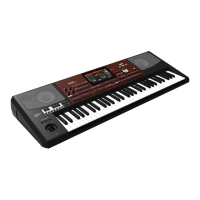
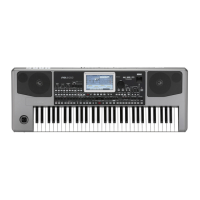
Korg pa 900 - User Manual

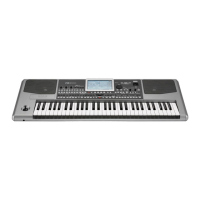
Korg pa 900
450 pages
Print Icon
To Next Page IconTo Next Page
Loading...
User’s Manual
ENGLISH | OS Ver. 1.0
1E

Table of Contents

Questions and Answers

  • S
    Steven SmithAug 19, 2025
    How to fix Korg pa 900 Synthesizer when power does not turn on?
    • D
      Daisy WalkerAug 19, 2025
      First, check that the power cable is properly connected to both the outlet and the back of the instrument, ensuring it is not damaged. Also, verify there are no issues with the mains. Check if the STANDBY LED is lit. If the power still fails to turn on, it may indicate a more serious problem.
  • S
    Suzanne CrawfordAug 21, 2025
    What to do if my Korg pa 900 Synthesizer has no sound?
    • E
      Emily LeeAug 21, 2025
      If your Korg Synthesizer isn't producing sound, make sure the MASTER VOLUME knob is not set to “0”. Check that the Speakers parameter is turned on, and verify the connections to your amp or mixer. Ensure all components of your amplifying system are powered on. Also, confirm that the Local parameter is enabled and that the Attack parameter value isn't too high, and the Volume parameter isn't too low.
  • R
    Ronald PerezAug 23, 2025
    Why does my Korg Synthesizer not respond to MIDI messages?
    • A
      Andrea DavisAug 23, 2025
      If your Korg Synthesizer isn't responding to MIDI messages, check that all MIDI or USB cables are correctly connected. Also, ensure the external device is transmitting through MIDI channels that are enabled to receive in the Pa900, and confirm that the MIDI IN Filters of the Pa900 are not blocking the reception of messages.
  • W
    wallsjacobAug 26, 2025
    What to do if Korg pa 900 cannot format a device?
    • S
      Samantha TylerAug 26, 2025
      If your Korg Synthesizer cannot format a device, verify the USB cable is correctly connected and the USB device is correctly powered and inserted properly. Also, check if the write protect tab of the disk or card is in the protect position; if so, unprotect it.
  • R
    Richard KelleyAug 28, 2025
    What does it mean when Korg pa 900 Synthesizer displays 'Over Current Condition Detected on USB port'?
    • J
      Jason MendozaAug 28, 2025
      The message “Over Current Condition Detected on USB port: please remove the USB media” indicates that the USB device is likely defective due to a short circuit and should not be used. Remove the device to prevent any potential issues, although this situation should not damage the Pa900.
  • A
    aaron16Aug 30, 2025
    Why are the lowest notes not playing on my Korg pa 900?
    • N
      nholderAug 30, 2025
      If the lowest notes are not playing on your Korg Synthesizer, and the SPLIT LED is on, the keyboard is divided into Lower and Upper parts. Check if the Lower track is muted and unmute it if necessary.
  • M
    Michael EvansSep 1, 2025
    What to do if Korg pa 900 cannot save data to a device?
    • V
      Veronica FlowersSep 1, 2025
      If your Korg Synthesizer cannot save data to a device, ensure the device is formatted and inserted correctly. Also, verify that the write protect tab of the disk or card is not in the protect position; if it is, unprotect it.
  • J
    Joseph JonesSep 4, 2025
    Why does my Korg pa 900 Synthesizer play wrong sounds?
    • J
      Jasmine HartSep 4, 2025
      If your Korg Synthesizer is playing the wrong sounds, it could be due to modified data in the USER banks. Try loading the appropriate data for the Song or Style you wish to playback. Also, check if one of the USER Drum Kits or the Styles or Performances has been modified; if so, load the correct Drum Kits, Styles, or Performances.
  • E
    Elizabeth RobertsSep 6, 2025
    What to do if Korg Synthesizer cannot load data from a device?
    • D
      Dana HarveySep 6, 2025
      If your Korg Synthesizer cannot load data from a device, first ensure that the device is inserted correctly. Then, verify that the device contains data that is compatible with the Pa900.
  • A
    Ashley TuckerSep 8, 2025
    Why does the sound not stop on my Korg pa 900?
    • V
      Vincent HessSep 8, 2025
      If the sound does not stop on your Korg Synthesizer, ensure that the Damper pedal calibration is correctly set.

Korg pa 900 Specifications

General IconGeneral
Polyphony128 voices
Sequencer16-track sequencer
Keyboard61 keys (with velocity and aftertouch)
SoundsOver 1100 sounds, including GM and XG sets
StylesOver 400 styles
Display7-inch TouchView TFT display
StorageInternal memory and microSD card slot
Weight10.76 kg
MIDIIn, Out, Thru
USBUSB to Host, USB to Device
ConnectivityMIDI, USB

Related product manuals