EasyManua.ls Logo

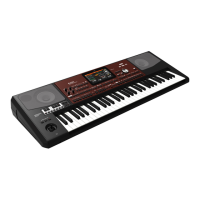
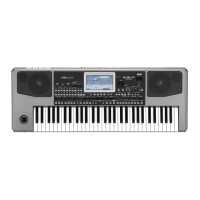
Korg pa 900 - User Manual

Korg pa 900
450 pages
Print Icon
To Next Page IconTo Next Page
Loading...
User’s Manual
ENGLISH | OS Ver. 1.0
1E

Table of Contents

Questions and Answers

  • C
    Courtney GregorySep 12, 2025
    Why can't the selected Style or Song start on my Korg pa 900?
    • M
      Mr. Victor MillerSep 12, 2025
      If the selected Style or Song cannot start on your Korg Synthesizer, make sure the Clock parameter is set to Internal. If using MIDI Clock from another device, set the MIDI Clock parameter to MIDI or USB, depending on how the Pa900 is connected, and ensure the external device transmits MIDI Clock data.
  • A
    Adam MccoySep 13, 2025
    Why are percussive instruments not played correctly on my Korg pa 900 Synthesizer?
    • R
      Robert WadeSep 13, 2025
      If percussive instruments are not played correctly on your Korg Synthesizer, ensure that the Drum track is set to Drum Mode and that no transposition is applied on the external device.
  • Z
    Zachary FloresSep 15, 2025
    Why can a background noise be heard after selecting a Performance, Style or STS on my Korg pa 900?
    • A
      Amy FisherSep 16, 2025
      The background noise you hear after selecting a Performance, Style, or STS on your Korg Synthesizer is due to the effect “17 St. Analog Record” being recalled, which simulates the noise of an old vinyl recording.

Korg pa 900 Specifications

General IconGeneral
Polyphony128 voices
Sequencer16-track sequencer
Keyboard61 keys (with velocity and aftertouch)
SoundsOver 1100 sounds, including GM and XG sets
StylesOver 400 styles
Display7-inch TouchView TFT display
StorageInternal memory and microSD card slot
Weight10.76 kg
MIDIIn, Out, Thru
USBUSB to Host, USB to Device
ConnectivityMIDI, USB

Related product manuals