17
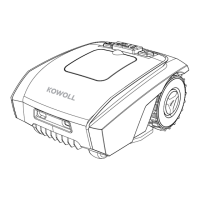
As your robotic mower is battery powered,you should pay attention when cleaning.
Remove rough dirty with a soft brush. Then use a manual water spray with mild
household detergent for intensive cleaning. Last , wipe off any residue with a moist
rag after cleaning.
Ensure the robotic mower is completely shut off for any adjustment
or replacement of the blades. Always wear protective gloves.
To ensure maximum cutting efficiency and safety, always use recommended original
blades and screws when replacing.
Your robotic mower has three blades, fixed to the blades disk. Unless damaged
by hard obstacles, these blades can last for up to five months of everyday use. Weekly
inspection of the blades and the fixing screws is advised. Note that the blades are
double edged. In case the first side becomes blunt, loosen the screw and turn the
blade upside down and re-fix. Check that the blade can move freely.
A set of spare blades is included with the package. More blades are avairab le to
purchase via customer support or online store.
To ensure the best performance of your machine, always replace all th
ree blades at
the same time. Only use spare parts recommended by manufacturer.
Ensure the main power switch is in OFF position. Wearing protective gloves when
handing or working near sharp blades. Turn the robotic mower upside down.
Clean the blade disc and frame using a soft brush or damp cloth. Rotate the
blade disc to make sure that it can move freely.
Use wire wool, metal cleaner or very fine grade emery paper, clean the contact
pins and the charging strips on your mower and docking station. Remove any
debris, leaves, or grass clippings around the contact pins and charging strips to
ensure efficient charging.
Cleaning the Mower
Reversing or replacing the blades:
Cleaning the mower body:
WARNING!
WARNING!
Cleaning the underside:
Clean the contact pins and the charging strips:


 To Next Page