PT-580T/TP-580T/TP-580R - Overview
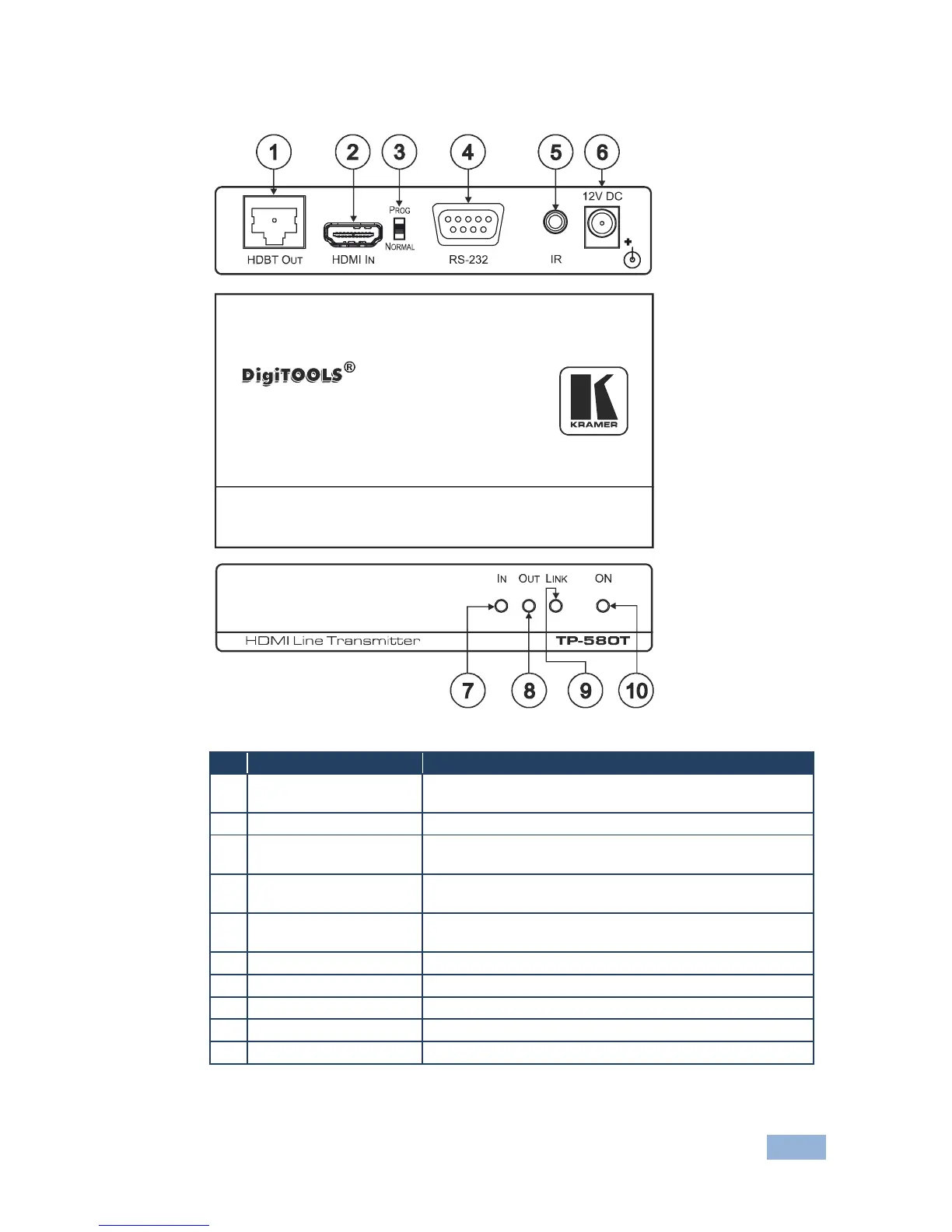
3.5 Defining the TP-580T HDMI Line Transmitter
Figure 1: TP-580T HDMI Line Transmitter
Connects to the HDBT IN RJ-45 connector on the TP-580R
Connects to the HDMI source
Slide to PROG to upgrade to the latest Kramer firmware via
RS-232, or slide to NORMAL for normal operation
RS-232 9-pin D-sub
Connector
Connects to an RS-232 port for firmware upgrade and
control of the destination unit
IR 3.5mm Mini Jack
Connector
Connects to an external infrared transmitter / sensor
(receiver)
+12V DC connector for powering the unit
Lights green when an HDMI input device is connected
Lights green when an HDMI output device is detected
Lights green when the TP connection is active
Lights when receiving power



 To Next Page