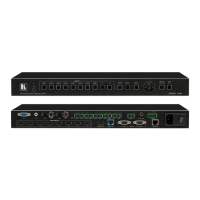
3 Overview
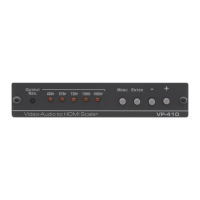
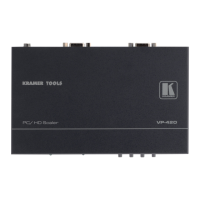
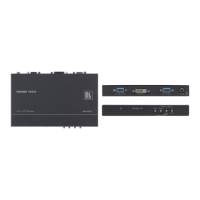
The Kramer VP-434 is a high quality component video/UXGA (computer video
graphics) to HDMI scaler. It accepts one of two inputs: either component video
1
on RCA connectors or computer video graphics on a 15-pin HD computer
graphics video connector (selected via a front panel selector button or via the
Remote contact closure switch). It scales the video, embeds the audio, and
outputs the signal to the HDMI output.
The VP-434
Component / UXGA HDMI Scaler:
Is HDTV compatible and the resolution can be scaled up to 480p, 576p,
720p, 1080i or 1080p via a front panel selector button
2
Has analog audio inputs for the COMP and UXGA sources
Comes with an On-Screen Display (OSD) for easy setup and adjustment,
accessible via the IR remote control and via the front-panel buttons
Has a non-volatile memory that retains the last settings used
Is housed in a desktop sized enclosure and is 12VDC fed
Control your VP-434:
Directly, via the front panel push buttons
Remotely, from the infra-red remote control transmitter
Remotely, from the Remote contact closure switch
3.1 About HDMI
High-Definition Multimedia Interface (HDMI) is an uncompressed all-digital
3
audio/video interface, widely supported in the entertainment and home cinema
industry. It delivers the maximum high-definition image and sound quality in use
today. Note that Kramer Electronics Limited is an HDMI Adopter
4
and an HDCP
Licensee
5
.
1 Also known as Y, Pb, Pr, Y, Cb, Cr and YUV
2 Other resolutions can be selected via the OSD menu. These include: 1080i, 1080p, 576i, 576p, 720p, 1080i, 1080p, WXGA,
WSXGA, WUXGA, NATIVE, VGA, SVGA, XGA, SXGA, UXGA, 480i, 480p
3 Ensuring an all-digital rendering of video without the losses associated with analog interfaces and their unnecessary digital-
to-analog conversions
4 See http://www.hdmi.org/about/adopters_founders.asp
5 See http://www.digital-cp.com/list/



 To Next Page