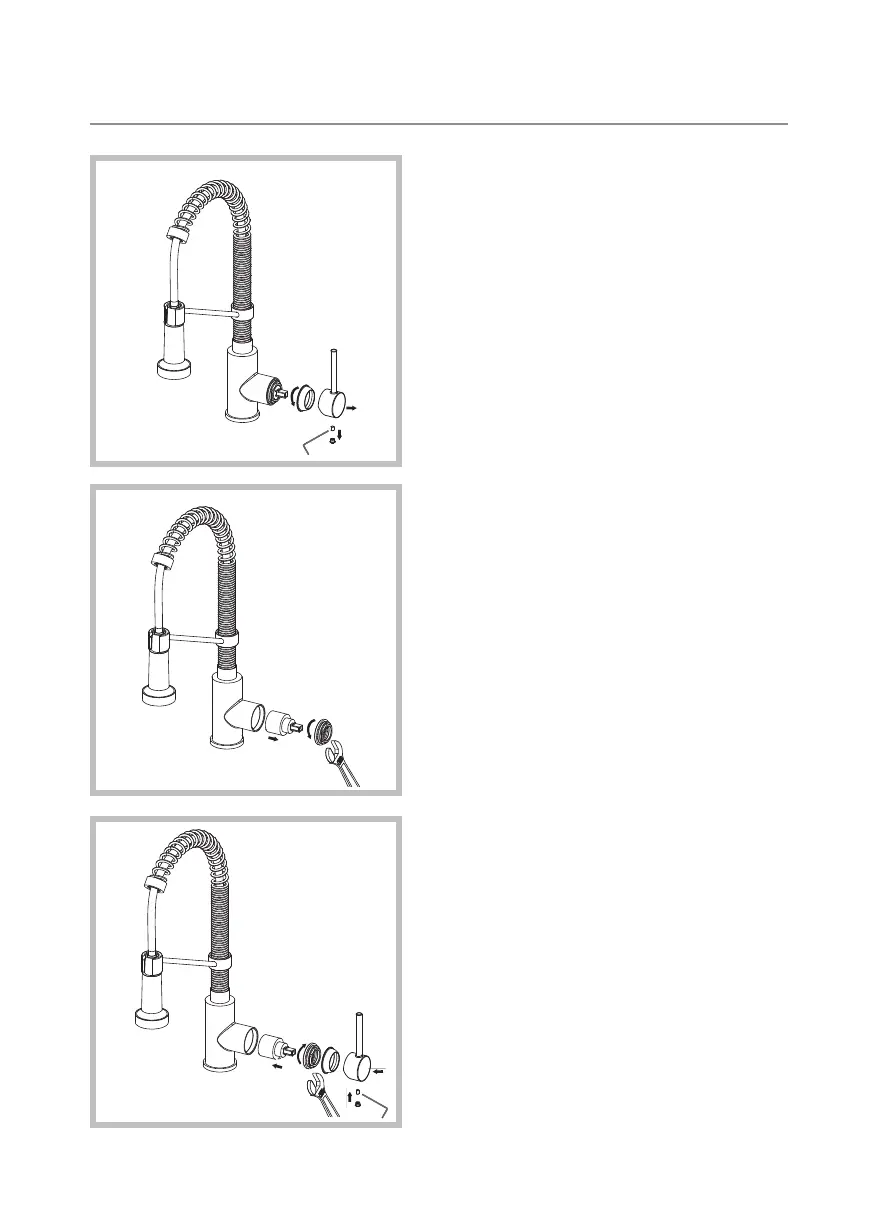
Step 1: Remove the handle
button from the handle. Loosen
the set screw with a hex wrench.
Remove the handle and unscrew
cartridge cover by hand
Step 2: Unscrew the locking
nut with an adjustable wrench.
Remove ceramic disc cartridge
Step 3: Place the new cartridge
in the handle seat. Secure the
cartridge with the locking nut
and assemble the handle
Maintenance - Cartridge Replacement


 To Next Page
 Loading...