EasyManua.ls Logo

Kraus Bolden KSF-1610 - User Manual

Kraus Bolden KSF-1610
17 pages
Print Icon
To Next Page IconTo Next Page
Loading...
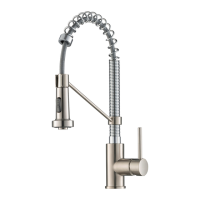
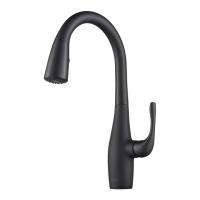
Single Handle Pull Down
Kitchen Faucet
KSF-1610
INSTALLATION GUIDE
www.kraususa.com I Toll Free: 1.800.775.0703 I © 2019 Kraus USA Inc. I REV. NOV 04, 2020
Bolden

Other manuals for Kraus Bolden KSF-1610

Questions and Answers

  • A
    asandovalJul 29, 2025
    Why is there low water flow in my Kraus Bolden KSF-1610?
    • D
      Dakota JonesJul 29, 2025
      A low water flow or a non-functioning LED indicator in your Kraus Plumbing Product can be caused by a dirty or damaged washer in the control box, or a dirty filter washer in the hose connectors. To resolve this: Remove the hose and unscrew the connector to check the washer, clean or replace it if needed. Also, turn off the water supply and unscrew the hose connectors to clean the filter washers with hot water, removing any debris or calcium buildup.
  • T
    thompsonthomasAug 7, 2025
    How to fix a Kraus Bolden KSF-1610 that won't shut off?
    • J
      James GriffinAug 7, 2025
      If your Kraus Plumbing Product won't shut off when you turn the handle to the OFF position, it's likely that the cartridge is damaged. To fix this, turn off the water supply, remove the handle, and replace the cartridge.
  • K
    Kim HolmesAug 18, 2025
    What to do if the sensor on my Kraus Bolden KSF-1610 Plumbing Product is not working?
    • A
      Amy MckenzieAug 18, 2025
      If the sensor on your Kraus Plumbing Product is not activating the water flow, it could be due to a loose switch button or a damaged control box. First, check if the switch button is loose and tighten it completely with a coin clockwise. If the switch button is already tightened, it indicates that the control box is damaged, and you should contact customer service to request a replacement.

Summary

Installation Preparation

Prior to Installation Checklist

Review essential checks and requirements before starting the faucet installation process.

Tools Required for Installation

Lists the necessary tools for successfully installing the faucet.

Product Diagrams and Specifications

Diagram and Parts List

Detailed illustration of faucet components with a comprehensive parts list for identification.

Faucet Dimensions

Provides precise measurements and dimensions of the faucet for installation planning.

Installation Steps

Step 1: Installing the Faucet

Guidance on inserting the faucet body through the sink hole.

Step 2: Securing the Faucet Assembly

Instructions for attaching washers, mounting nut, and screws to secure the faucet.

Step 3: Installing the Sensor Control Box

Details on connecting the data cable and securing the sensor control box connection.

Step 4: Connecting Sensor Control Box Hoses

Procedure for connecting hoses to the control box connectors.

Step 5: Securing the Faucet Assembly Weight

Instructions for installing the weight clip and weight onto the faucet hose.

Step 6: Installing the Battery Pack

Guide on opening the battery housing and correctly installing AA batteries.

Step 7: Installing the Battery Pack on Wall

Instructions for drilling a hole and mounting the battery pack using an anchor and screw.

Step 8: Connecting Waterlines

Steps for attaching and tightening waterlines to angle stops and checking for leaks.

Step 9: Flushing the Faucet

Procedure for flushing the lines and checking for leaks after installation.

Step 10: Flow Regulator Replacement

Guidance on replacing the faucet's flow restrictor for different GPM rates.

Troubleshooting and Maintenance

Problem 1: Water Not Shutting Off

Addresses issues where the faucet fails to stop water flow when turned off.

Problem 2: Sensor Light Flashing

Troubleshoots continuous sensor light flashing, indicating battery issues.

Problem 3: Low Flow or LED Indicator Issue

Diagnoses low water flow or non-functional LED indicators, often due to dirty washers.

Problem 4: Sensor Not Activating Flow

Covers scenarios where the sensor fails to activate the water flow.

Problem 5: Switch Button Functionality

Explains how to adjust the switch button for sensor or manual faucet operation.

Care and Maintenance Instructions

Provides steps for cleaning and maintaining the faucet's finish and performance.

Product Information and Support

Applicable Codes and Standards

Lists the industry codes and certifications the faucet complies with.

Faucet Warranty Details

Outlines the warranty coverage for the faucet's structure, finish, and components.

Warranty Restrictions and Exclusions

Specifies limitations and conditions that may void the faucet warranty.

Commercial Warranty Information

Details the warranty terms for industrial, commercial, and business applications.

Contact and Support Information

Provides contact details for customer service, contractors, and partners.

Product Registration Guidance

Encourages users to register their product for warranty activation and support.

Kraus Bolden KSF-1610 Specifications

General IconGeneral
MaterialBrass
Spout Reach8.5 inches
Flow Rate1.8 GPM
Installation TypeDeck Mount
Handle StyleLever
Spray HeadPull-Down
Number of Handles1
Spray FunctionStream, Spray
ADA CompliantYes
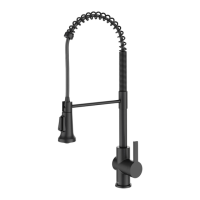
FinishMatte Black

Related product manuals