If the „Absolute – Mode“ is activated measurements will be made with reference to the
zero point.
(This mode will be started during the initial use or after factory setting)
If the „Relative – Mode “ is activated measurements will be made with reference to the
reference value (gage block) which was selected before. This mode is used for
comparison measurement.
Switching between „ Absolute– / Relative – Mode “ can be made in MIN / MAX / HOLD
and TOL.
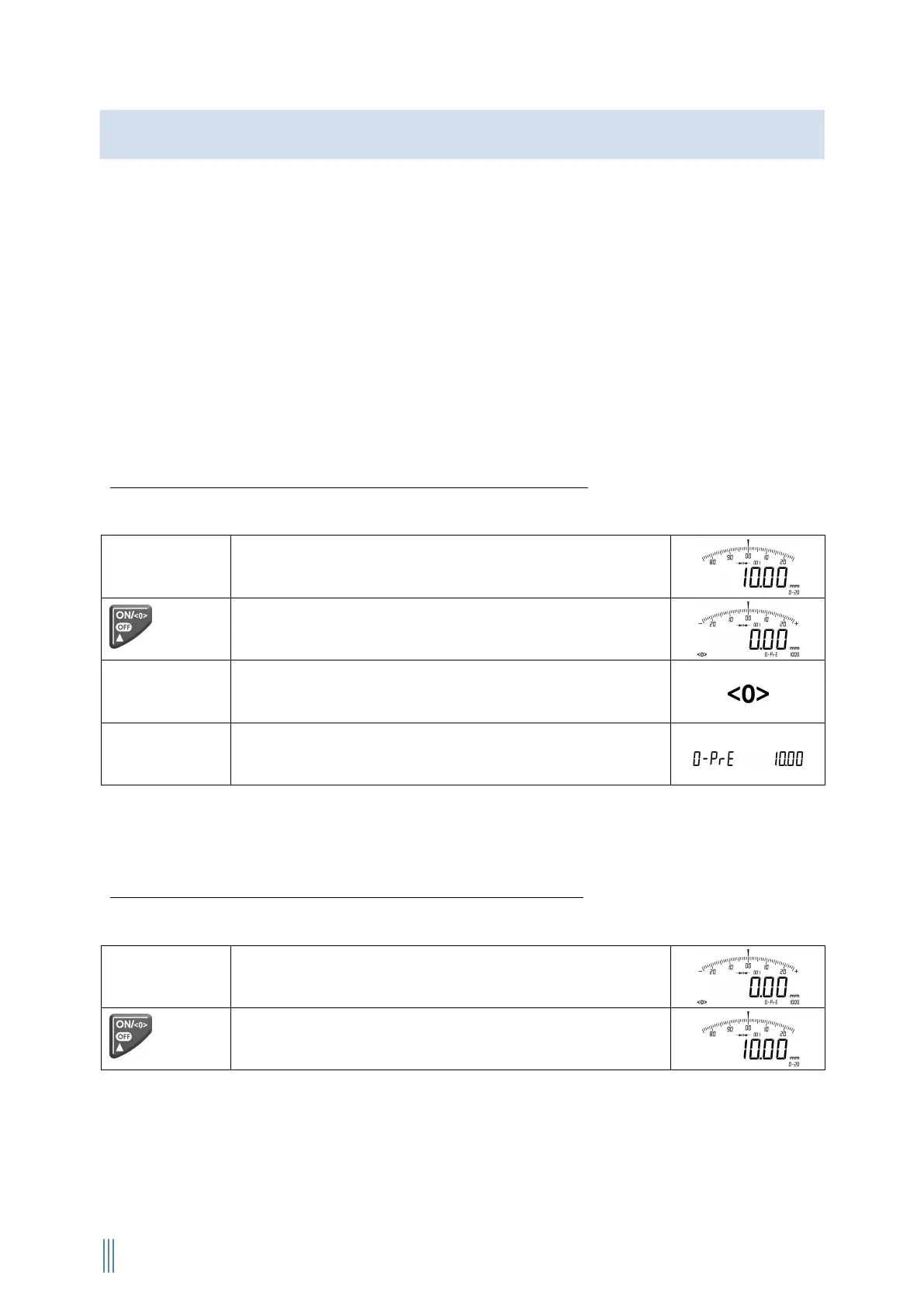
Switch-over from „Absolute – Mode“ into „Relative – Mode “:
The instrument must be switched on.
Finding the reference value via block gage block
(example: 10mm)
Zero point adjustment according to the reference
value
Symbol (4.1) for „Relative-Mode“ appears in the display
footer, ……
…………. as well as the reference value (example:
10mm).
If „ERR 08“ appears in the display the reference point in „Relative - Mode“ is out of the
indicating range.
Switch-over from „Relative – Mode“ into „Absolute – Mode“:
The instrument must be switched on.
Example:
Setting the zero point (10,00mm)
The reference value is activated again
Absolute – Mode / Relative – Mode

 To Next Page
 Loading...