01/2022 – 4009110601 - QS MAC 100 R01 en
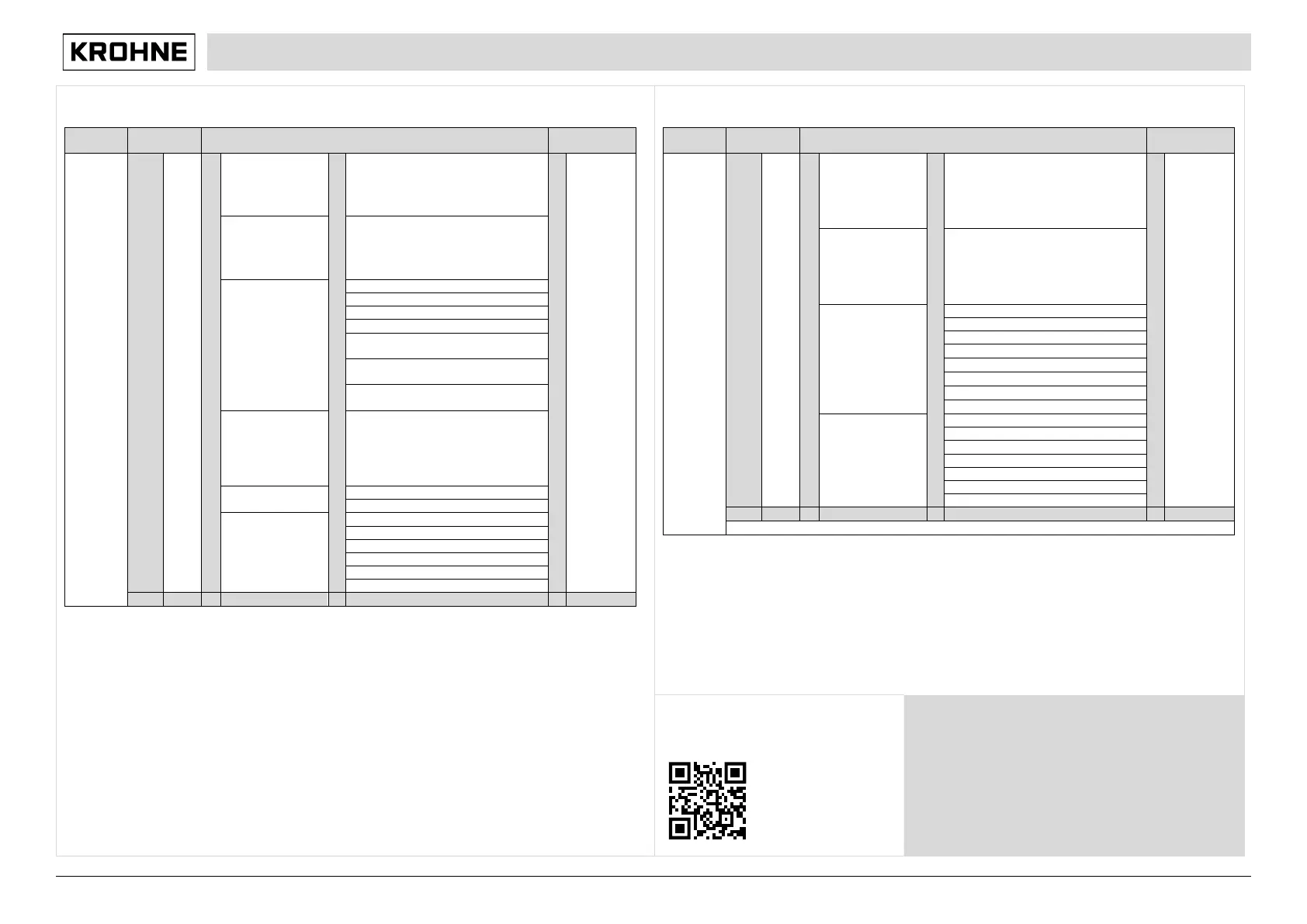
Main menu B, test
pages,
scrolling
with
or
test
Process Input A
B1.1...B1.7: simulation menus for
process input A; existence of the single
sub-menus depends on the hardware
setting and the used sensor, refer to
sensor manual for further information.
information
see function
tables
Process Input B
B2.1...B2.7: simulation menus for
process input B; existence of the single
sub-menus depends on the hardware
setting and the used sensor, refer to
sensor manual for further information.
B3.1 - / current output A
B3.2 - / current output B
B3.3 - / current output C
B3.5 - / status output R1 or limit switch
R1
B3.6 - / status output R2 or limit switch
R2
B3.7 - / status output R3 or limit switch
R3
B4.1...B4.8: menus which show the
corresponding actual reading; existence
of the single sub-menus depends on the
hardware setting and the used sensor;
refer to sensor manual for further
B6 Electronic Revision ER
Main menu C, setup
pages,
scrolling
with
or
setup
C1.1...C1.18: menus for the setup of the
corresponding process input; existence
of the single sub-menus depends on the
hardware setting and the used sensor;
refer to sensor manual for further
information
see function
tables
C2.1...C2.17: menus for the setup of the
corresponding process input; existence
of the single sub-menus depends on the
hardware setting and the used sensor;
refer to sensor manual for further
C3.6 status output R1 or limit switch R1
C3.7 status output R2 or limit switch R2
C3.8 status output R3 or limit switch R3
D service: This menu is password protected and contains functions to be used by service personnel only.
Download documents and software
Scan the code on the nameplate or scan the
following code and enter the serial number.
Contact
Select your country from the region / language selector to
view your local KROHNE contact details on:
www.krohne.com


 To Previous Page
 Loading...