7 Terminal menus
7.23 Menu 13 "Counters"
54
RP701-10 , RP701-11 , RP701-20 , RP701-21 , RP701-30 , RP701-31 , RP701-40 , RP701-41 , RP701-51
Comfort 1.0_en
Menu Sub-menu Designation
13 Counter, refer to page53
13-1
Customer counter, refer to page54
13-2
Total counter, refer to page56
7.23.1 Menu 13-1 “Customer counter”
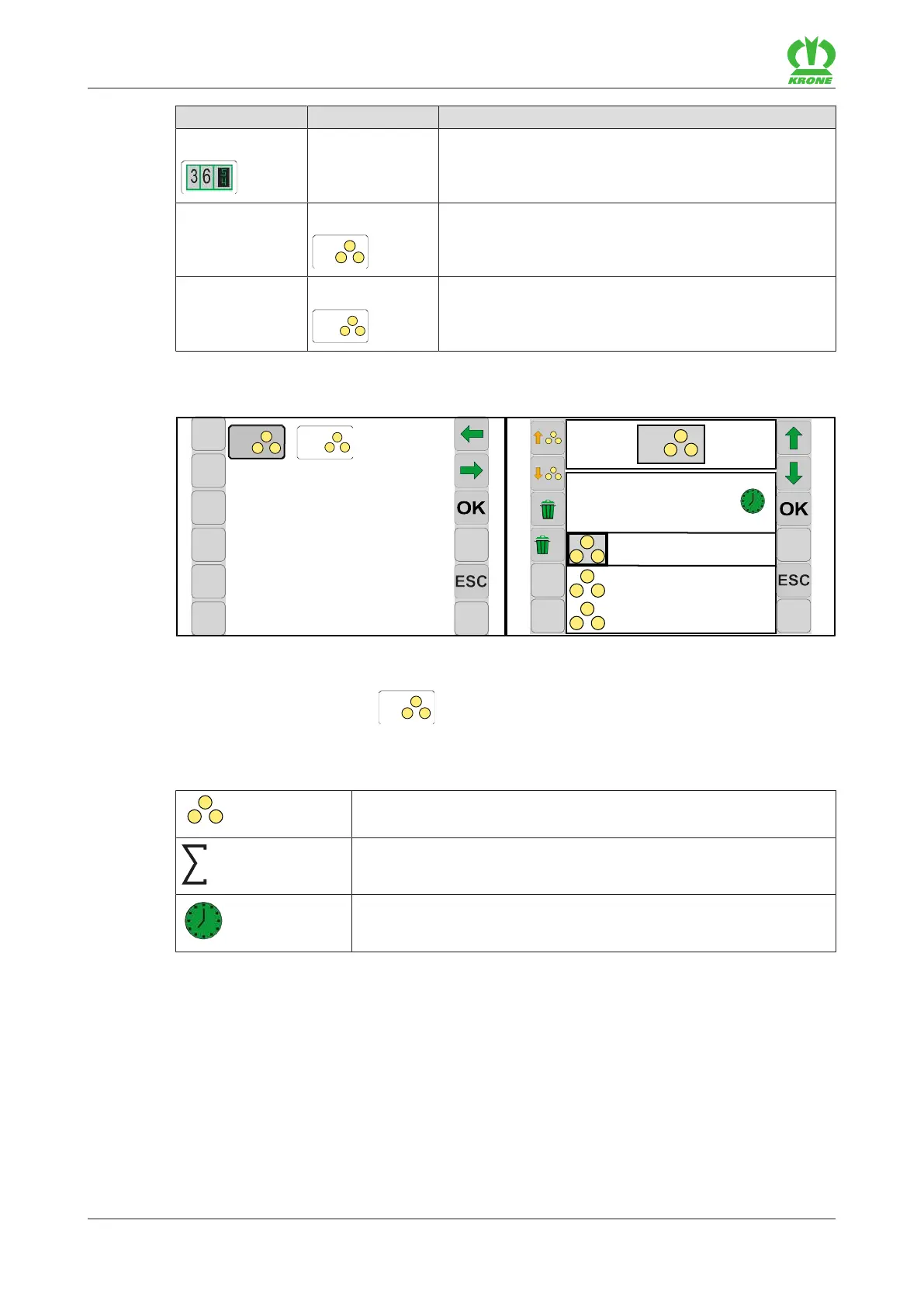
EQG003-012
ü Menu 13 “Counter” is called.“ refer to page53.
To open the menu, press
.
Æ The display shows menu 13-1 “Customer counter”.
The icons that appear in the working screen have the following meaning:
Customer counters 1–20 (the active customer counter is highlighted
in grey)
Total of pressed round bales for the relevant customer
Operating hours counter for the relevant customer
The keys on the sides of the terminal can be used to control the following functions:








 To Next Page