EasyManua.ls Logo

Krups THE SUB - User Manual

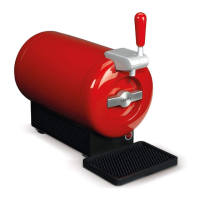
Krups THE SUB
34 pages
Print Icon
To Next Page IconTo Next Page
Loading...
NC00126013
EN ......... p. 5
FR ........ p. 15
ES ........ p. 26
www.krups.com
XXXXXX
THE SUB
®
FR EN
ES
www.krups.com

Other manuals for Krups THE SUB

Questions and Answers

  • H
    Holly CervantesSep 8, 2025
    Why can't I close the door of my Krups THE SUB SUB?
    • R
      Robert SellersSep 8, 2025
      If you cannot close the door of your Krups Kitchen Appliances SUB, it is likely that THE TORP is not inserted completely. Ensure that you fully insert THE TORP into THE SUB.
  • J
    John Fischer DDSSep 10, 2025
    How to close the tap cover of Krups THE SUB SUB?
    • A
      Angela FrancoSep 10, 2025
      If you cannot close the tap cover on your Krups Kitchen Appliances SUB, the tube spout is likely not inserted correctly. Remove the tube spout and refit it, following the instructions in the chapter "Installing THE TORP in THE SUB".
  • B
    Brian HuntSep 12, 2025
    How to fix a Krups THE SUB Kitchen Appliances SUB that won't turn on?
    • N
      Nicole ByrdSep 12, 2025
      If your Krups Kitchen Appliances SUB isn't turning on, first, make sure it's properly plugged into the nearest electric socket. If it still doesn't turn on, the electronic board may be defective, and you should contact Krups customer service.
  • M
    Mr. Mark Hunter MDSep 14, 2025
    Why is there ice in my Krups Kitchen Appliances SUB cooling chamber?
    • J
      Jessica ToddSep 14, 2025
      If you find ice in the cooling chamber of your Krups Kitchen Appliances SUB, it could be due to several reasons. The room temperature might be too low (below 53.6°F), so install THE SUB in a more suitable environment. It's also possible that THE SUB has been running for too long without a TORP inside; remove the ice with a warm sponge and load a TORP into the chamber. If these steps don't resolve the issue, and the beer isn't cold enough, wait until the temperature indicator turns green before serving. If the problem persists, the temperature regulation may be defective, and you should contact Krups customer service.
  • S
    scottsaraSep 15, 2025
    Why can't I close the tap cover on my Krups THE SUB SUB?
    • J
      jonesisaiahSep 15, 2025
      If you cannot close the tap cover on your Krups Kitchen Appliances SUB, the tube spout is probably not inserted correctly. Remove the tube spout from THE SUB and fit it again following the diagrams 10 - 11.
  • P
    Patrick HutchinsonSep 18, 2025
    How to properly pull the tap handle on a Krups THE SUB Kitchen Appliances SUB?
    • J
      James MillerSep 18, 2025
      Pull the handle quickly forward as far as it will go.

Summary

Important Safeguards

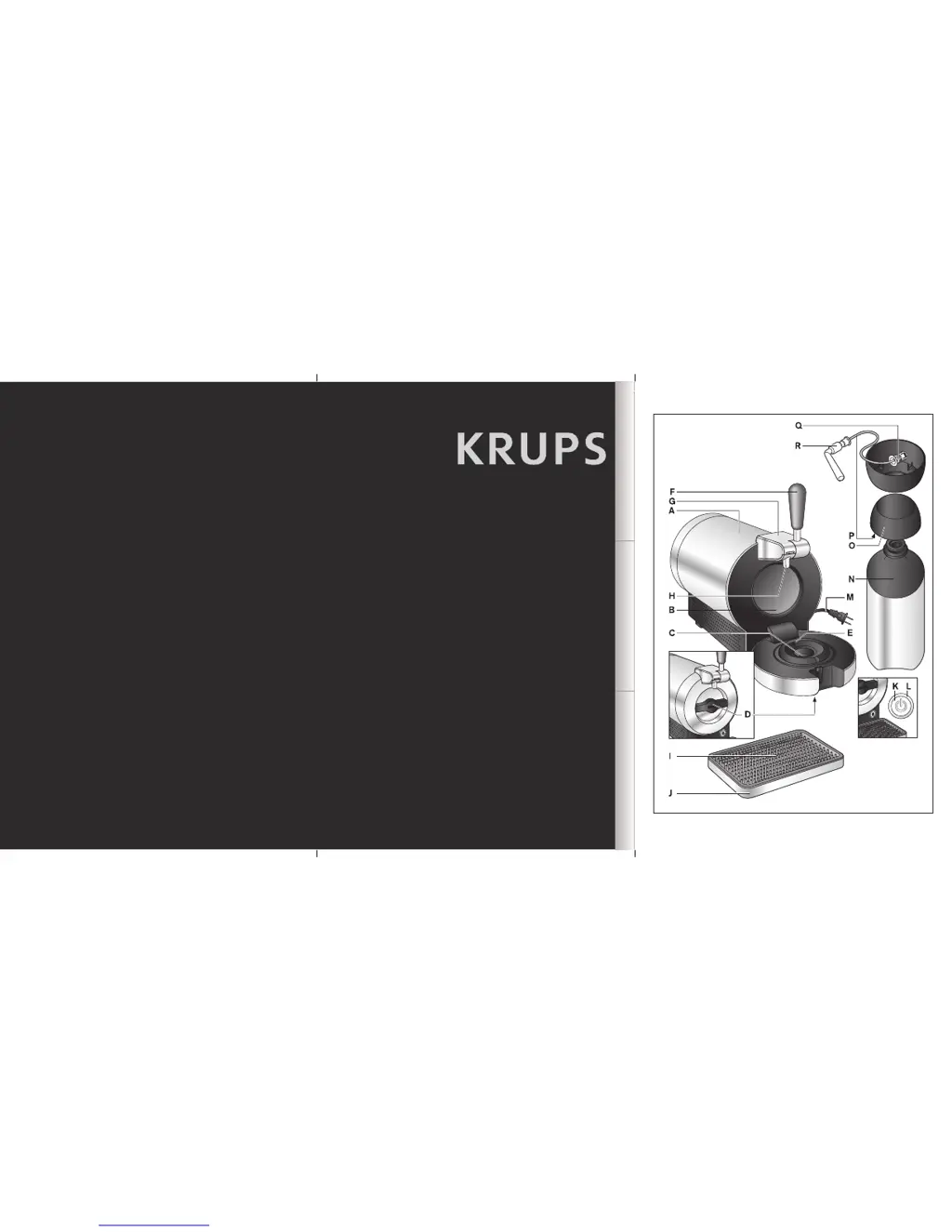
Description

Technical Characteristics

1 - Preparing The Sub

Installation

Steps for setting up the KRUPS SUB appliance, including placement and initial connection.

Temperature Indicator

Explanation of the indicator light colors (red and green) and their meaning for cooling status.

Noise

Information about the normal operating sounds of the cooling system and pressure pump.

2 - Serving The Beer

Preparing The Torp

Instructions for preparing the beer container (TORP) before insertion, including checking the expiry date.

Cooling The Torp

Guidance on achieving optimal beer temperature and the expected cooling time.

Installing The Torp In The Sub

Step-by-step instructions for correctly inserting the TORP into the SUB appliance.

Preparing The Glass

Advice on using a clean, cold glass to ensure the perfect beer pour and minimize foam.

Serving The Beer

Technique for pouring beer at a 45° angle, adjusting the pour for optimal foam.

3 - Cleaning

Cleaning After Daily Use

Instructions for cleaning the drip tray and tap mechanism after each use.

Cleaning During Installation Of A New Torp

Procedure for cleaning the tap mechanism and cooling chamber when changing the TORP.

4 - Troubleshooting

5 - Disposal

6 - Krups International Limited Guarantee

Krups THE SUB Specifications

General IconGeneral
Volume2 L
Drip trayYes
Maximum power70 W
Product colorStainless steel
Dispenser typeDraft beer dispenser
Beer brands supportedAffligem, Heineken
Maximum operating pressure1.1 bar
Weight and Dimensions IconWeight and Dimensions
Weight6800 g
Dimensions (WxDxH)455 x 326 x 235 mm

Related product manuals