EasyManua.ls Logo

KStar KSG-5K-DM - User Manual

KStar KSG-5K-DM
38 pages
Print Icon
To Next Page IconTo Next Page
Loading...
201702 Ver 1.2
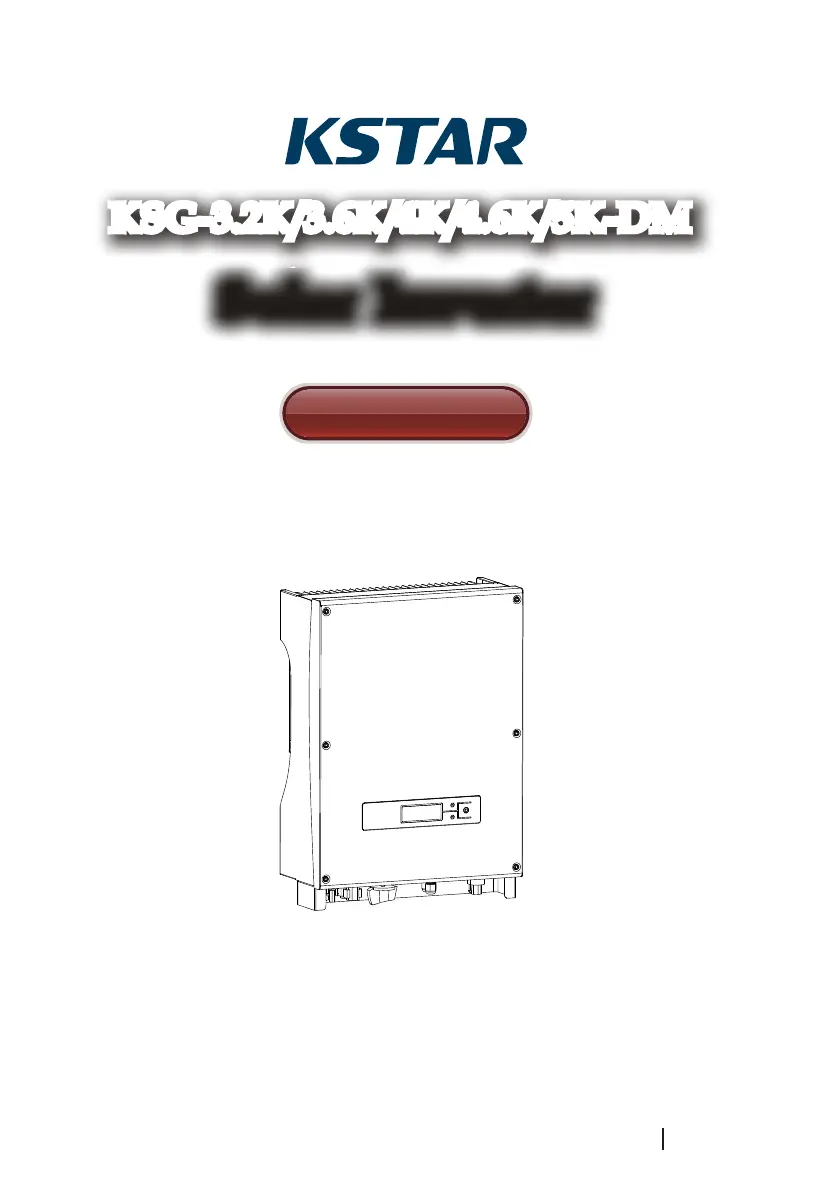
Solar InverterSolar Inverter
User Manual
KSG-3.2K/3.6K/4K/4.6K/5K-DM

Questions and Answers

  • J
    jamesvanessaSep 18, 2025
    What to do if leakage current is high on KStar KSG-5K-DM?
    • J
      Jorge MckeeSep 18, 2025
      If your KStar Inverter displays a 'Leakage Current High' error, you can try: 1. Disconnecting the PV input and restarting the inverter to see if the fault still occurs. 2. If the problem persists, contact your local distributor.
  • M
    Mr. Michael OneillAug 25, 2025
    What to do if KStar KSG-5K-DM Inverter shows heatsink temperature high?
    • M
      Mr. Christopher HoodAug 25, 2025
      If your KStar Inverter displays a 'Heatsink Temperature High' error, follow these steps: 1. Disconnect the PV input and allow the inverter to cool down. Then, restart it to see if it returns to normal operation. 2. Check the environmental temperature to ensure it is within the specified working range. 3. If the fault persists, contact your local distributor.
  • J
    jalvaradoAug 25, 2025
    What to do if KStar KSG-5K-DM Inverter bus voltage is too high or too low?
    • N
      Norma PetersonAug 26, 2025
      If the KStar Inverter indicates that the bus voltage is too high or too low, follow these steps: 1. Check the setting of input mode. 2. Disconnect the PV input and restart the inverter to see if the fault still exists. 3. If the fault persists, contact your local distributor.
  • A
    Alexandra HendrixAug 27, 2025
    What to do if KStar KSG-5K-DM shows amb temperatur over?
    • H
      Henry Martinez DDSAug 27, 2025
      If your KStar Inverter displays an 'Amb Temperatur Over' error, follow these steps: 1. Disconnect the PV input and allow the inverter to cool down. Then, restart it to see if it returns to normal operation. 2. Check the environmental temperature to ensure it is within the specified working range. 3. If the fault persists, contact your local distributor.
  • M
    Meagan VelezSep 22, 2025
    How to troubleshoot leakage current self-checking failure on KStar Inverter?
    • E
      egaySep 22, 2025
      If your KStar Inverter shows a 'Leakage Current Self-Checking Failure', you may want to: 1. Disconnect the PV input and restart the inverter to see if the fault clears. 2. If the issue remains, contact your local distributor.
  • D
    Dylan DavisSep 23, 2025
    What to do if DSP communication is lost on KStar KSG-5K-DM Inverter?
    • D
      Donna Page DDSSep 23, 2025
      If your KStar Inverter shows a 'DSP communication Lost' error, you can try: 1. Disconnect the PV input and restart the inverter to see if the fault disappears. 2. If the problem persists, contact your local distributor.
  • O
    owensdeniseSep 9, 2025
    What to do for insulation impedance fault on KStar KSG-5K-DM Inverter?
    • G
      gsnowSep 9, 2025
      To address an insulation impedance fault on your KStar Inverter: 1. Disconnect the PV input and restart the inverter to check if the fault persists. 2. Measure the impedance of PV+/PV- to ground to ensure it exceeds 500KΩ. 3. If the impedance is less than 500KΩ, contact your local distributor.
  • M
    Michael StricklandSep 12, 2025
    Why is my KStar KSG-5K-DM Inverter on remote off status?
    • M
      monique06Sep 12, 2025
      The KStar Inverter can be turned off/on remotely by monitoring software.
  • J
    Jason WalterSep 3, 2025
    What to do if KStar KSG-5K-DM shows consistency voltage fault?
    • P
      pmckeeSep 3, 2025
      If the KStar Inverter displays a 'Consistency Voltage Fault' error, follow these steps: 1. Disconnect the PV input and restart the inverter to see if the fault still exists. 2. If the fault persists, contact your local distributor.
  • L
    Linda WellsSep 1, 2025
    What to do if KStar KSG-5K-DM leakage current self-checking fails?
    • J
      John CamachoSep 1, 2025
      If the KStar Inverter displays a 'Leakage Current Self-Checking Failure' error, follow these steps: 1. Disconnect the PV input and restart the inverter to see if the fault still exists. 2. If the fault persists, contact your local distributor.

Summary

User Guide

Safety Instructions

Electric Shock Hazards

Details electrical shock hazards and precautions during handling.

Inverter Operation Safety

Guidelines for professional operation and safety checks before opening the unit.

Grid Connection Requirements

Specifies connection exclusively to the municipal power grid.

High Temperature Precautions

Warns about hot surfaces and potential burns from heated components.

Product Warranty

Warranty Exclusions

Lists conditions that automatically void the product warranty.

Warranty Card and Serial Number

Warranty is invalid without the warranty card or product serial number.

Improper Delivery Damage

Damage incurred during shipping will void the warranty.

Improper Installation or Modification

Warranty is void if installation is improper or modifications are made.

Operation in Unsuitable Environment

Warranty is void if operated in environments not compliant with manual stipulations.

Operation Outside Standards

Warranty is void if operation exceeds international standards or regulations.

Damage from Natural Causes

Warranty is void for damage caused by unnatural or environmental events.

Overview

Introduction of Grid-connected System

Explains the basic components of a grid-connected solar system.

Brief Introduction of PV Inverter

Introduces the inverter's function, design, and key components.

Features Description

Lists the main features of the inverter, such as design, efficiency, and reliability.

Installation

Packing

Instructions for checking the equipment packaging before use.

Installation of Inverter

Guidelines for selecting the ideal installation site and environmental conditions.

Installation Location

Details the proper placement and orientation for inverter installation.

Installation Procedure

Step-by-step guide for mounting the inverter securely on a wall.

Wiring

Explains the connection ports and electrical wiring requirements for the inverter.

Miniature Circuit Breakers

Recommends installing circuit breakers for safe operation and protection.

Connection Procedure

Details the steps for connecting the inverter to the electrical grid and solar arrays.

Operation of Grid-connected Inverter

Trial Operation

Lists the necessary inspections before activating the inverter.

Working Status

Describes the different operational states of the inverter.

Fault Status

Explains how the inverter enters fault mode and displays errors.

Termination Status

Describes the state when the PV array voltage is too low.

LED Display

Explains the function of the red and green indicator LEDs.

LCD Display

Details button operation, backlight control, and working mode display.

Setting Mode Display

Explains how to enter and navigate the inverter's setting menus for configuration.

Max Power Point Tracking (MPPT)

Explains how the inverter optimizes power output from solar arrays.

Communication Interface

RS232 Port Details

Details the RS232 port for software upgrades and PC communication.

RS485 Communication

Explains RS485 communication for inverter networking and monitoring.

Dry Contact Functionality

Describes the dry contact relay for alarms and external signals.

Remote Control Functions

Explains remote shutdown, startup, and power limiting functions.

Trouble Shooting

AC Voltage and Frequency Issues (F00-F03)

Troubleshooting steps for AC voltage and frequency being too high or too low.

Bus Voltage Issues (F04-F05)

Troubleshooting steps for bus voltage being too high or too low.

Bus Voltage Unbalance (F06)

Troubleshooting steps for unbalanced bus voltage.

Insulation Fault (F07)

Troubleshooting steps for system insulation impedance faults.

Input Current High (F08)

Troubleshooting steps for high input current.

Hardware Current High (F09)

Troubleshooting steps for high hardware current.

Inverter Current High (F10)

Troubleshooting steps for high inverter DC current.

Inverter DC Current High (F11)

Troubleshooting steps for high inverter DC current.

Ambient Temperature Over (F12)

Troubleshooting steps for ambient temperature exceeding limits.

Heatsink Temperature High (F13)

Troubleshooting steps for high heatsink temperature.

AC Relay Fault (F14)

Troubleshooting steps for AC relay abnormalities.

PV Input Voltage Low (F15)

Troubleshooting steps for low PV input voltage.

Remote Off (F16)

Troubleshooting steps for the inverter being in remote off status.

SPI Communication Fault (F18)

Troubleshooting steps for SPI communication faults.

Leakage Current High (F20)

Troubleshooting steps for high leakage current.

Leakage Current Self-Checking Failure (F21)

Troubleshooting steps for leakage current self-checking failures.

Consistency Voltage Fault (F22)

Troubleshooting steps for voltage consistency faults.

Consistency Frequency Fault (F23)

Troubleshooting steps for frequency consistency faults.

DSP Operation Fault (F24)

Troubleshooting steps for DSP operation faults.

DSP Communication Lost (F32)

Troubleshooting steps for DSP communication loss.

Specification

KStar KSG-5K-DM Specifications

General IconGeneral
BrandKStar
ModelKSG-5K-DM
CategoryInverter
LanguageEnglish

Related product manuals