33
ENGLISH TECHNICAL PASSPORT
Ceramic hob & Induction hob
PRODUCT FUNCTIONS
 The ceramic hob caters for all kind
of cooking,with its radiant heat cooking
zones and its electronic touch controls
and multi-functions, making it the ideal
choice for the modern family.
 The ceramic hob is extremely us-
er-friendly, durable and safe.
SPECIAL FUNCTIONS
Protection from over-heating
A sensor monitors the temperature in
the cooking zones. When the temperature
exceeds a safe level, the cooking zone is
automatically switched off.
Residual heat indicator
When the hob has been operating for
some time, there will be some residual
heat. The letter «H» appears to warn you
that it is too hot to touch the surface.
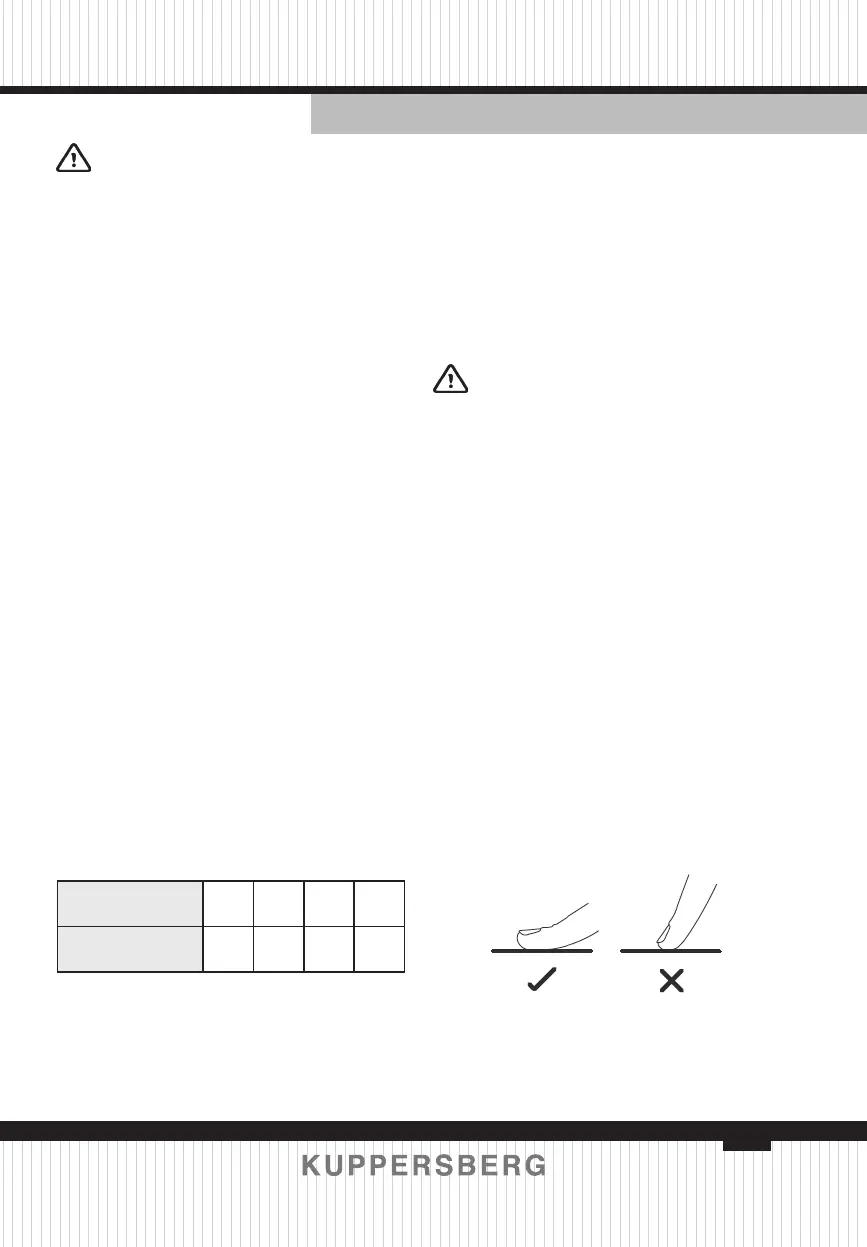
Auto Shutdown Protection
Auto shut down is a safety protec-
tion function for your ceramic hob. It shut
down automatically if ever you forget to
turn off your cooking. The default work-
ing times for various power levels are
shown in the below table:
Power level 1–2 3–4 5 6–9
Default working
timer (min)
360 300 240 90
Protection against unintended
operation
If the electronic control detects a but-
ton being held down for approx 10 sec-
onds it will switch off automatically.The
control sends out an audible error signal
to warn the sensors have detected the
presence of an object. The display will
indicate an error code «ER03». If the hob
is still hot, the display «H» and «0» ash
alternatively.
BEFORE USING YOUR NEW
HOB
 Read this guide, taking special
note of the «Safety Warnings» section.
 Remove any protective lm that
may still be on your hob.
USING THE TOUCH CONTROLS
 The controls respond to touch,so
you don’t need to apply any pressure.
 Use the ball of your nger,not its
tip.
 You will hear a beep each time
a touch is registered.
 Make sure the controls are always
clean, dry and that there is no object (e.g.
a utensil or a cloth) covering them. Even
a thin lm of water may make the con-
trols difcult to operate.



 To Next Page