EasyManua.ls Logo

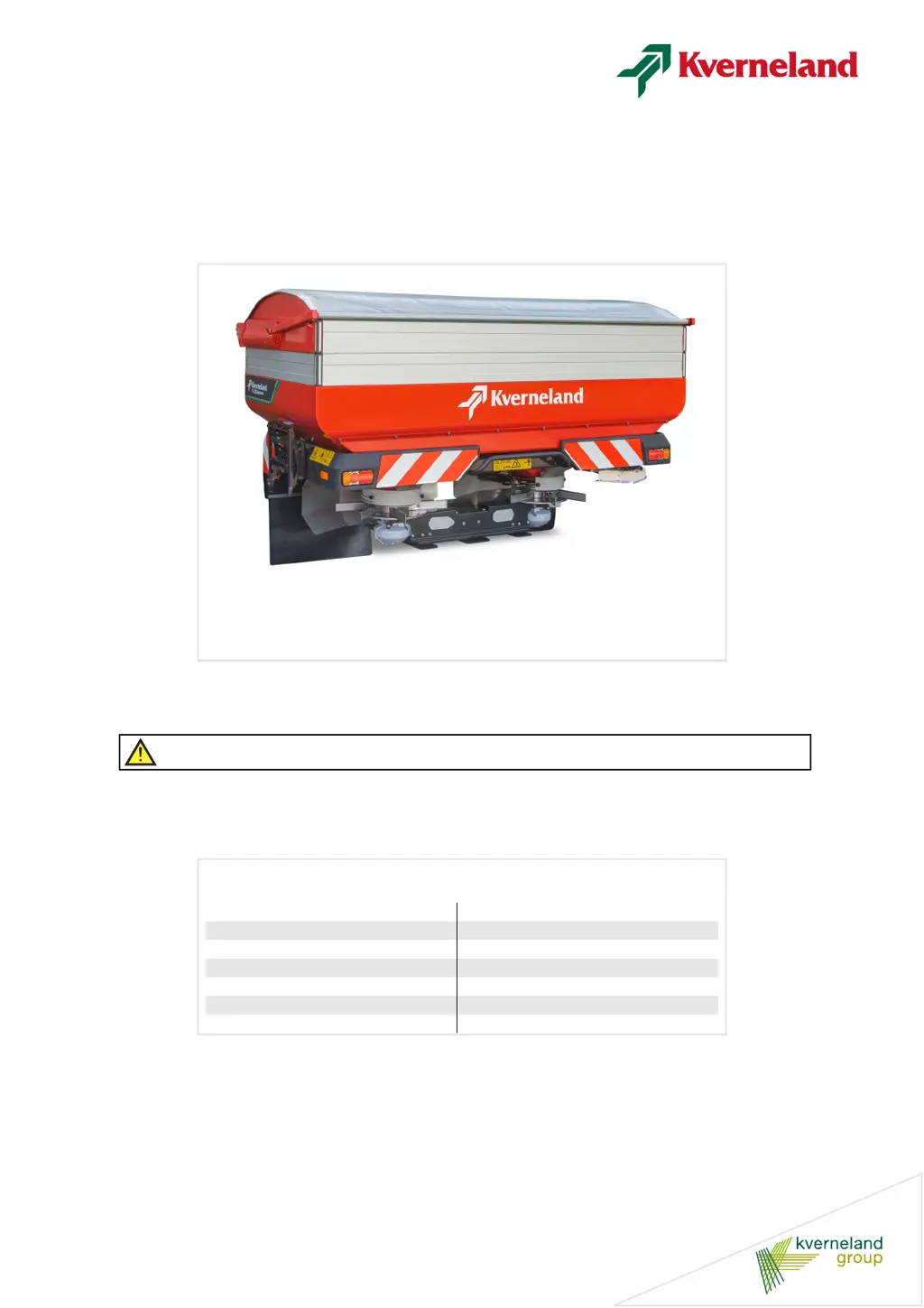
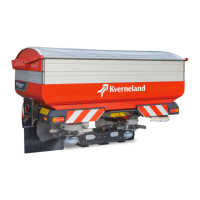
Kverneland Exacta-TL-GEOSPREAD GS3 - User Manual

Kverneland Exacta-TL-GEOSPREAD GS3
171 pages
Print Icon
To Next Page IconTo Next Page
Loading...
Exacta-TL-GEOSPREAD
GS3
Operator’s Manual
Item 06-2021
Print date 06.2021
Language EN
From software version V xxx
From machine number 1001
Serial number From VN401
Reference number A148815640
WARNING:
Cancer and Reproductive Harm - www.P65warnings.ca.gov

Table of Contents

Questions and Answers

  • M
    Mitchell BentonAug 20, 2025
    Why is my Kverneland Farm Equipment making a noise?
    • B
      baileydylanAug 20, 2025
      If your Kverneland Farm Equipment is making unusual noises, it could be due to several reasons. One possibility is that the discharge bushing is making contact with the spreading disc, in which case, please contact your dealer. Another reason could be that the spreader was put down with a filled hopper; if so, repair the machine and reset the dosing mechanism and discharge point. Check the spreading discs for damage and ensure all vanes are present. Finally, a build-up of fertilizer at the agitator and/or spreading discs could be the cause; remove the fertilizer and clean the machine thoroughly after each use.
  • M
    Michelle JosephAug 25, 2025
    How to troubleshoot flow rate differences in Kverneland Farm Equipment?
    • B
      Beth MitchellAug 25, 2025
      If you notice a significant difference in the flow rate between the left and right spreading discs on your Kverneland Farm Equipment, start by checking the actuator settings to ensure they are equal. Next, inspect the position of the connecting points of the actuators and readjust them if they have been moved. Also, verify that the discharge is not blocked on either side; clean the machine thoroughly after each use and replace the agitator if it is worn out.
  • W
    William WolfeAug 28, 2025
    What causes powerful vibrations in Kverneland Farm Equipment?
    • A
      Angel Williams DDSAug 28, 2025
      If you are experiencing powerful vibrations with your Kverneland Farm Equipment, immediately shut down the PTO shaft to prevent further damage. Check the vanes and spreading discs for any imbalance. Inspect the agitator axle and agitator for bending or damage, and replace them if necessary. Ensure the PTO shaft working angle is within the operational limit of a maximum of 30º.
  • C
    charles83Aug 31, 2025
    Why is my Kverneland Farm Equipment producing so much dust?
    • B
      Beth MooreAug 31, 2025
      Excessive dust during spreading with Kverneland Farm Equipment can be due to average quality fertilizer (too soft, broken, or mixed types) or incorrect storage. Contact your supplier and improve the storage area. Also, consider spreading with smaller working widths. The issue could also be caused by the RPM on the spreading discs being too high, so check the PTO shaft speed and the coupling shaft mounting point.
  • C
    Christopher WallaceSep 8, 2025
    Why doesn't my Kverneland Farm Equipment spreader appear on the screen?
    • S
      Shane Mclaughlin MDSep 8, 2025
      If the spreader does not appear on the screen of your Kverneland Farm Equipment, it might be because the control box is displaying another system; press the switch key to choose the spreader display. Another reason could be that the spreader ISO plug is not connected; ensure you connect the spreader ISO plug. Finally, there might be an interruption in the power supply to the spreader and/or control box; check the electrical cables and fuses.
  • A
    Andrew TaylorNov 12, 2025
    How to fix incorrect application rates on Kverneland Farm Equipment?
    • M
      mendozajosephNov 12, 2025
      To correct incorrect application rates (kg per hectare) with your Kverneland Farm Equipment, first, check the dosing setting. If you're using a fine dosage, ensure it's set according to the instructions. Verify that the driving speed signal source is correctly set in both the control system and the control box, and calibrate the driving speed. Confirm the distance between driving tracks is accurately set before spreading. If you've switched to a new fertilizer type, determine its characteristics, find the appropriate spreading chart, and adjust the spreader accordingly. Ensure the fertilizer flow isn't blocked by cleaning the machine after each use and replacing the agitator if worn. Before starting, input the correct dosing setting and flow rate on the ‘Spreading Settings 1’ screen using ...
  • R
    Robert HeathNov 15, 2025
    What to do if spreading tracks are visible with Kverneland Farm Equipment?
    • V
      Vanessa GordonNov 15, 2025
      Spreading tracks visible among the crops with Kverneland Farm Equipment can be addressed by first determining the distribution if you are using average quality fertilizer. If possible, spread with smaller working widths. If using a blend of fertilizer types, check the type, pattern, and distribution, and consider spreading with smaller working widths. If you've switched to a new fertilizer type, determine its characteristics, find the relevant spreading chart, and reset the spreader. Ensure you're using the correct spreading chart by determining the fertilizer's characteristics and selecting the appropriate chart. Always set the driving tracks before spreading to avoid incorrect overlapping. Check that the machine is level horizontally and vertically, unless the spreading chart specifies o...

Summary

Preface

Target group of this manual

Defines the intended audience and their required knowledge for operating the machine.

Meaning of symbols

Explains various symbols and pictograms used in the manual for clarity and safety.

Safety

For your safety

Provides general safety instructions and emphasizes the importance of following them.

Safety labels

Details various safety labels affixed to the machine and their meanings.

Safety requirements

Outlines requirements and prohibitions for machine usage, maintenance, and repair.

Calculate the axle load with tractor-mounted machines

Explains how to calculate axle loads for safe tractor operation with mounted machines.

Coupling shaft

Covers safety aspects related to the coupling shaft, including correct usage and protection.

Hydraulic system

Addresses safety precautions and procedures for the machine's hydraulic system.

Getting familiar with the machine

Applications of the machine

Describes the machine's suitability for spreading granular fertilizer on fields and grazing land.

CentreFlow spreading system

Explains the operation of the CentreFlow spreading system with its discs and vanes.

Adjust carefully

Provides instructions on how to carefully adjust the spreader's application rate and working width.

Spreading pattern

Details spreading patterns, including full field and one-sided boundary spreading.

Technical specifications

Lists key technical data and specifications for the Exacta-TL-GEOSPREAD GS3 machine.

Before first use

Inspection of the supplied machine

Instructions for inspecting the machine upon delivery and checking provided documents.

Mounting instructions

Details on how to unpack and assemble the machine and its accessories.

Tractor provisions

Specifies the requirements for the tractor to operate the machine safely and effectively.

Mounting the coupling shaft

Provides instructions for correctly mounting and checking the coupling shaft.

Connecting to the tractor

Connecting and disconnecting safely

Outlines safe procedures for connecting and disconnecting the machine from the tractor.

Selecting linkage pin height

Explains how to select the linkage pin height based on crop conditions and top dressing.

Connecting the machine

Details the process of connecting the machine to the tractor's power lift.

To be done before spreading

Find the correct settings of the spreader and set it accordingly

Guides on how to find and apply correct settings based on fertilizer characteristics.

Finding the correct spreading chart

Explains how to select the appropriate spreading chart for the fertilizer being used.

Setting the spreader

Provides instructions for setting the spreader based on chart data, application rate, and driving speed.

Application rate

Details how the control system manages application rates in different modes.

Manual calibration test

Describes the procedure for performing a manual calibration test to check flowrate.

Spreading pattern check (tray test)

Explains how to perform a tray test to check and improve fertilizer distribution.

Driving on the road

Before taking to the road

Covers observations and precautions before driving the machine on public roads.

Preparing the machine to be transported

Details the steps for preparing the tractor and machine for road transport.

Use in the field

Adjusting the machine

Instructions for making adjustments to the machine before the first field pass.

Spreading height

Explains how to set the correct spreading height relative to the ground or crop.

Last setting check

A checklist of settings to perform before starting fieldwork for optimal results.

Start spreading

Step-by-step guide on how to begin the spreading process.

Border spreading

Describes techniques for spreading fertilizer along field borders to maximize coverage and minimize loss.

Failure and stoppage

Provides guidance on identifying and resolving common machine failures and stoppages.

Storing the machine

Cleaning

Instructions for cleaning the machine after use to ensure longevity.

Disconnecting the machine

Safe procedures for disconnecting the machine from the tractor for storage.

Preparation for winter storage

Steps for preparing the machine for long-term storage, particularly for winter.

Maintenance

Repair damage safely and without delay

Emphasizes the importance of safe and timely repair of any machine damage.

Maintenance intervals

Provides a schedule of checks and maintenance tasks required for optimal machine operation.

Lubricating points

Identifies all lubricating points on the machine and the type of grease to use.

Checking and setting the dosing mechanism

Guides on how to check and set the machine's dosing mechanism correctly.

Checking and setting the discharge point setting mechanism

Instructions for checking and adjusting the discharge point setting mechanism.

Accessories

IsoMatch control box

Details the IsoMatch control box and its extensive functions for ISO control.

GEOCONTROL software

Explains the GEOCONTROL software for precise and efficient fertilizer spreader use.

ExactLine

Describes the ExactLine accessory for accurate boundary track spreading.

Hydraulic border spreading plate

Explains the function of the hydraulic border spreading plate for boundary application.

Calibration container

Highlights the calibration container as an essential tool for accurate settings.

Troubleshooting

Troubleshooting table

A table listing common problems, their possible causes, and solutions.

Falling into disuse

Metal parts

Guidance on the proper disposal of metal parts at the end of the machine's lifespan.

Plastic parts

Information on the disposal of plastic components as unwanted garbage.

Oil and grease

Instructions for the disposal of used oil and grease to a processing company.

Fertilizer

Guidance on storing or disposing of remaining fertilizer according to chemical regulations.

Liability

Complaints

Conditions for reporting and processing complaints regarding delivery and defects.

Warranty

Information on how to obtain the applicable express limited warranty for the machine.

Notes

Index

Kverneland Exacta-TL-GEOSPREAD GS3 Specifications

General IconGeneral
BrandKverneland
ModelExacta-TL-GEOSPREAD GS3
CategoryFarm Equipment
LanguageEnglish

Related product manuals