
 Need help?
Do you have a question about the Kverneland Focus 2 and is the answer not in the manual?
Defines intended users and how to get operational guidance.
Importance of cable integrity and operating within temperature limits.
Procedures for handling malfunctions and safe maintenance practices.
Defines the agricultural purpose and operational principles of the device.
Clarifies device compatibility and limitations with the ISOBUS standard.
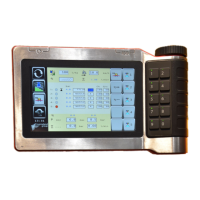
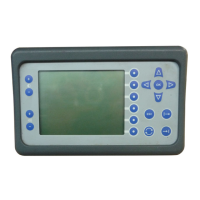
Describes the main components like terminal, power cable, job computer, and travel sensor.
Illustrates and explains the controls and display on the front of the device.
Shows and labels the various connection ports on the rear of the device.
Lists technical specifications including power, fuses, and protective classes.
Enumerates the primary operational functions of the device.
Details items included in the delivery and guidelines for assembly.
Advises on safe mounting of the terminal and power cable.
Emphasizes safety checks for cables and temperature during connection.
Step-by-step instructions for connecting the machine's cables.
Steps to power on the system and understand initial displays.
Explains how to navigate using the key area to access functions.
Configures language, date, contrast, and CAN BUS settings.
Sets number formats and measurement units (Metric, Imp, US).
Shows software version and memory assignment for technical support.
Guides on testing the functionality of each key on the terminal.
Explains the data shown in the top and bottom areas of the information screen.
Interprets symbols for speed, tramlines, and seed amount.
Explains keys for adjusting application rate and navigating pages.
Instructions for managing the metering device during operation.
Details how to manage tasks and view logged machine data.
Procedures for operating the track marker for seeding.
Explains symbols for tramline patterns and field edge operations.
Introduces the calibration process, seed selection, and status symbols.
Explains symbols for test status, acceptance, and inputting values.
Describes keys for navigating tests and performing actions like starting or accepting.
Lists required input values and device adjustments for calibration.
Steps for preparing and filling the metering device for calibration.
How to weigh seed and confirm calibration results.
Steps for performing a test run and comparing results.
Configures impulses, fan speed, quantity, and working width.
Explains symbols for travel sensor and fan speed settings.
Defines key measurements like GPS aerial distance and seed time.
Accesses information and diagnostic tests for components and sensors.
Provides access to information pages for customer service support.
Configures speed sensors, pre-emergence markers, and fan sensors.
Controls for activating or deactivating various sensors and display modes.
Configuration options for pre-emergence marker and fan sensors.
Configures shut-off valves with and without seed return.
Steps for safely unplugging and protecting cables during removal.
Guidance on suitable conditions and locations for storing the terminal.
Identifies common faults and initial troubleshooting steps.
Lists specific fault codes, causes, and detailed remedies.
Advice on disposing of plastic, metal, and electronic components.
Statement of product compliance with relevant EC Directives.
 General
| Brand | Kverneland |
|---|---|
| Model | Focus 2 |
| Category | Farm Equipment |
| Language | English |


 To Next Page