Basic Operations
58
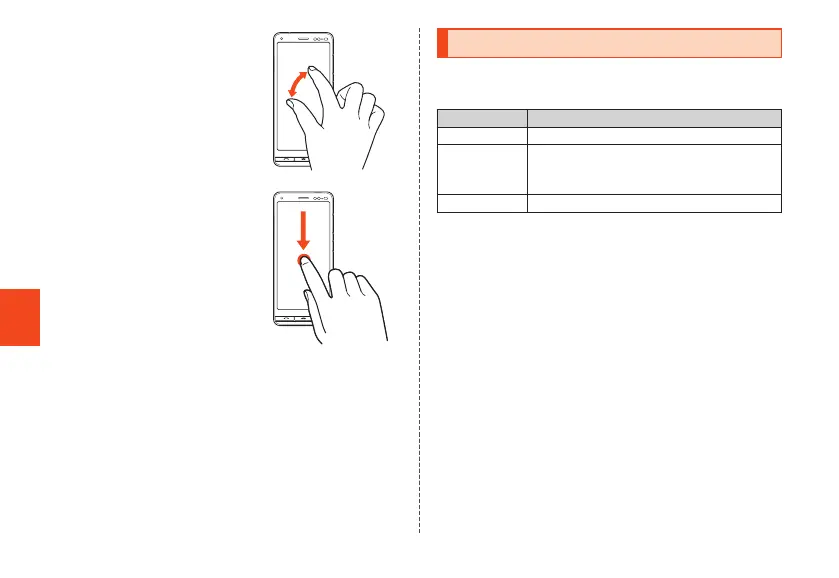
■ Zoom in/Zoom out
With two fingers on the screen,
widen your fingers (zoom in) or
close them (zoom out).
■ Drag
To move an item, icon, etc., lightly
touch the screen and slide it to the
desired position.
Using Touch Keys
The following touch keys are displayed at the bottom of the
screen.
Display Description
BACK Returns to the previous screen.
CAPTURE Saves an image of the currently displayed
screen (screen shot).
▶P. 62 "Using Screen Memo"
RECENTS Opens the recent apps screen.
CB70_EN.indb 58 2020/02/07 13:41:16













 To Next Page