59
Basic Operations
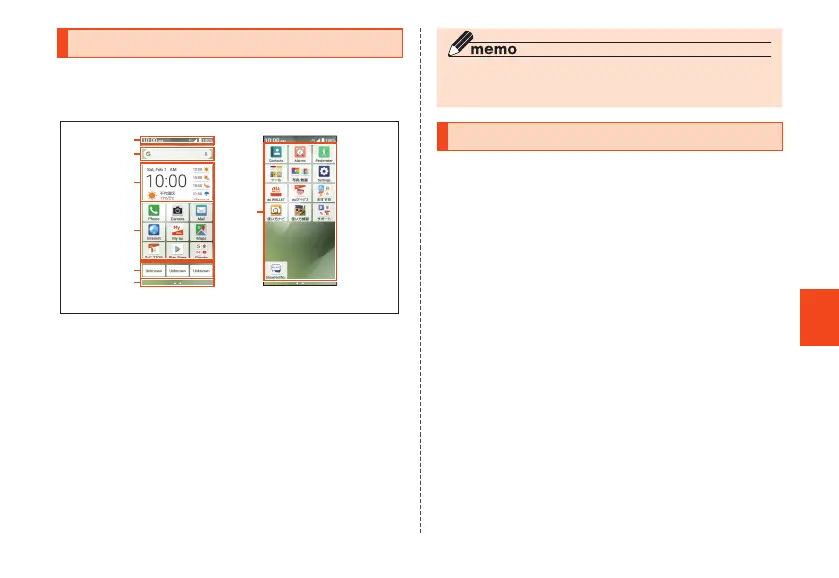
Using the Home Screen
Home screen consists of several screens, and can be
toggled by sliding/flicking left or right.
Press
Q
to display the main home screen.
Main home screen Home screen(Right)
Home screen (time of purchase)
①
②
③
④
⑤
⑥
④
① Status bar
② Search box
③ Time/weather
④ Applications/folders
Icons/folders for pre-installed applications are
displayed.
⑤ One-touch buttons
⑥ Indicator
◎ In this manual, operations from the default home screen
layout are explained.
Activating the Apps
Some functions activated by tapping app icons may incur
communication charges.
1
Home screen → Tap an app/folder to
activate
• If you tap a folder, tap an app to activate from the
app list in the folder.
CB70_EN.indb 59 2020/02/07 13:41:16













 To Next Page