75
Appendix
Related Accessories
■
Desktopholder(KYV47PUA)
■
TypeCCommonACAdapter01(0601PQA)(soldseparately)
■
TypeCCommonACAdapter02(0602PQA)(soldseparately)
■
Micro-BtoType-Cadapter(0601PHA)(soldseparately)
■
CommonACAdapter04White(0401PWA)(soldseparately)*
■
CommonACAdapter05(0501PWA)(soldseparately)*
■
テレビde写真(PhotosonTV)receiver(0603RKA)(sold
separately)
■
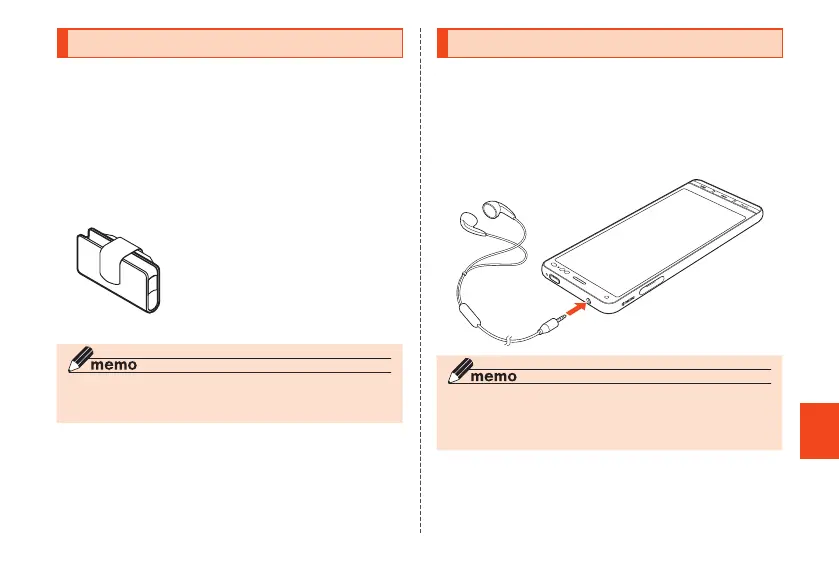
auCarryingCaseGBlack(0106FCA)(soldseparately)
* Use requires a Micro-B to Type-C adapter (sold separately).
◎ Accessories can be purchased from au online shop.
https://onlineshop.au.com/ (in Japanese)
Using Earphones
You can use earphones, earphone microphone, and stereo
earphone microphone (all commercially available).
1
Connect earphones to earphone
microphone terminal (commercially
available)
◎ The earphones, earphone microphone, or stereo
earphone microphone (commercially available) may not
be usable depending on the type.
CB70_EN.indb 75 2020/02/07 13:41:18













 To Next Page