10-28
Troubleshooting > Troubleshooting
I
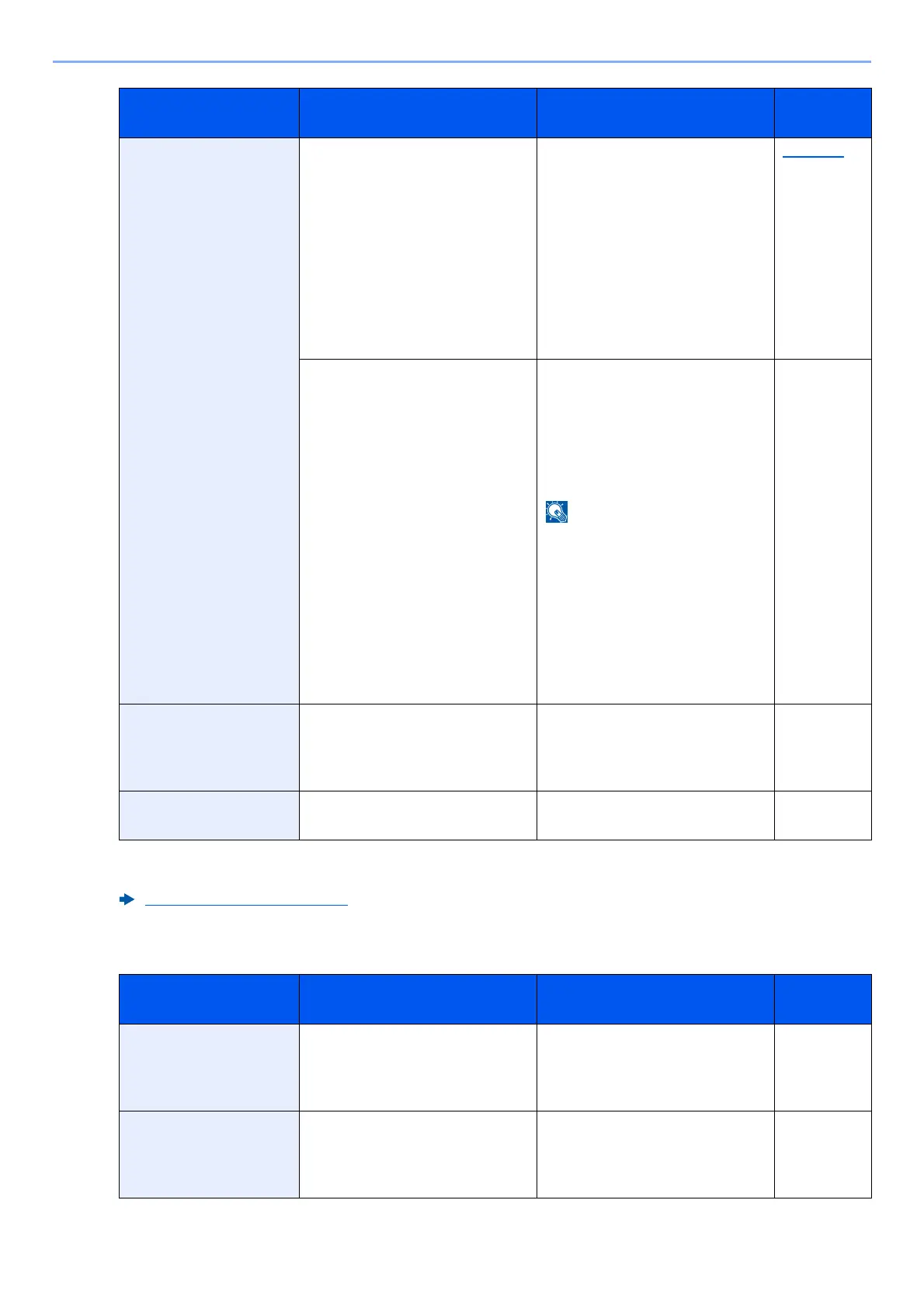
Failed to send via
SMB.
Is the machine and the PC to
which the scanned image is to
be sent connected to the
network?
Check the network and SMB
settings.
• The network cable is
connected.
• The hub is not operating
properly.
• The server is not operating
properly.
• Host name and IP address
• Port number
page 2-8
Is the account information (user
ID, password) used to access
the shared folder to which the
scanned image is to be sent
incorrect?
Check the following settings of
the PC to which the scanned
image is to be sent.
•Host name
•Path
• Login user name
If the sender is a domain user,
specify the domain name.
[Login User ID]@[Domain
Name]
Example: sa720XXXX@km
• Login password
• Folder share permissions of
the recipient
—
Failed to specify Job
Accounting.
*1
— Failed to specify Job Accounting
when processing the job
externally. The job is canceled.
Select [End].
—
Failed to store job
retention data.
— The job is canceled. Select
[End].
—
*1 When Auto Error Clear is set to [On], processing resumes automatically after a set amount of time
elapses.
Auto Error Clear (page 8-20)
Message Checkpoints Corrective Actions
Reference
Page
Incorrect account
ID.
*1
— The account ID was incorrect
when processing the job
externally. The job is canceled.
Select [End].
—
Incorrect box
password.
— The box password was incorrect
when processing the job
externally. The job is canceled.
Select [End].
—
Message Checkpoints Corrective Actions
Reference
Page



 To Next Page
 Loading...