2P7/2R0/3PN
1-5-76
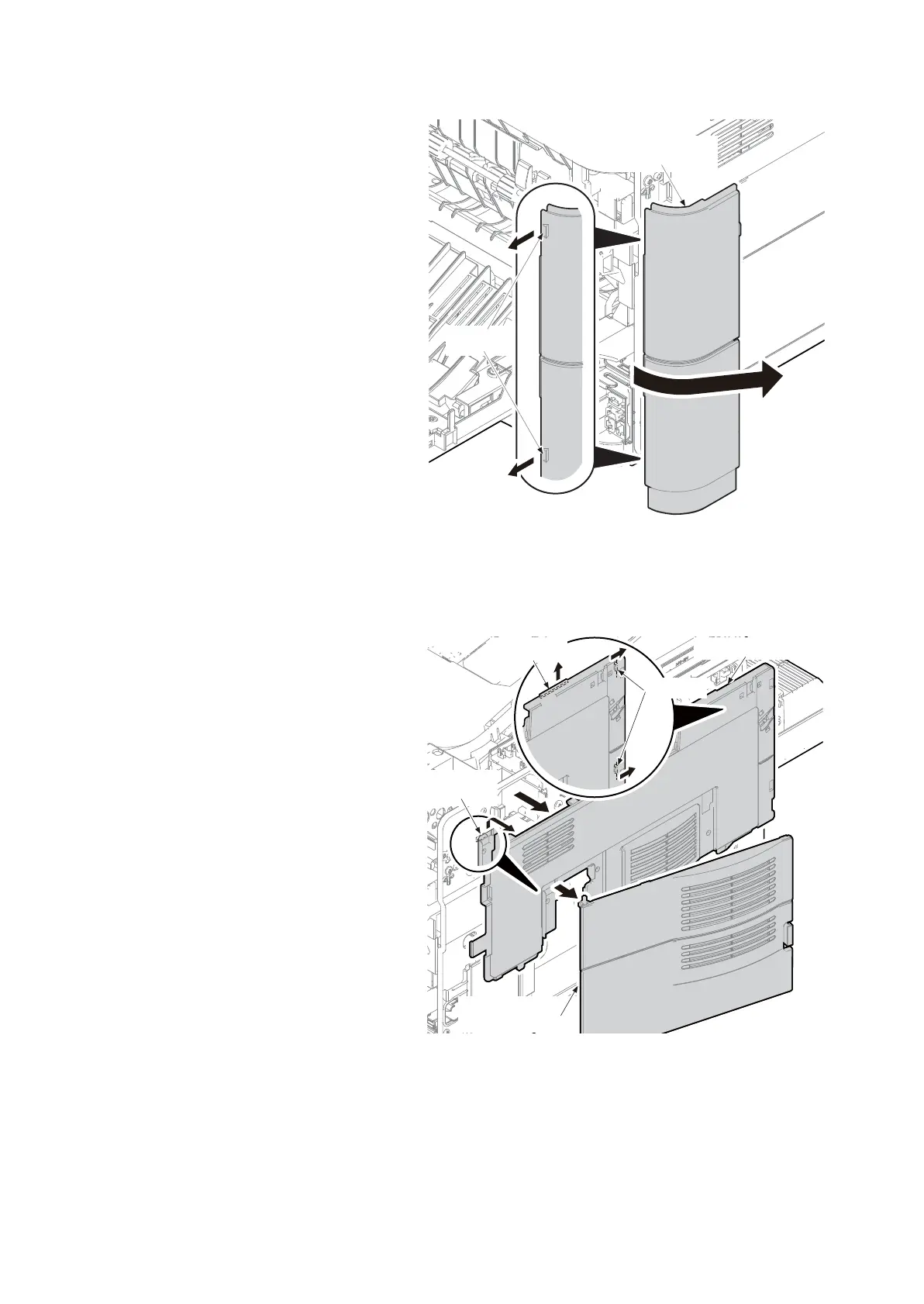
16. Release two hooks of the rear left cover
while pulling forward.
17. Remove the rear left cover by twisting it
forward.
Figure 1-5-139
18. Release the hook A by sliding the left
upper cover upward.
19. Release the hook B and hook C while
twisting the edge of the left upper cover
and then remove it and the waste toner
box cover together.
Figure 1-5-140
Rear left cover
Hooks
Left upper cover
Hook A
Waste toner
box cover
Hooks B
Hook C

 To Next Page
 Loading...