EasyManua.ls Logo

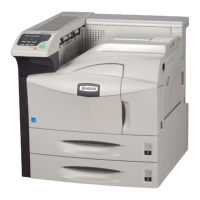
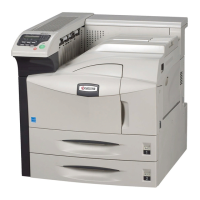
Kyocera FS FS-9530DN - User Manual

Kyocera FS FS-9530DN
84 pages
Print Icon
To Next Page IconTo Next Page
Loading...
Operation Guide
FS-9130DN
FS-9530DN

Questions and Answers

  • F
    Felicia FrancisSep 23, 2025
    What to do if Kyocera Printer showing Memory card err## Press GO?
    • D
      Dylan Cortez MDSep 23, 2025
      If your Kyocera printer displays 'Memory card err## Press GO', it indicates an error occurred during access to the memory card using the PRESCRIBE RWER command or from the printer’s operation panel. Check the error code.
  • T
    Thomas ThompsonAug 25, 2025
    How to fix completely blank printout from Kyocera Printer?
    • A
      alibrittanyAug 25, 2025
      If you're getting completely blank printouts from your Kyocera printer, check the toner container. Open the front cover of the printer and make sure that the toner container is correctly installed.
  • J
    John BrownAug 25, 2025
    What to do if Kyocera FS FS-9530DN Printer showing Add paper (paper source)?
    • C
      Courtney FloresAug 26, 2025
      If your Kyocera printer displays 'Add paper', it means the paper has run out. Simply supply paper to the indicated paper source, whether it's the paper cassette, MP tray, or an optional paper feeder.
  • C
    chelsea57Aug 27, 2025
    What to do if Kyocera FS FS-9530DN Printer prints a status page, but data from the computer is not being printed normally?
    • M
      Marie FergusonAug 27, 2025
      If your Kyocera printer prints a status page but not data from the computer, ensure both ends of the interface cable are securely connected and try replacing the printer cable. Also, try printing another file or using another print command to see if the issue is specific to a certain file or application. If so, check the printer settings for that application.
  • S
    stricklandgeorgeAug 27, 2025
    How to resolve Grey background issue on Kyocera FS FS-9530DN Printer?
    • C
      Cindy NguyenAug 27, 2025
      To resolve a grey background issue on your Kyocera printer, refresh the drum using the printer's built-in cleaning system via the operation panel. Also, check the operation panel for a 'Toner low' message and flashing ATTENTION indicator; if present, install a new toner kit. You can also adjust the print density to a lighter setting via the operation panel and ensure the toner container is correctly installed.
  • V
    vjohnstonSep 13, 2025
    What to do if Kyocera FS FS-9530DN showing Load cassette # (paper size)/(paper type)?
    • B
      Brandi OrtegaSep 13, 2025
      If your Kyocera printer displays 'Load cassette # (paper size)/(paper type)', it means that there is data for printing that matches a paper cassette setting (paper size, paper type), but there is no paper in the paper cassette. Set paper into the paper source as indicated by # on the operation panel, and press [GO] to restart printing.
  • H
    Helen WebbSep 12, 2025
    What to do if Kyocera Printer showing Check chad box Press GO?
    • P
      Paul WintersSep 12, 2025
      If your Kyocera printer displays 'Check chad box Press GO', it means that the punch unit waste box of the document finisher is full or not installed correctly. Check if the box is properly installed, and then discard the chads if the box is full.
  • A
    Aaron BryantSep 12, 2025
    What to do if Kyocera Printer showing Duplex disabled Press GO?
    • M
      Matthew LandrySep 12, 2025
      If your Kyocera printer displays 'Duplex disabled Press GO', it means that duplex printing cannot be performed due to the paper size or type. Press [GO], and the printer will print on one side only.
  • K
    Katherine WyattSep 4, 2025
    Why Kyocera Printer showing Unknown toner installed?
    • R
      Ricky ChapmanSep 4, 2025
      The message 'Unknown toner installed' on your Kyocera printer may appear if a toner container that indicates 'Toner low' or 'Replace toner Clean printer' is installed in other printers of the same model.
  • M
    Michelle HenrySep 2, 2025
    What to do if Kyocera FS FS-9530DN showing Cassette # not loaded?
    • K
      Kimberly ButlerSep 2, 2025
      If your Kyocera printer displays 'Cassette # not loaded', it means a cassette is not loaded properly. Properly load the cassette indicated by #.

Summary

Printing Operation

Loading Printer Driver

Step-by-step instructions for installing the printer driver software from the provided CD-ROM.

Printing from Application Software

Guides users on how to print documents from application programs using the printer's settings.

Maintenance

Toner Container Replacement

Details the procedure for replacing the toner container, including messages and frequency.

Troubleshooting

Print Quality Problems

Addresses issues related to print output quality, providing specific corrective actions for different results.

Correcting a Paper Jam

Provides detailed procedures for identifying and clearing paper jams in various printer locations.

Safety Information

Kyocera FS FS-9530DN Specifications

General IconGeneral
Print TechnologyLaser
Print Resolution1200 x 1200 dpi
Duplex PrintingYes
Processor400 MHz
ConnectivityUSB, Ethernet
Memory512 MB
Operating System CompatibilityWindows, Mac, Linux

Related product manuals