3-178
Enhancement device setup procedure > Optional device installation
[CONFIDENTIAL]
123
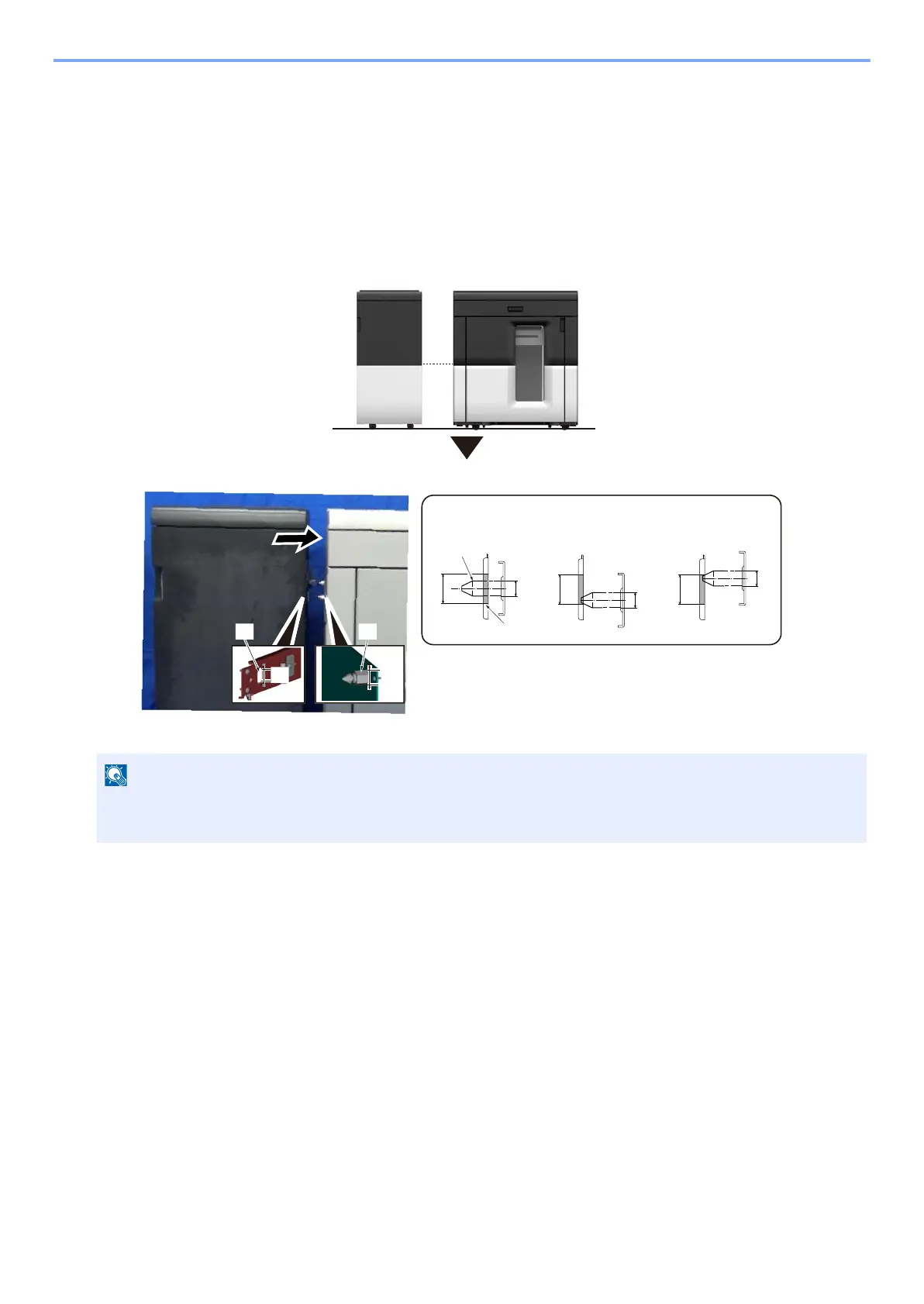
Check height or level of both Bridge Kit (AK- 9120) and Stacker (ST-9100).
1 Check the height.
Check the color borders between main unit and Bridge Kit for Stacker to Finisher(AK-9120). If the borders are
in same line then insert connection pin [A] to hole on AK- 9120 [B]. Connect Bridge Kit (AK- 9120) to Stacker
(ST-9100). Check the position of pin [A] diameter [C] and hole [B] height [D].
• OK: Outline [C] of pin [A] is in between hole [B] height [D].
• NG: Outline [C] of pin [A] is out of hole [C] height [D].
2 Check the level.
Check the level with the distance between Stacker (ST-9100) and Bridge Kit (AK- 9100) [E], [F].
• OK: The distance between AK-9120 and ST-9100, [E] and [F] are equal.
• NG: The distance AK-9120 and ST-9100, [E] and [F] are not equal.
• If the color borders of main unit and Bridge Kit for Stacker to Finisher(AK-9120) are not in same line then
height adjustment is necessary.
[A][B]
[C]
[D]
[A]
[B]
[D]
[C]
[D]
[D]
[C]
[C]
OK
NG
NG



 To Next Page