Basic Operation
3-53
3
Changing Registration
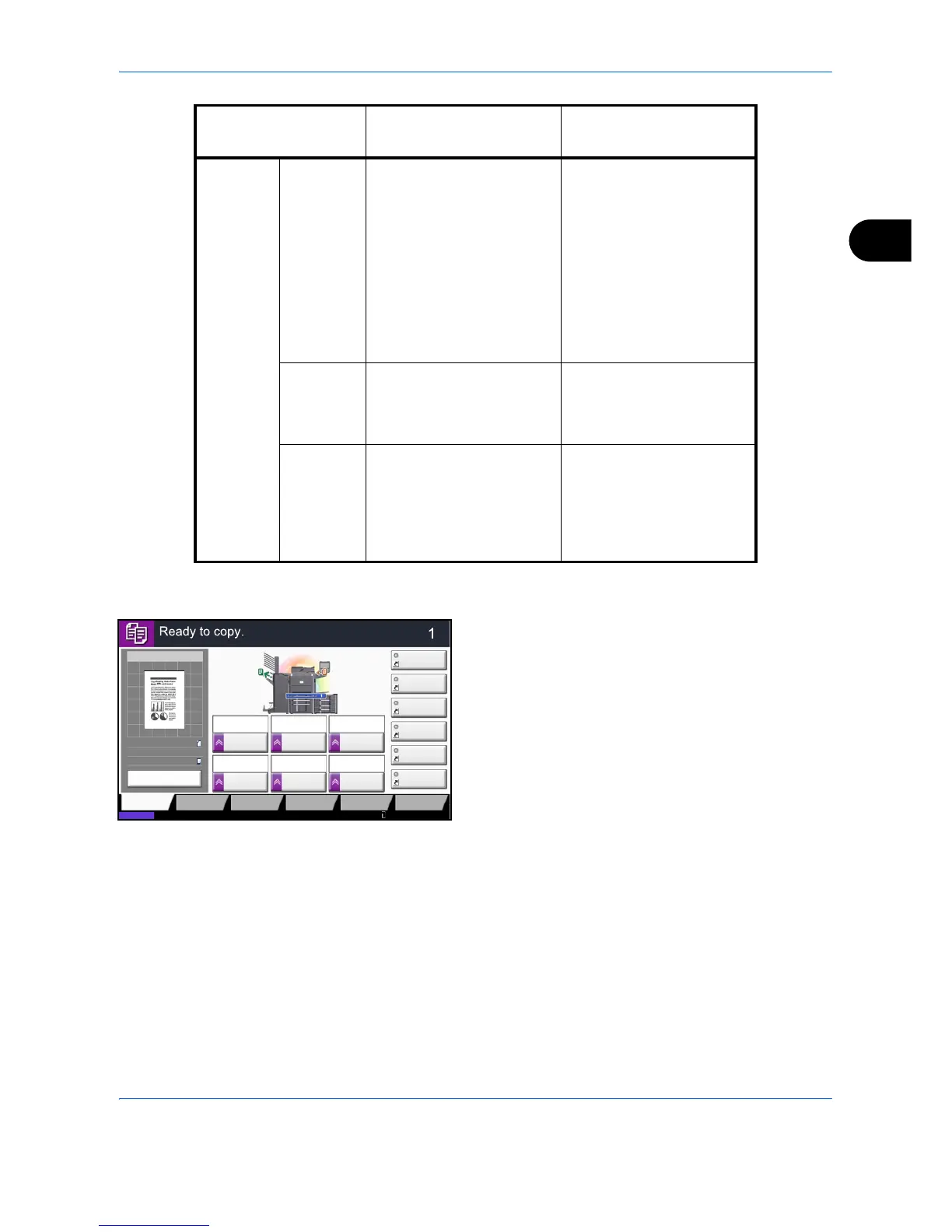
The following procedure is one example for replacing
the registration of Density with Original Image in the
Quick Setup Screen for copying.
1 Press the System Menu key.
2 Press [Copy], [Next] of Quick Setup Registration,
and then [Change] of Original Image.
Document
Box
Document
Storage
1: Color Selection
2: Resolution
3: Density
4: 2-sided/Book Original
5: Original Orientation
6: Original Image
• Color Selection
• Resolution
•Density
• 2-sided/Book Original
• Original Orientation
• Original Image
• Original Size
•Zoom
• Continuous Scan
• Storing Size
• Background Density Adj.
Sending
From Box
1: File Format
2: Delete after Transmitted
3: FAX TX Resolution
4: Sending Size
• File Format
• Delete after Transmitted
• FAX TX Resolution
• Sending Size
Printing
From Box
1: Paper Selection
2: Delete after Printed
3: Collate/Offset
4: Duplex
5: Combine
6: Staple/Punch
• Paper Selection
• Delete after Printed
• Collate/Offset
•Duplex
• Staple/Punch
• Combine
Function Default Registration
Functions Available for
Registration







 To Next Page