Preparation before Use
2-6
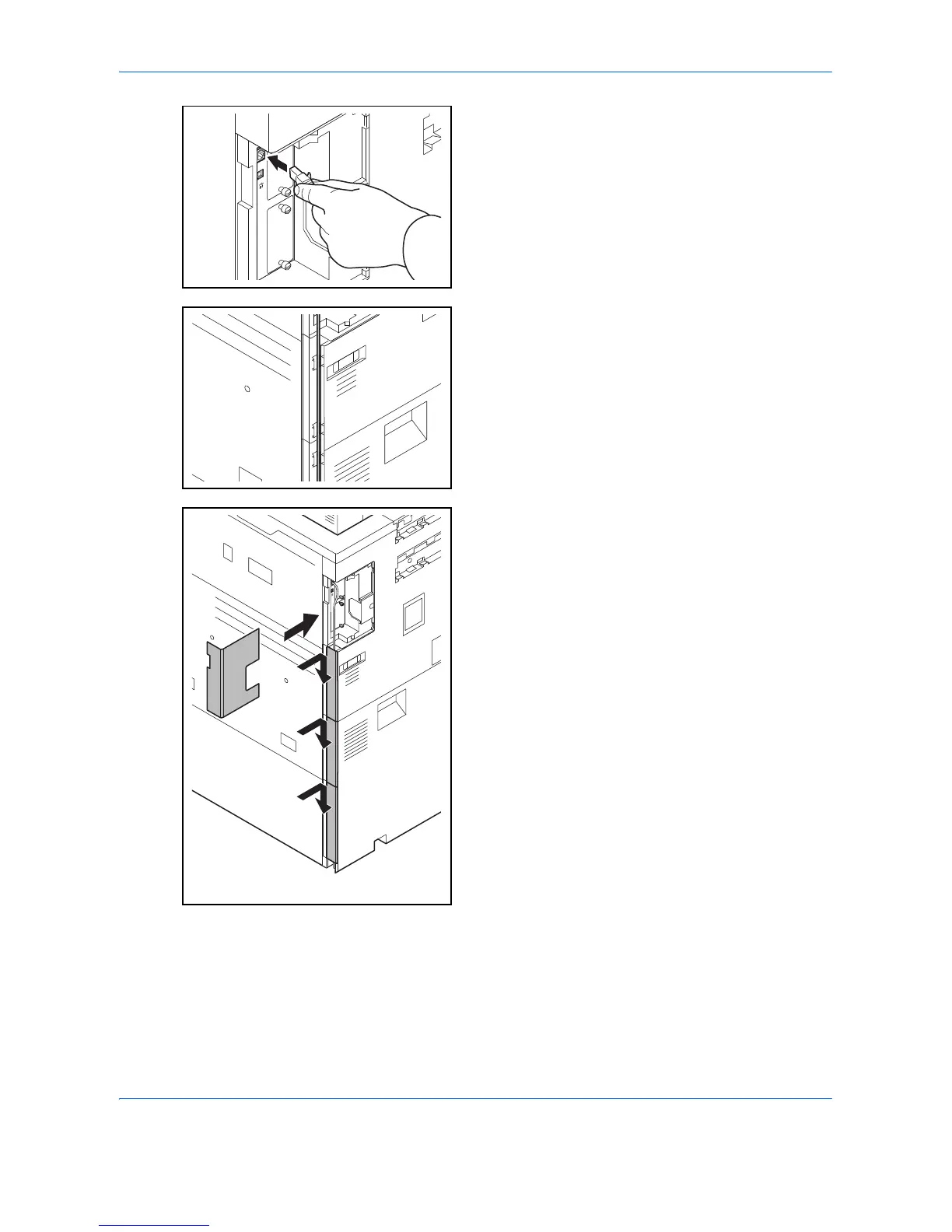
3 Connect the LAN cable to the network interface
connector located on left side of the body.
4 Insert the cord into the groove.
5 Attach the covers in order from the bottom, taking
care not to pinch the cord.
6 Connect the other end of the cable to the hub.
7 Power on the machine, and configure the network.
For details, refer to Network Setup (LAN Cable
Connection) on page 2-15.






 To Next Page