15
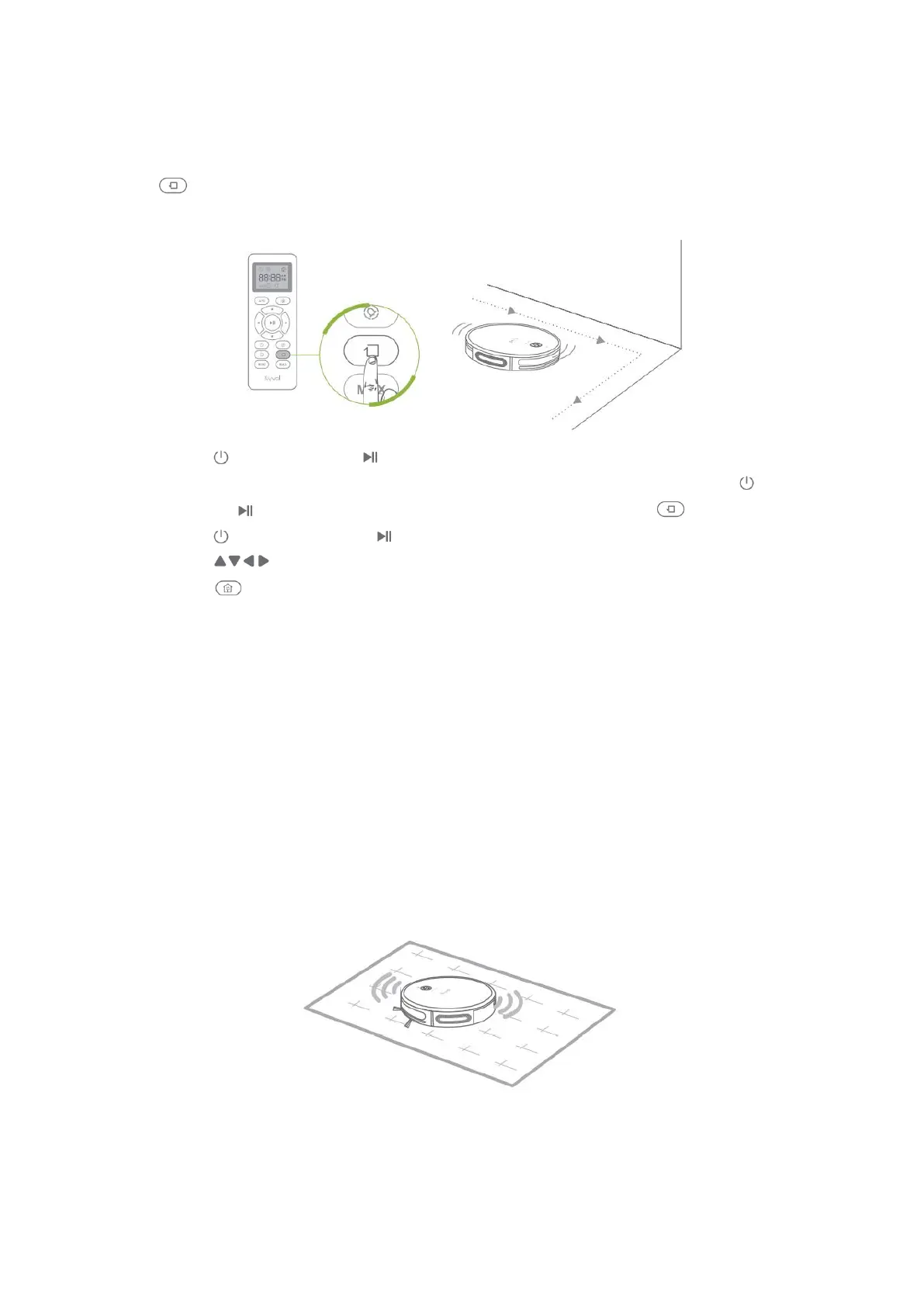
Edge Mode
This mode is to thoroughly clean the edges along the wall or any furniture.
Press on the remote to begin the edge cleaning process. The robot will clean for
around 20 minutes along any edges, then return to the Charging Base.
• Press on the robot or on the remote to pause the cleaning process, press
again to switch to Auto Mode. If you´d like to resume edge mode, press on the
robot or on the remote to pause the auto mode, the press again.
• Press on the remote or on the remote to pause the cleaning process, then
press on the remote to manually adjust the direction of the robot.
• Press on the robot or the remote to get it back to the Charging Base.
Tips:
1. When the battery gets low, the robot will return to the Charging Base to make a
self-charging. We recommend to fully charge the robot, then operate it as
needed. If no cleaning plans, please let the robot always connect with the
Charging Base.
2. If the robot is not managed to find the Charging Base due to obstacles or getting
stuck, please manually get it to contact with the Charging Base
AUTO CARPET BOOST
The robot will automatically increase its suction power on carpet to provide a deeper
clean. When on a hard surface, the robot will return to the medium suction power to
provide just right amount of power without wasting its battery.
Tip:
If the level of the suction power is the maximum level before cleaning a carpet, the robot
will continue cleaning the carpet with the maximum power after moving on the carpet.


 To Next Page