4
Time Alarm
Set Alarm:
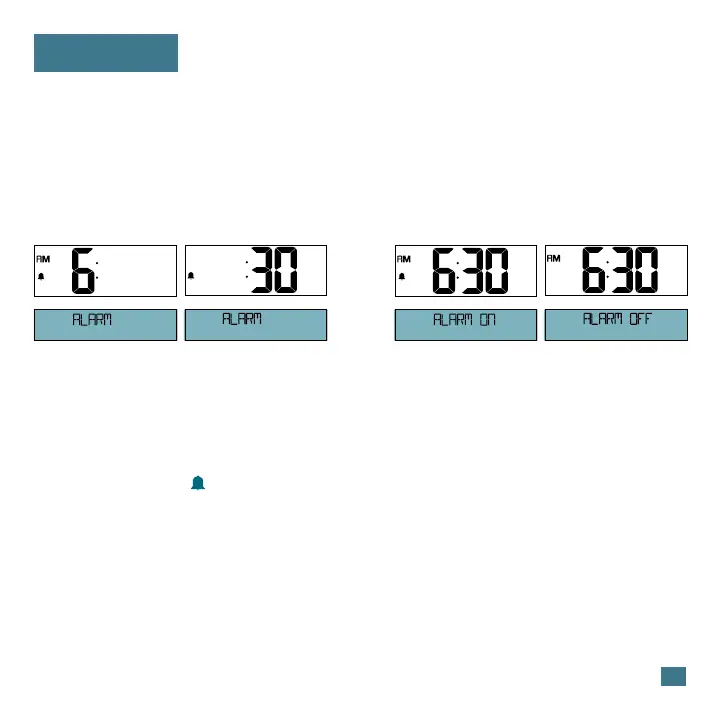
1. Hold the ALARM button until the display changes to enter the Alarm
Settings.
2. Press and release the +/- buttons to adjust values.
3. Press the ALARM button to confirm and move to the next item.
Alarm Hour Alarm OFFAlarm ONAlarm Minutes
Silence a sounding alarm:
Press any button except SNOOZE to silence the alarm for 24 hours.
Activate/Deactivate Alarm:
• Press the ALARM button to activate or deactivate the alarm.
• The Alarm Icon will show when alarm is active.
Snooze:
• When the alarm sounds, press the SNOOZE button to silence the
alarm for 10 minutes. Zz will show.
Note: The alarm will sound with increasing frequency for two minutes,
then shut off automatically if not silenced.









 To Next Page