6
Temperature
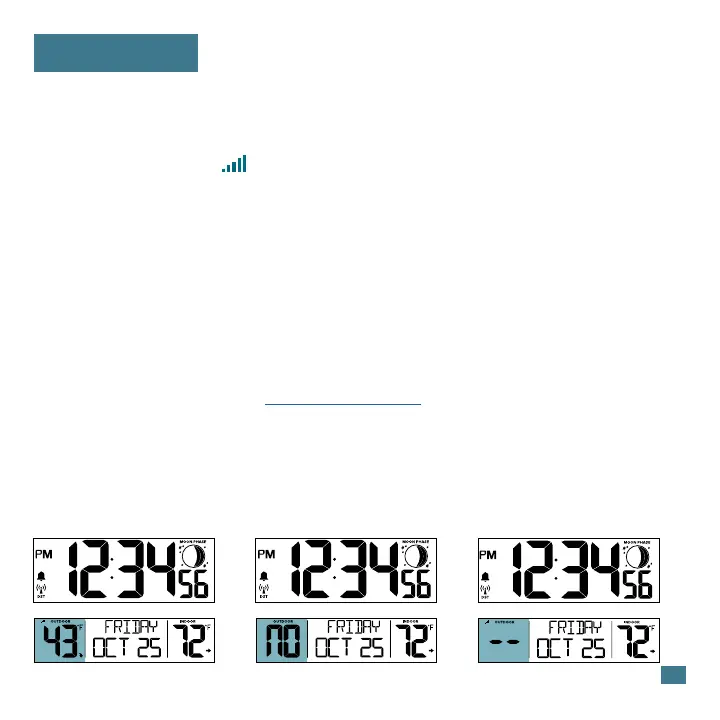
Sensor Connected Search for SensorSensor Not Connected
If you are seeing NO or dashes for your outdoor readings, please try the
following steps:
1. Hold the + (PLUS) button to search for your outdoor sensor. The
Reception Indicator will begin to animate.
2. If after 3 minutes the sensor still isn’t connected, bring the sensor inside
next to the display and remove power from both the sensor and clock.
3. Press any button on the clock 20 times and leave the parts sit for a few
moments with the power o.
4. Install a new set of alkaline batteries into the sensor, then into your clock.
For additional help visit: bit.ly/basic_restart
5. If your outdoor data is still not appearing after these steps, please
contact our support sta via the link below.









 To Next Page