BTA 060, Rev 1K1 Page 9/18
previous
list entry
list entry
next
list entry
menu item of
parameter list
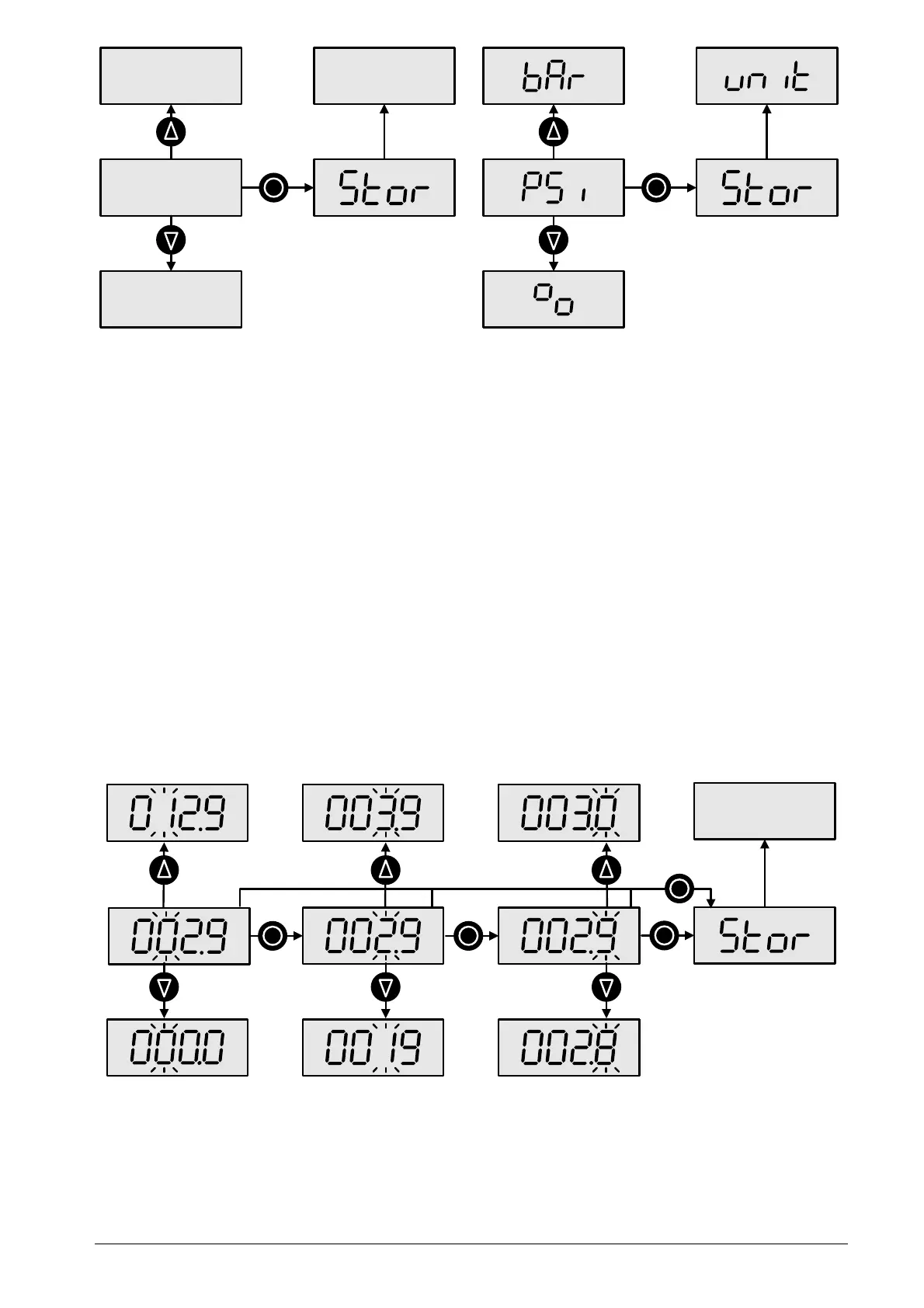
Figure 8: Button functions in a selection menu and example with parameter list for measuring units
Setting a numerical value
Numerical values are entered digit by digit. The selected digit flashes and is incremented
with the up arrow button and decremented with the down arrow button. The more
significant digit will also be incremented or decremented when stepping over zero. If a
change of the active digit would exceed the allowable value (e.g. the lower or upper range
limit) the allowable value will be shown. With the opposite arrow button you can return to
the previous value.
You confirm the selected digit with the middle button and proceed to the next digit.
You can cancel the value entry at any time by pressing both arrow buttons simultaneously.
The device will then switch back to the corresponding menu entry. The partially edited
value will not be saved.
When the right-most digit is selected, the middle button confirms the whole value. "Stor"
appears on the display to confirm that the value has been stored and the device switches
back to the menu item for the value.
You can store the partially edited value at any digit position by holding the middle button
until "Stor" appears on the display (approx. two seconds).
menu item
for value
a)
b)
c)
> 2 s
Figure 9: Button functions for entering numeric values a) limit to allowed values, b) changing one digit,
c) incrementing the more significant digit when stepping over zero


 To Next Page