BTA 060, Rev 1K1 Page 10/18
6.2 Main menu
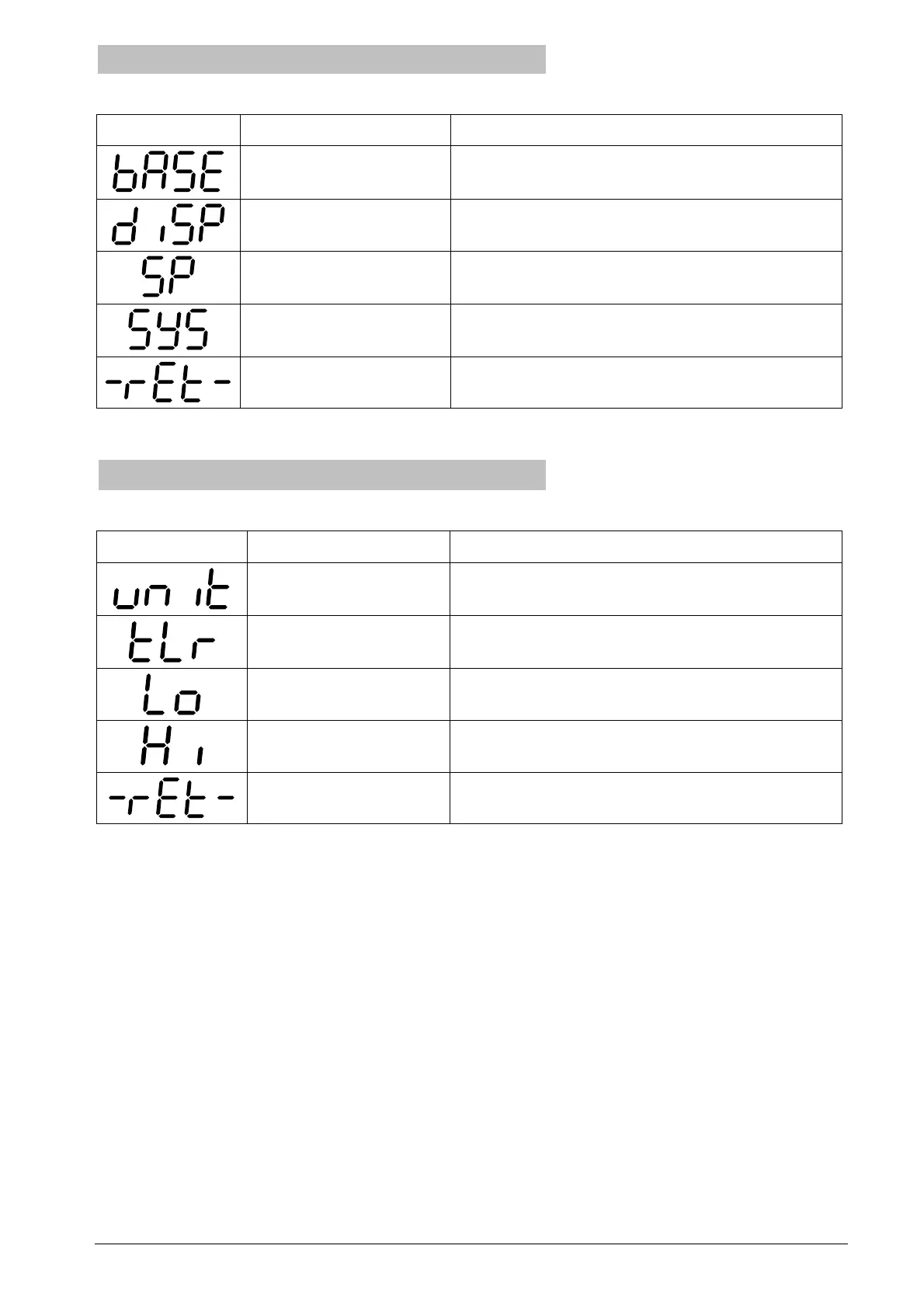
The main menu contains the following functions:
Display Designation Description
Basic functions Setting the unit, setting the zero point,
min./max. pointer
Display functions All settings relating to the display
Switch point settings Configuration of the switching outputs
(optional)
System data Displaying system data (versions, serial
number); reset to factory settings
Return Return to display mode
Table 3: The items in the main menu
6.3 Basic menu (bASE)
The basic menu contains the following items:
Display Designation Description
Measuring unit Setting the measuring unit via a parameter
list
Set zero point
(Teach lower range)
Setting the applied pressure as zero point
(0 bar)
Min. pointer (low) Display resp. delete the min. pointer
Max. pointer (high) Display resp. delete the max. pointer
Return Return to the main menu
Table 4: The items in the basic menu


 To Next Page