BTA 060, Rev 1K1 Page 11/18
6.3.1 Setting the measuring unit (unit)
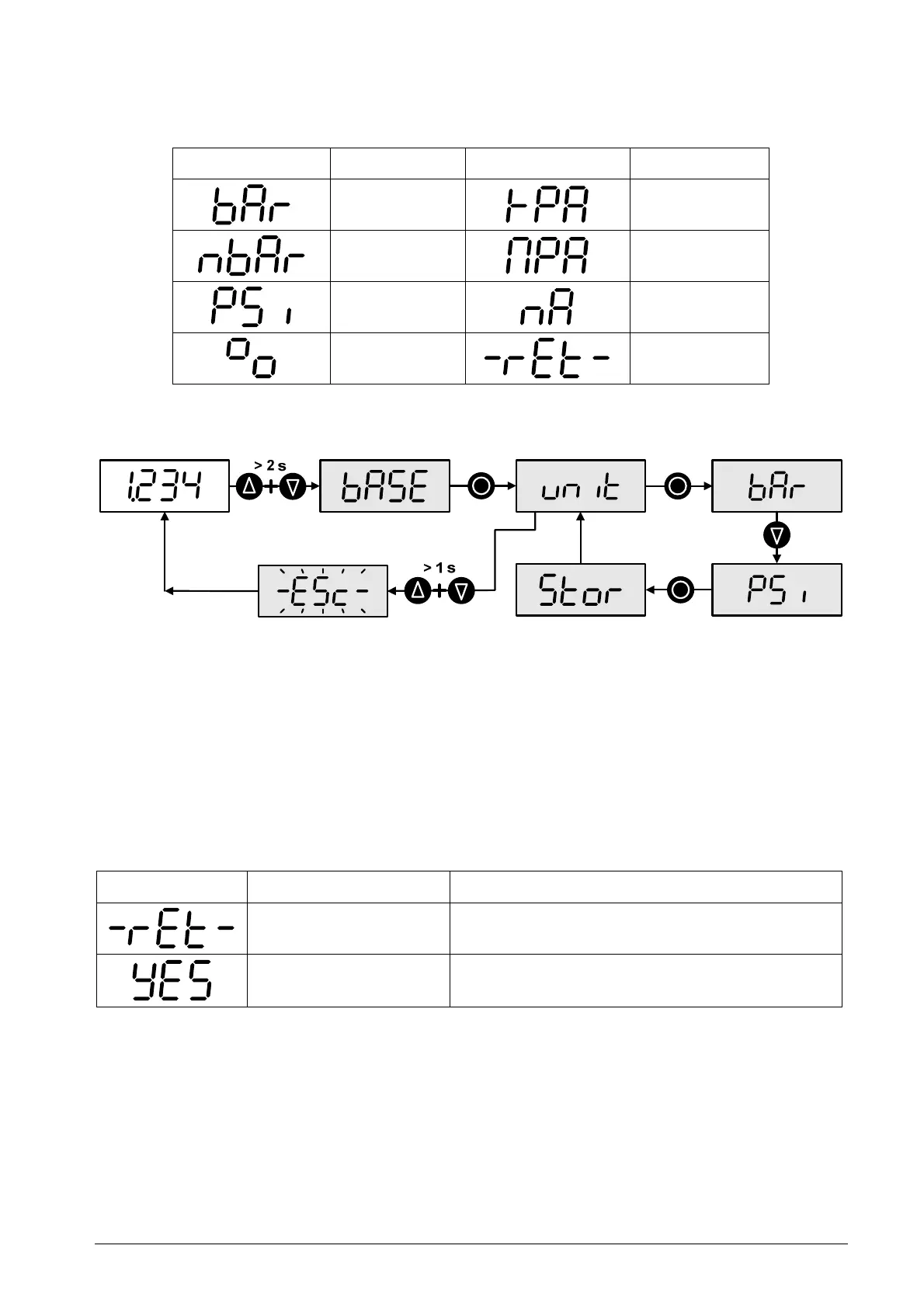
The device can operate with the units shown below. The selected unit applies to data
entries (e.g. for set points) and to the displaying of numerical values (e.g. the min./max.
pointer).
Display Unit Display Unit
bar
kPa
mbar
MPa
PSI
mA
%
Return
Table 5: Parameter list for the measuring unit
As an example the steps needed to change the unit from bar to PSI are shown below.
Figure 10: Operator actions for changing the unit from bar to PSI
6.3.2 Correcting the Zero Point (tlr)
You can correct the zero point by up to 20% of the measuring range with the "teach lower
range" menu item (tlr). When the menu item is selected the entry points to "-rEt-". To
trigger the function go to "YES" with one of the arrow buttons and confirm with the middle
button. This extra step prevents any unintentional zero shift while navigating the menu.
With the final confirmation, the applied pressure is stored as zero point. "donE" appears on
the display to confirm that the zero point has been adjusted and the device switches back
to the menu item "Teach Lower Range" " (tlr).
Display Designation Description
Return
Return to "tlr"
Confirm (yes) Setting the applied pressure as the zero point
(0 bar)
Table 6: Parameter list for correcting the zero point
The steps needed to adjust the zero point are shown below (starting from display mode).


 To Next Page