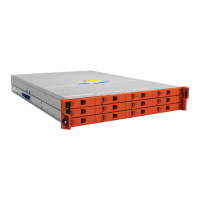
LaCie 12big Rack Network Troubleshooting & Problem Solving
User Manual page 32
4.5. Troubleshooting
The following sections describe common problems, with possible
solutions, which can occur with your LaCie 12big Rack Network
system.
For details on how to remove and replace a module see 5.3. Replac-
ing a Module.
4.5.1. System Faults
Table 13 - System faults
Symptom Cause Action
Audible alarm
sound
Internal fault
detected (e.g.
failure of an
internal com-
munications
path)
Check for other AMBER
LED indications on the
Power Supply Units.
If there is a PSU error
present there may be a
communications problem
with that Power Sup-
ply Unit. Remove and
then re-fit the PSU, if the
problem persists then
change the PSU.
4.5.2. Power Supply Unit Faults
Table 14 - Power Supply Unit Faults
Symptom Cause Action
Ops Panel
UNIT FAULT
LED amber
Any power
fault.
Check AC mains con-
nections to Power Supply
Unit is live.
Audible alarm
sounding.
A thermal con-
dition which
could cause
PSU overheat-
ing.
Disconnect the PSU
from mains power and
remove the PSU from
the PS cage. Re-install: if
problem persists, replace
PSU.
Reduce the ambient
temperature.
4.5.3. Cooling Fan Faults
Table 15 - Cooling Fan Faults
Symptom Cause Action
Front Panel
fault LED
amber.
Any power
fault.
Check DC power to
cooling fans is correct
and that the fan LED is
not illuminated.
Audible alarm
sounding.
A fan failure. Disconnect the PSU from
mains power and remove
the faulty fan from the
system. Reinstall. If
problem persists, replace
PSU.
Fan LED is
illuminated.
Reduce the ambient
temperature.


 To Next Page