LaCie d2 Thunderbolt 2 | USB 3.0 User Manual 13
CABLES AND CONNECTORS
MAC
THUNDERBOLT
Your LaCie product features Thunderbolt 2 technology, the most flexible interface ever created. When
connected to a computer that supports Thunderbolt 2 technology, your LaCie device can reach up to 20Gb/s,
bi-directional, on a single port, the fastest data connection available on a personal computer.
You can also use Thunderbolt 2 technology storage devices with computers that support first generation
Thunderbolt. However, you will be limited to first generation technology transfer rates, up to 10Gb/s,
bi-directional.
Thanks to support for both data streams and mini DisplayPort video, you can connect either a storage peripheral
or a display to a Thunderbolt port. However, it's not possible to use a mini DisplayPort cable to connect a
storage peripheral to a Thunderbolt port. You must use a Thunderbolt cable.
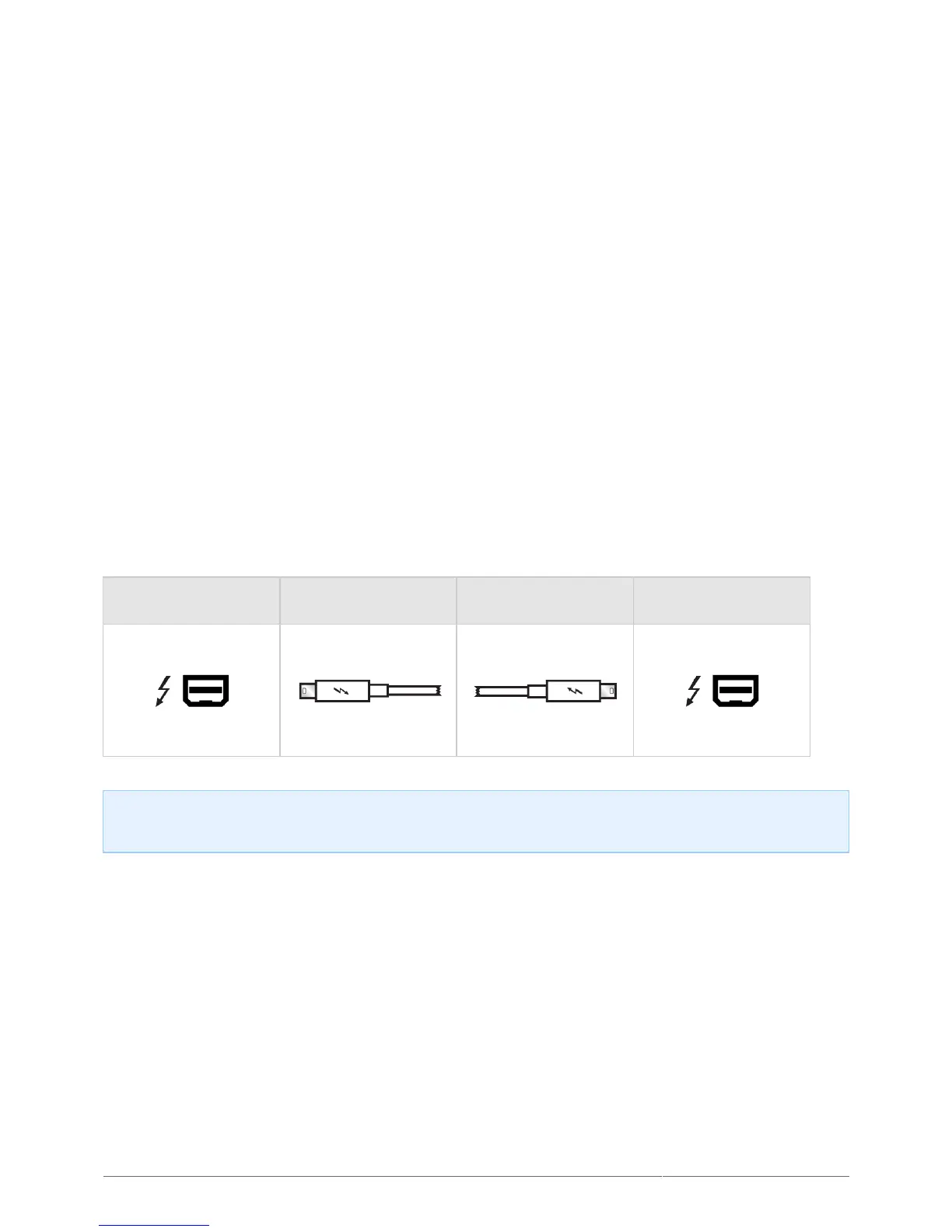
Connector Face
(to computer)
Cable End
(to computer)
Cable End
(to product)
Connector Face
(to product)
Note on Thunderbolt 2: Your Mac must have a Thunderbolt 2 port to take advantage of Thunderbolt 2
transfer rates.











 To Next Page