LaCie Brick Mobile Hard Drive
User Manual
page 16
Formatting and Partitioning
Windows 98 SE and Windows Me users must in-
stall Silverlining 98 to format and partition the drive.
See section 2.1 for Silverlining installation instructions.
3.1. Formatting for Windows Users
3.1.1. Windows 98 SE and ME ■
e process of formatting a drive on a computer
running Windows 2000 or Windows XP consists of
two steps: (1) installing a signature on the drive, and
(2) formatting the drive. ese steps will erase anything
that is on the disk.
Connect the drive to the computer via the interface 1.
port.
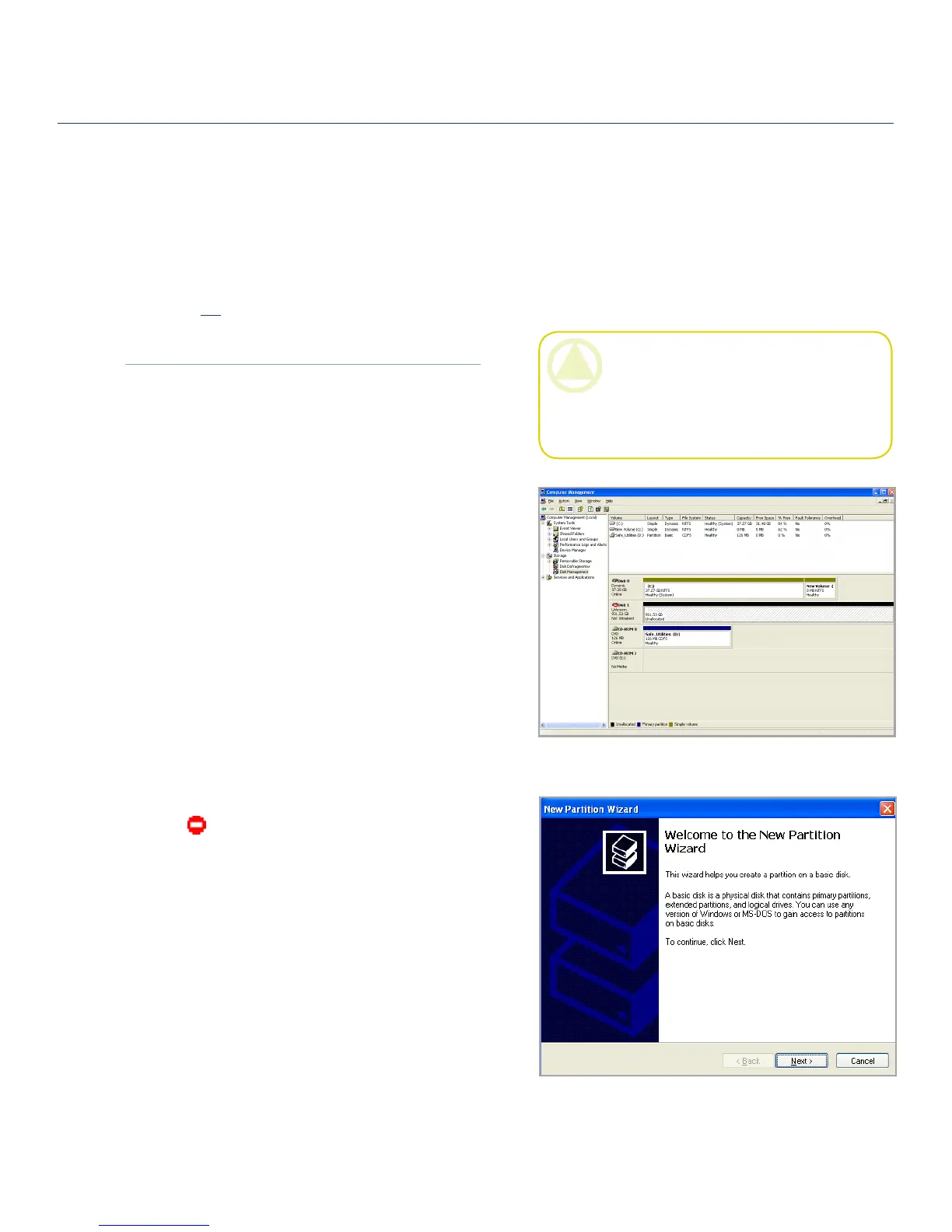
Right-click 2. My Computer and select Manage.
From the “Computer Management” window, se-3.
lect Disk Management (located below the Storage
group).
If the “Initialize and Convert Disk Wizard” window 4.
appears, click Cancel.
Windows will list the hard drives that are installed 5.
on the system. Locate the drive that is represented
by the icon. Right-click the icon and select
Initialize.
In the box to the right that says 6. Unallocated, right-
click and select New Partition…
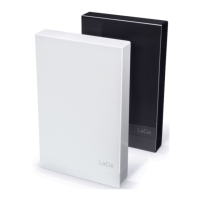
On the first page of the “New Partition Wizard,” 7.
click Next.
Fig. 3.1.2.A
Fig. 3.1.2.B
3.1.2. Windows 2000 and XP ■
CAUTION: Following these steps will erase ev-
erything from the hard drive. If you have informa-
tion that you want to protect or continue to use,
back up this information before performing these
steps.
(continued on next page) ■












 To Next Page