18
Setup
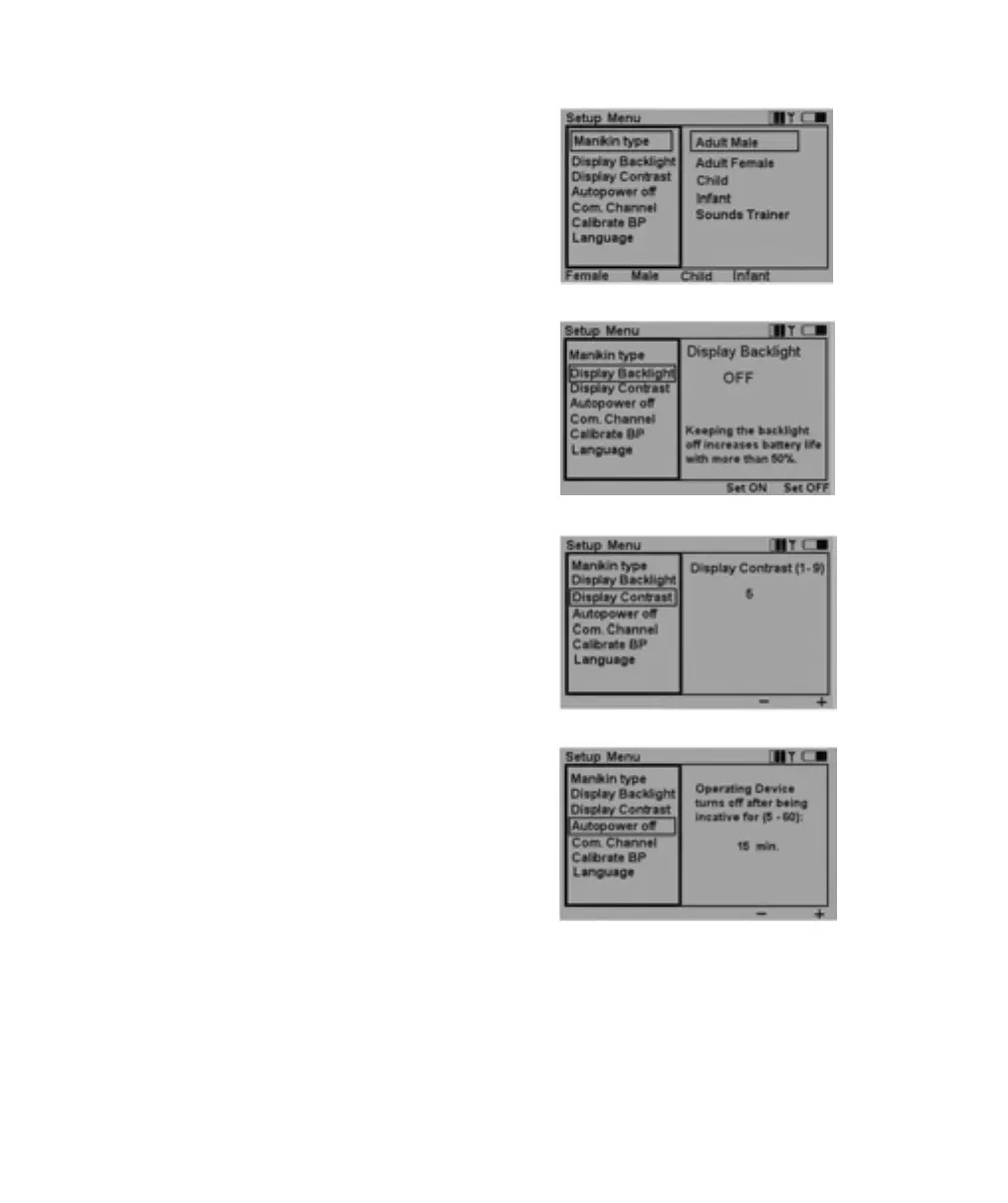
To activate the Setup Menu, press the Menu button.
Use the navigation buttons to select function. Use quick execu-
tion buttons or the navigation buttons to make a selection.
Press OK to save.
Display backlight can be turned on or off. Unless used in a
dark room, it is recommended to have the backlight off
to preserve batteries.
Factory setting is off.
Display Contrast can be adjusted between 9 (darker)
and 1 (lighter).
Factory setting is 5.
To preserve batteries, the Autopower off function turns off the
remote control if there has been no keyboard activity for the
set number of minutes.A warning will be given one minute be-
fore the unit turns off.
Factory setting is 15 minutes.
The base unit has no autopower off function. System status is
stored in the base unit, so turning the remote control off will
not affect it’s operation or settings.
VitalSim06DfUengelsk 11.09.03 08:14 Page 18













 To Next Page