EQUIPMENT
43
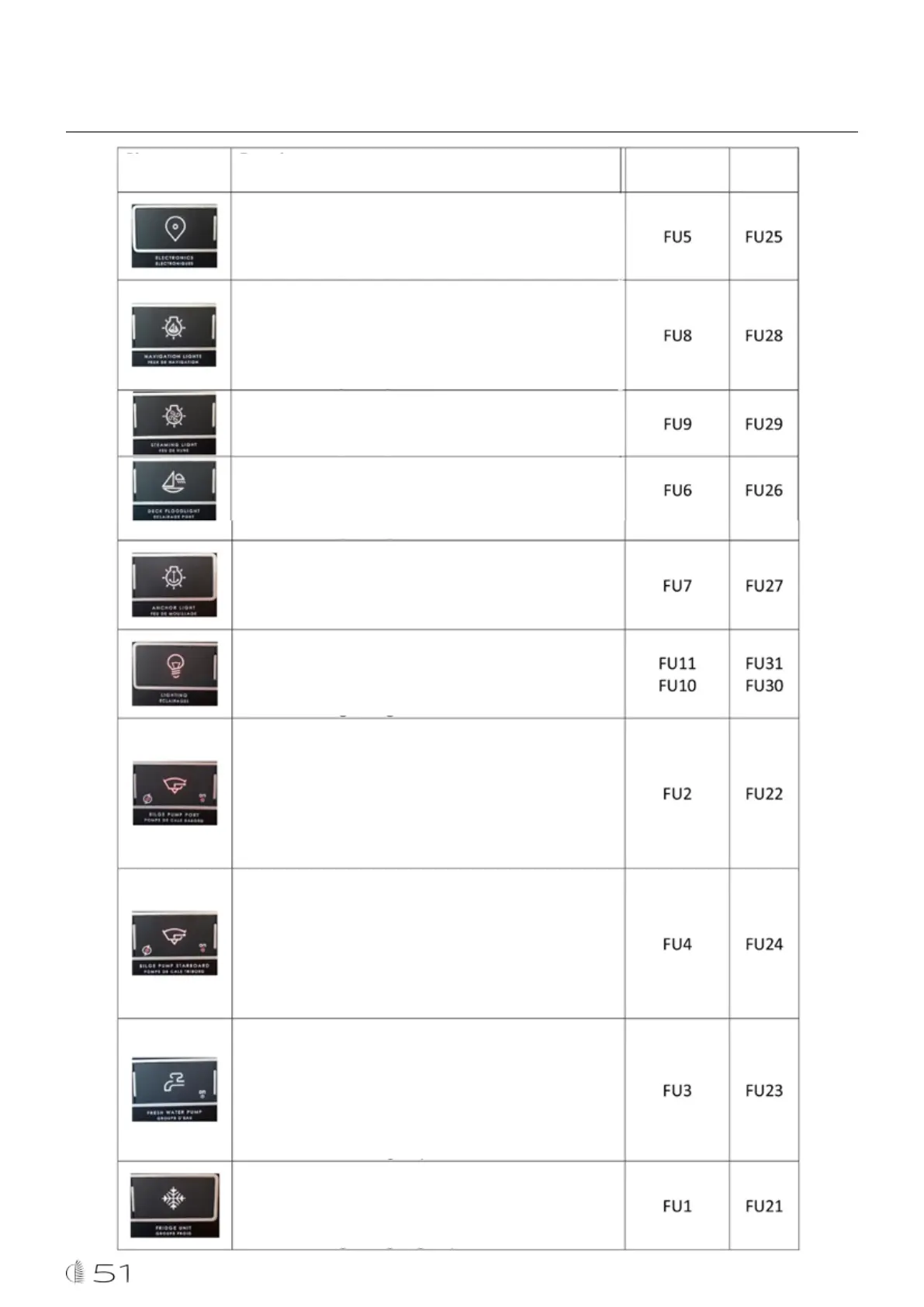
To power the navigation electronics.
- White backlight or off: Electronics not powered
- Red backlighting: Electronics powered
Pictogram Functions
Turn on and off the navigation lights (port and starboard
lights at the forepeaks, and the stern light at the rear of the
roof)
- White backlight or off: Lights off
- Red backlighting: Lights on
Turn on and off the masthead light (on the mast)
- White backlight or off: Light off
- Red backlighting: Light on
Turn on and off the deck searchlight (on the mast)
- White backlight or off: Light off
- Red backlighting: Light on
Turn on and off the anchor light (on the masthead)
- White backlight or off: Light off
- Red backlighting: Light on
Powers direct lights and wireless lighting modules
- White backlight or off: Lights off
- Red backlighting: Lights on
Powers the port bilge pump.
The first press powers the pump automatically, using a float,
the indicator lights
A second press forces the pump to operate and both lights
come on
Powers the starboard bilge pump.
The first press powers the pump automatically, using a float,
the indicator lights
A second press forces the pump to operate and both lights
come on
Turn on and off the water unit
- White backlight or off: water unit off
- Red backlight: water unit on
The indicator displays the operation of the water unit
Turn on and off all boat cooling units
- White backlight or off: cooling units off
- Red backlight: cooling units on
Circuit breaker Bypass



 To Next Page