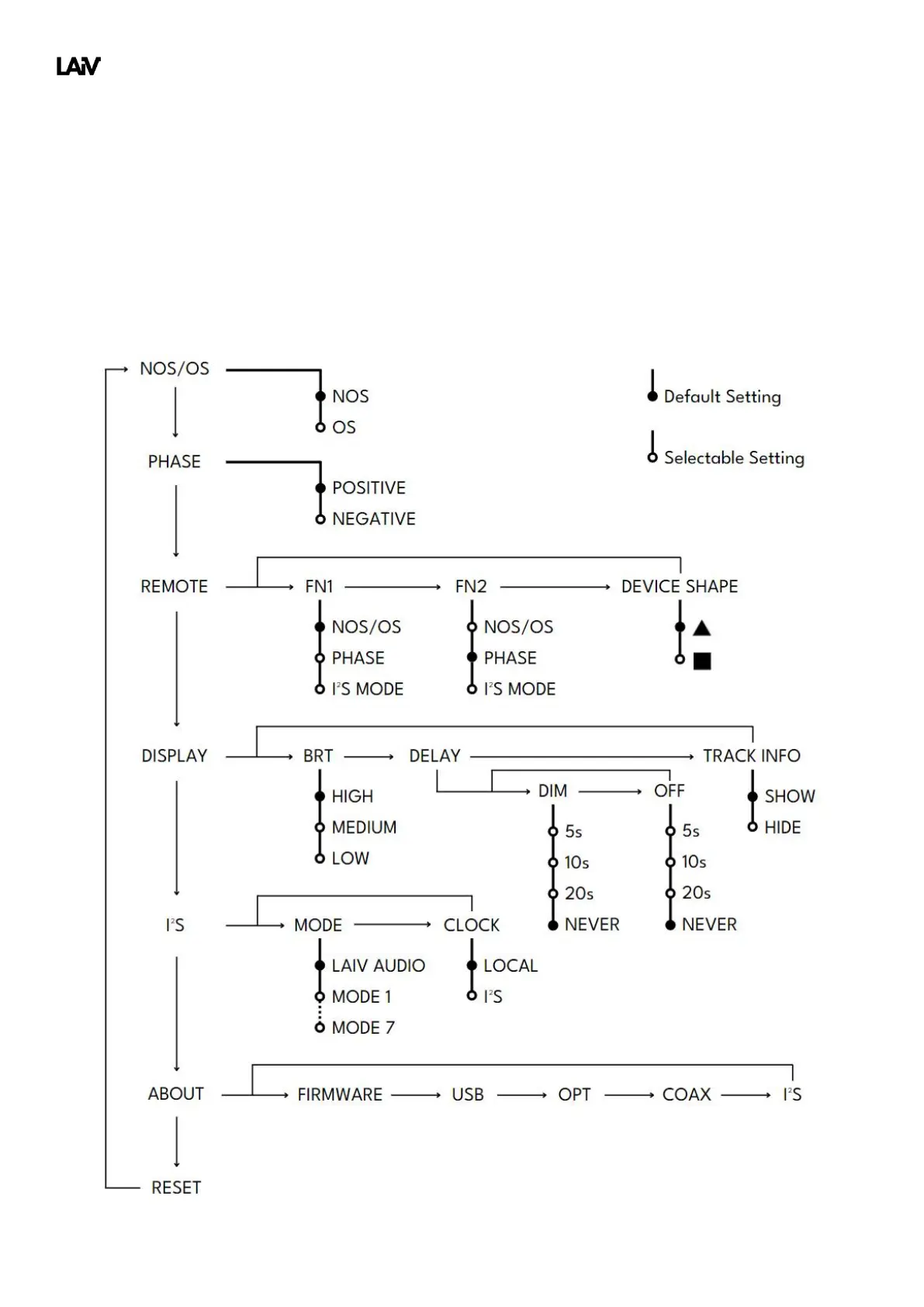
3.2. Settings Menu
Our settings menu serves as the central hub for configuring all aspects of your DAC experience. Easily accessible
via the menu button on the front panel or through the convenience of the remote control, this intuitive interface
puts control at your fingertips. Whether adjusting audio preferences, fine-tuning connectivity options, or
customizing display settings, our settings menu provides seamless navigation and effortless customization to
tailor your audio experience to perfection.



 To Next Page