4.2. I
2
S Clock
Introducing our I
2
S clock capability, offering you with remarkable flexibility in your I
2
S setup. This feature enables
you to select between the local DAC clock or the I
2
S clock when utilizing the I
2
S input. The DAC meticulously
verifies the compatibility of the I
2
S clock, only permitting you to opt for the I
2
S clock if it meets compatibility
standards.
If you select the I
2
S clock as your preferred clock, in instances where the I
2
S clock becomes unstable or
incompatible, the DAC seamlessly reverts to utilizing the local clock. When the I
2
S clock stabilizes and becomes
compatible again, the DAC seamlessly reverts back to utilizing the I
2
S clock. Moreover, when users switch to other
digital inputs, the DAC seamlessly transitions back to using the local clock. This intelligent system ensures optimal
performance and reliability throughout various audio configurations.
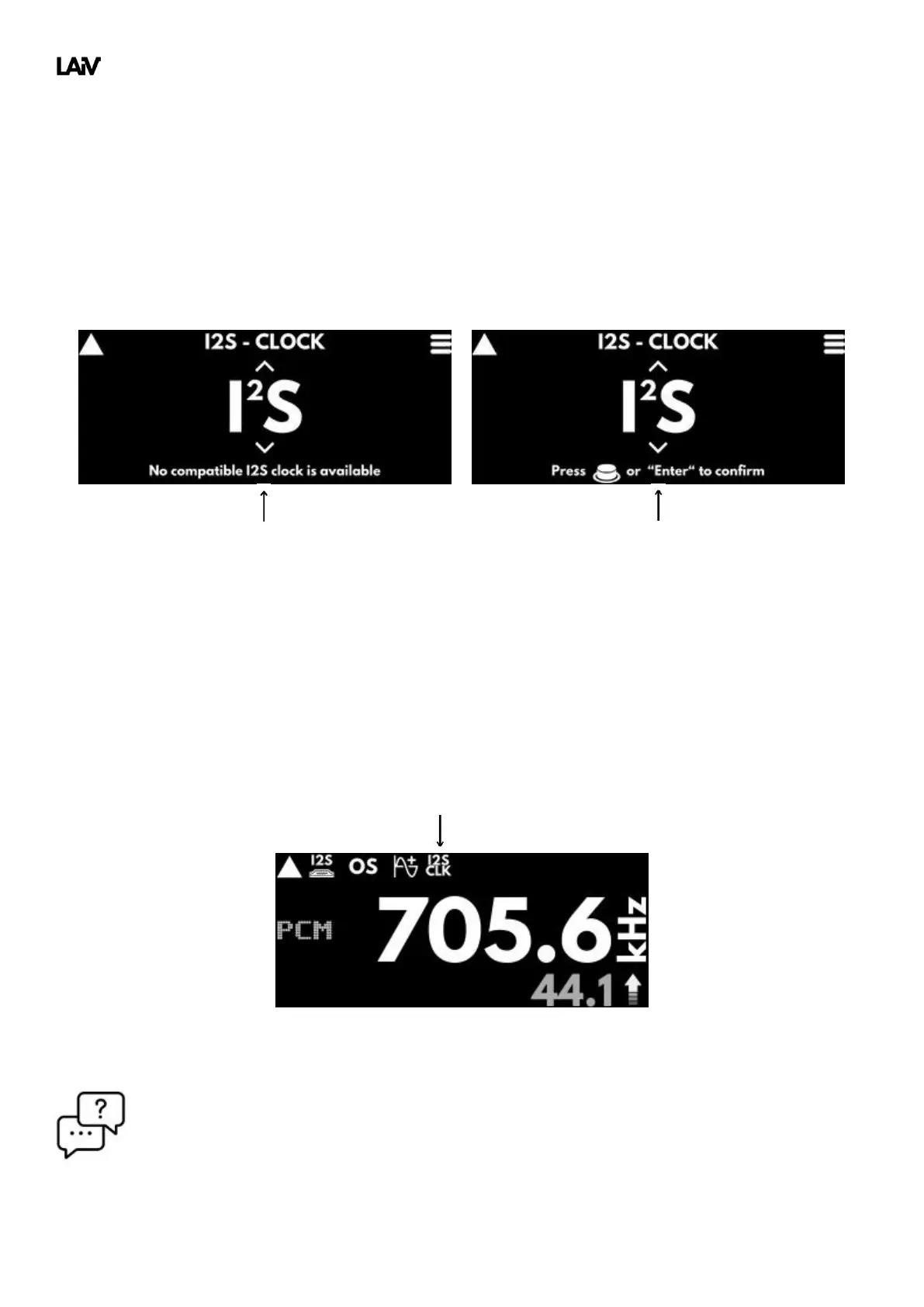
You can easily identify whether the DAC is using the I
2
S clock on the main display by checking for the 'I2S CLK'
icon show below.
Q: Why did the 'I2S CLK' icon on the main display suddenly disappear?
A: The incoming I
2
S clock becomes unstable or incompatible, prompting the DAC to seamlessly revert
to utilizing the local DAC clock.



 To Next Page