3.7. “About” In The Settings
The "About" settings provide essential information about the device, including the firmware version and
supported sampling rates for each digital input. By accessing this menu, users can quickly ascertain the current
firmware version installed on their device, ensuring they are up to date with the latest enhancements and
features. Additionally, users can view the supported sampling rates for each digital input, enabling them to
optimize their audio setup based on the capabilities of their connected devices. This transparency empowers
users with valuable insights into the technical specifications of their DAC, facilitating informed decisions and
maximizing their audio experience.
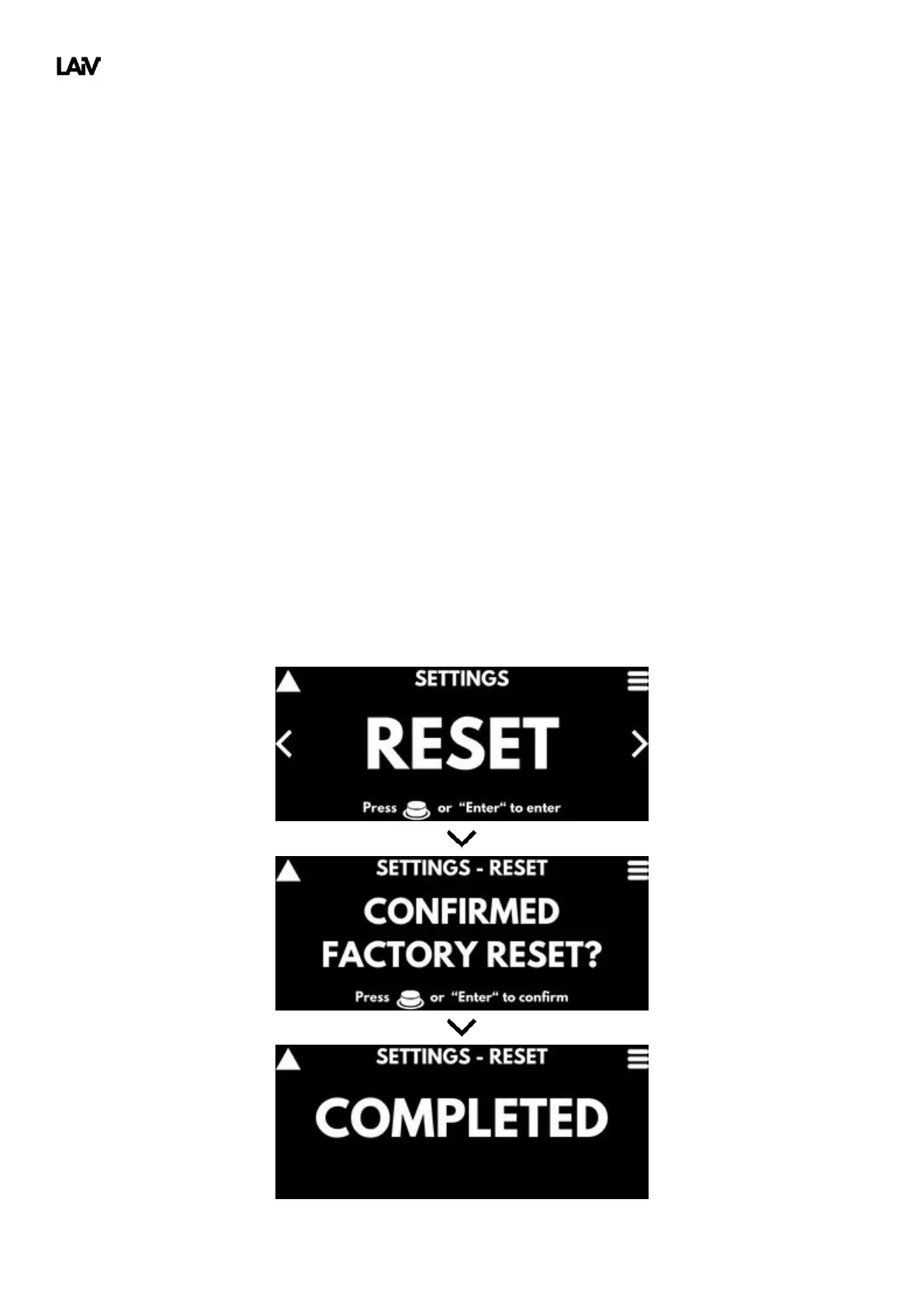
3.8. Factory Reset
The factory reset function provides users with a convenient way to restore their DAC to its original factory
settings, effectively wiping any custom configurations or adjustments made since its initial setup. This feature
can be particularly useful in troubleshooting scenarios or when users wish to revert to the device's default
settings for any reason. By initiating a factory reset, users can ensure that their DAC returns to a standardized
state, eliminating any potential issues caused by misconfigurations or unwanted changes. This streamlined
process simplifies maintenance and troubleshooting, enabling users to quickly resolve any issues and restore
optimal performance to their audio setup with ease.



 To Next Page